Quick answer: The Best Ark Server Hosting Services in 2024 is ShockByte!
An ARK server is its own community. ARK is a game in which a group of players in multiplayer mode form a tribe and live, forage, tame, and thrive together.
Animals, mainly dinosaurs and other things, can be tamed and shared among the members, which simply adds to the game’s unique gaming experience.
Now that we are familiar with what ARK means, let us look at the list of best ARK server hosting providers:
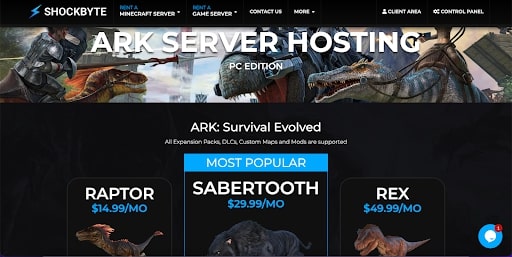
ShockByte stands out as a notable choice for hosting Ark: Survival Evolved servers due to several key features and benefits:
Outstanding Features:
Guaranteed 100% Uptime: This is a significant advantage for any server host, ensuring that your Ark server remains accessible at all times, providing a consistent and reliable gaming experience.
DDoS Protection: Guaranteed protection against Distributed Denial of Service (DDoS) attacks is crucial for the stability and security of online gaming servers. This feature protects your server from external attacks that could disrupt gameplay.
24/7 Support: Round-the-clock support is essential for addressing any issues that might arise with the server, ensuring minimal downtime and quick resolution of problems.
Automatic Installations: This feature simplifies the process of setting up and managing the Ark server, making it accessible even for those with limited technical knowledge.
Free Subdomain: Offering a free subdomain provides a more personalized and professional way to access your server, enhancing the overall experience for players.
Pricing:
ShockByte’s pricing for Ark hosting is competitive, with plans starting at $14.99 per month for 30 player slots. This makes it an affordable option for small to medium-sized gaming groups.
For larger communities or more demanding users, they offer a plan at $49.99 per month for 125 player slots, accommodating a significant number of players without sacrificing performance.
Conclusion:
ShockByte’s combination of 100% uptime, robust DDoS protection, dedicated support, user-friendly features, and competitive pricing makes it a strong candidate for hosting Ark servers. Whether you’re looking to run a small private server or a large community-driven one, ShockByte offers tailored solutions to meet different needs and budgets.
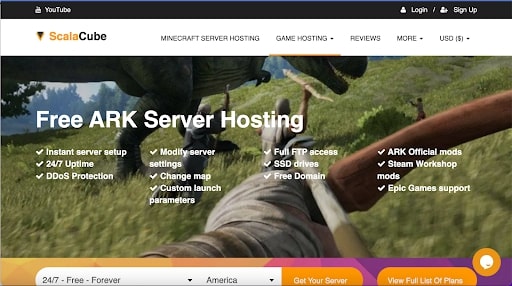
ScalaCube stands out as an excellent choice for hosting Ark servers due to several key factors:
Outstanding Features
One-Click Server Configuration: ScalaCube simplifies the server setup process with a one-click configuration feature, making it easy for users to get their servers running quickly.
Personalized Control Panel: They provide a customized control panel, offering users an intuitive and user-friendly interface to manage their server settings.
Unlimited Player Slots: Every hosting package includes unlimited player slots, a significant advantage for growing gaming communities without worrying about hitting player limits.
Multiple Server Setup: Users can set up multiple servers from a single account, providing flexibility and convenience for those managing multiple game servers.
Customized Launcher for Ark: ScalaCube offers a fully customized launcher for Ark, enhancing the gaming experience with a more personalized and streamlined game start-up.
Performance and Reliability
Fast and Dependable Servers: ScalaCube’s servers are built on enterprise-grade hardware, ensuring high performance with minimal downtime.
High Uptime and Low Latency: They have a reputation for high uptime and low latency, which are crucial for an uninterrupted and smooth gaming experience.
Pricing
Flexible Pricing Plans: ScalaCube’s Ark server hosting starts at $19 per month for 20 player slots and goes up to $48 per month for 120 player slots, offering a range of options to suit different needs and budgets.
Free Hosting Option: They also provide a limited free hosting option, which is a great way for users to test their services before committing to a paid plan.
Conclusion
ScalaCube provides a robust and user-friendly solution for Ark server hosting. Their combination of reliable performance, outstanding features like one-click configuration and unlimited player slots, and flexible pricing plans make them a compelling choice for gamers and server administrators. Whether you’re hosting a small group or a large community, ScalaCube’s service offerings cater to a wide range of requirements.
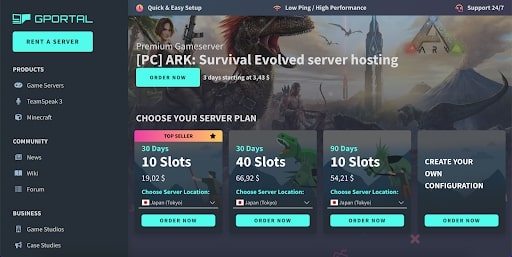
GPortal stands out as an excellent choice for hosting Ark servers, primarily due to its exceptional customer service and a range of high-quality features, coupled with competitive pricing:
Exceptional Customer Service: GPortal is renowned for its outstanding customer support, a critical aspect of game server hosting. They are known for their willingness to go above and beyond in assisting customers, even for simple requests. This includes offering support over the phone, which is relatively rare in the industry. Their responsiveness is impressive, with most issues being resolved in minutes, not hours.
Comprehensive Support Channels: GPortal provides a variety of support channels to cater to different preferences and needs, including telephone, ticket, forum, wiki, e-mail, and live chat support. This multi-channel support ensures that customers can easily get help in whichever way they find most convenient.
Latest Technology and Features: The use of NVMe SSD hard disks and the latest hardware in their servers ensures high performance and reliability. This is crucial for gaming servers where speed and uptime are essential.
DDoS Mitigation: GPortal includes DDoS mitigation, which is essential for maintaining server stability and security, protecting against potential disruptions.
Quick Setup and Unlimited Mod Storage: Servers can be set up in seconds, allowing for almost immediate gameplay. Additionally, the provision of unlimited mod storage offers players the flexibility to customize their gaming experience extensively.
Flexible and Affordable Pricing: GPortal’s pricing structure is competitive, offering packages that range from $14 per month for a ten-player slot to $33 per month for 40 player slots. They also provide the option for custom orders beyond 40 slots, accommodating up to 1,000 spaces. This flexibility in pricing and slot options makes GPortal suitable for a wide range of needs, from small groups to large communities.
In summary, GPortal’s combination of exceptional customer service, a wide array of support options, use of the latest technology, robust security features, quick setup, and flexible pricing makes it a top contender for hosting Ark servers.
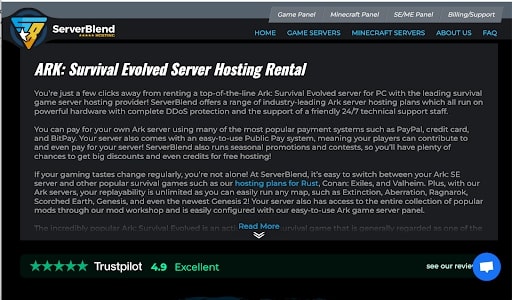
ServerBlend stands out as a strong choice for Ark server hosting for several reasons, making it popular among gamers:
Quick Support Response: ServerBlend’s rapid support response time is a major highlight. Issues are often addressed and resolved within minutes, ensuring minimal disruption to gaming experiences.
Reliability and Stability: The platform is noted for its reliability and stability, crucial factors for uninterrupted gameplay in Ark.
Performance: With no lag and fast server response times, ServerBlend ensures a smooth and enjoyable gaming experience, which is essential for action-packed games like Ark.
Outstanding Features
Instant Setup: Servers are set up in seconds, allowing for quick start and less waiting time.
DDoS Mitigation: This feature enhances server security, protecting against external attacks that could disrupt gameplay.
High-Quality Hardware: The use of reliable and high-quality hardware contributes to the overall performance and stability of the server.
Automated Daily Backups: This ensures game progress is saved
regularly, providing peace of mind and data security for players.
Free MySQL Database: This addition is beneficial for advanced users who may want to manage custom databases for their server.
Pricing
ServerBlend offers two tiers of service for Ark hosting:
Standard Tier: Starts at $18 per month, suitable for hosting up to 30 player slots.
Premium Tier: Prices go up to $90 per month for hosting up to 150 player slots.
Additional perks available include NVMe SSD drives for faster data access, higher CPU priority for better performance, a sub-domain, increased RAM for improved server handling, and VIP support for prioritized assistance.
In summary, ServerBlend’s combination of rapid support, reliable and high-performance hosting, along with competitive pricing and advanced features, makes it an excellent choice for Ark server hosting. The tiered pricing structure also allows users to choose a plan that best suits their needs and budget.
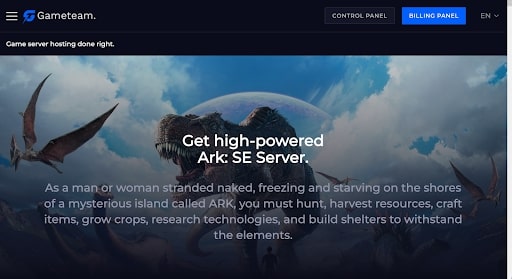
Gameteam is an attractive option for ARK server hosting, particularly for players who prioritize fast, reliable servers and efficient support at a reasonable cost. Here’s why Gameteam stands out as a good choice for hosting ARK servers:
Key Advantages
High-Performance Servers: Gameteam offers servers that are optimized for high performance, ensuring that players experience minimal to no lag during gameplay. This is crucial for real-time games like ARK, where server speed can significantly impact the gaming experience.
Strong Uptime Record: With a commitment to near-perfect uptime, Gameteam ensures that servers are consistently available and reliable. This level of uptime is essential for a smooth gaming experience and is particularly beneficial for servers that host a large number of players.
Rapid and Effective Support: Gameteam provides quick and efficient live support. This is vital for addressing any issues that may arise, ensuring minimal disruption to gameplay. Their ability to deliver timely assistance contributes to a more seamless and enjoyable gaming experience.
Cost-Effectiveness: The hosting service offers a balance of performance and cost, making it a budget-friendly option for many players. This is particularly appealing for those who want a quality hosting service without a high price tag.
Additional Features: While specific details aren’t provided, Gameteam likely offers other standard features common to ARK server hosting, such as DDoS protection, backups, and mod support, which are essential for maintaining a secure and customizable gaming environment.
Conclusion
Gameteam’s focus on providing high-performance servers, reliable uptime, responsive support, and affordable pricing makes it a commendable option for ARK server hosting. Their service seems well-suited for players who need a dependable and efficient hosting solution that balances quality with cost.
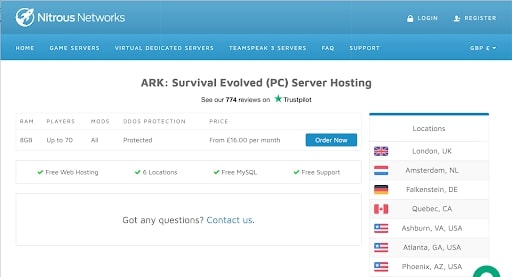
Nitrous Networks distinguishes itself as a premium Ark server hosting provider, with a focus on advanced technology and exceptional support, albeit at a slightly higher price point compared to some other options. Here’s a breakdown of what makes it a solid choice:
Outstanding Features:
Responsive Live Chat Support: Nitrous Networks prides itself on having competent and quick-responding support staff. Their live chat often provides solutions within minutes, which is crucial for resolving issues promptly and maintaining a smooth gaming experience.
MySQL Database Included: They offer a free MySQL database with their hosting, which is beneficial for more advanced server management and customization.
Complimentary Web Hosting: The inclusion of free web hosting is a valuable bonus, especially for gaming communities that want to maintain a web presence alongside their Ark server.
DDoS Mitigation: Robust DDoS protection ensures that the server remains stable and secure from external attacks, which is essential for uninterrupted gameplay.
Automatic Backups: This feature provides peace of mind, as it ensures that server data is regularly backed up, minimizing the risk of data loss.
Pricing:
Nitrous Networks offers Ark hosting starting at $22.20 per month for 20 player slots. This plan is suitable for small to medium-sized gaming groups seeking quality hosting services.
For larger servers, they have packages that go up to $77.70 per month for 70 slots, catering to bigger communities or more demanding server requirements.
Conclusion:
While Nitrous Networks may be more expensive than some other hosting options, their continuous improvement in technology, coupled with highly educated and responsive support staff, justify the price. The combination of robust features like free MySQL database, web hosting, effective DDoS mitigation, and automatic backups, along with their customer-focused support, makes Nitrous Networks a compelling choice for those seeking a high-quality, reliable Ark server hosting experience.
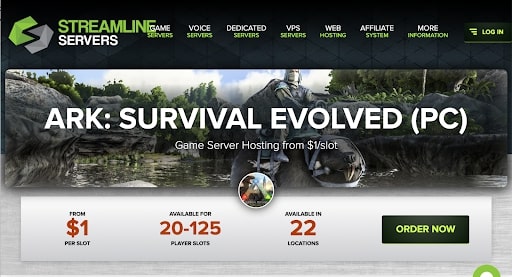
Streamline Servers is a popular choice for hosting Ark servers, offering a blend of excellent customer service, reliable performance, and user-friendly features:
Outstanding Features
Instant Installation: They provide a quick setup process, allowing servers to be up and running in seconds.
Low-Latency Servers: The servers are optimized for low latency, which is crucial for smooth and responsive gameplay, especially during peak hours.
One-Click Add-On Installation: Streamline Servers offers the convenience of installing add-ons with a single click, making server customization easy and efficient.
DDoS Mitigation: They have robust measures in place to protect servers from Distributed Denial of Service (DDoS) attacks, ensuring server stability and uptime.
Personalized Control Panel: Their custom control panel is designed for ease of use, allowing server administrators to manage their servers with minimal hassle.
Free Game Server File Migration: Streamline Servers provides a service to migrate game server files for free, which is a significant advantage for users switching from another host.
Customer Service
Exceptional Customer Support: Known for their responsive and efficient customer support, Streamline Servers can resolve most issues quickly, often within minutes.
Pricing
Flexible Plans: Their pricing starts at $22.50 per month for 20 player slots and extends up to $101.25 per month for 125 slots, catering to different server sizes and budgets.
Additional Paid Options: Options for CPU processing preference, processor speed, server storage, and daily backups are available for an additional fee, offering customization to meet specific needs.
Discounts on Longer Subscriptions: Discounts are offered for longer-term commitments, with 10% off for quarterly payments, 15% for semi-annual, and 20% for annual subscriptions, providing cost savings for long-term users.
Conclusion
Streamline Servers is a solid choice for Ark server hosting, particularly for those who value customer service and server stability. With features like low-latency servers, one-click add-on installations, and DDoS mitigation, combined with flexible pricing and discounts for longer commitments, they offer a comprehensive and reliable hosting solution for Ark players and server administrators.
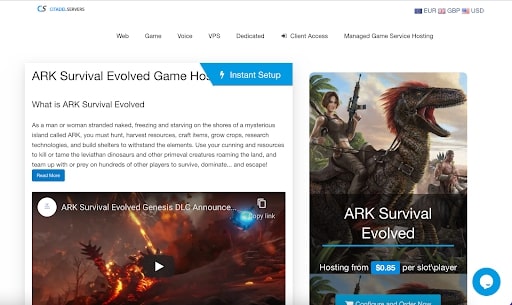
Citadel Servers is a highly regarded option for Ark server hosting due to its affordability, ease of use, and a suite of robust features, along with diverse hosting capabilities:
Reasonable Pricing with Flexible Options: Citadel Servers offers a range of hosting plans that cater to different needs and budgets. The pricing starts at $13.05 per month for a server with 15 player slots, scaling up to $100 per month for a server that can accommodate 255 players. This tiered pricing structure allows for scalability and flexibility depending on the size and requirements of the gaming community.
One-Click Installations and Easy File Management: The hosting service includes one-click installations, simplifying the setup process for users. Additionally, complete FTP access is provided, giving users full control over their files. For those who prefer not to handle file transfers directly, Citadel Servers offers an excellent gaming panel for easy configuration and management of files.
Robust Technical Features: Citadel Servers is equipped with features essential for a smooth gaming experience. These include:
Unrestricted FTP Access: Allows complete control over server files.
DDoS Mitigation: Protects the server from Distributed Denial of Service attacks, ensuring stability and security.
Support for All DLC: Ensures compatibility with all downloadable content for Ark, enhancing the gaming experience.
Automatic Server and Mod Updates: Keeps the server and any installed mods up to date without manual intervention, ensuring a seamless experience for players.
Dedicated Resources and Priority Support: In addition to the basic offerings, Citadel Servers provides options for dedicated server cores, dedicated IP addresses, and priority assistance. These features are particularly beneficial for larger servers or those requiring more intensive resources and support.
Versatility in Hosting Other Games: Apart from hosting Ark servers, Citadel Servers also supports other popular games like “7 Days to Die” and “Rust,” making it a versatile choice for gaming communities involved in multiple games.
In conclusion, Citadel Servers is an excellent choice for hosting Ark servers, combining affordability with a range of powerful features. Its ease of use, coupled with options for advanced customization and dedicated resources, makes it suitable for both small and large gaming groups seeking a reliable and efficient server hosting solution.
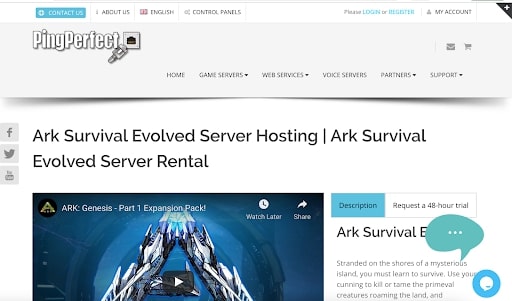
PingPerfect is a well-regarded choice for Ark server hosting, largely due to its combination of excellent customer service, high-performance server technology, and robust features:
Exceptional Customer Service
Responsive and Knowledgeable Support: PingPerfect is known for its outstanding customer support, which is both quick and friendly. They provide helpful answers to all types of queries, ensuring that even less experienced users feel comfortable.
24/7 Support Availability: Their round-the-clock support ensures that assistance is always available, regardless of the time zone or hour.
High-Performance Technology
Zero Lag and Low Latency: The server technology used by PingPerfect ensures a smooth gaming experience with minimal to no lag and low latency, which is crucial for fast-paced games like Ark.
Outstanding Features
One-Click Add-On Installation: This feature allows easy installation of add-ons, enhancing the gameplay experience without technical complexities.
Comprehensive DLC and Mod Support: All DLCs and mods for Ark are supported, offering players a wide range of customization and expansion options.
Automated Cloud Backups: Regular backups to the cloud ensure game data is securely stored and can be easily recovered if necessary.
Full Chart and Conversion Support: This includes support for various charts and conversions, aiding in server management and analysis.
Flexible Pricing with Added Benefits
Pricing Range: Packages start at $13.89 per month for ten-player slots, scaling up to $66.66 per month for 100 player slots, catering to different server sizes and budgets.
Premium Hardware Options: Additional paid options include NVMe SSD drives, which are significantly faster than traditional SSDs, as well as options for additional memory, CPU priority, and enhanced support levels.
Discounts on Longer Subscriptions: Quarterly payments receive a 5% discount, semi-annual subscriptions get 10%, and annual subscriptions receive 15%, offering significant savings for long-term commitments.
48-Hour Money-Back Guarantee: This provides a risk-free opportunity to test their service.
In summary, PingPerfect offers a high-quality Ark server hosting experience, with its standout features being exceptional customer support, high-performance server technology, and a range of convenient and user-friendly features. While it might be slightly more expensive per slot compared to competitors, the overall value considering the speed, service level, and ease of setup makes
it a worthwhile choice for gamers looking for a reliable and efficient Ark server hosting solution.
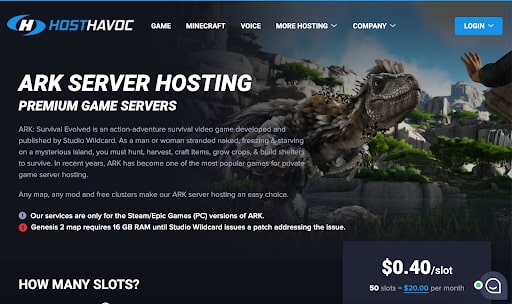
HostHavoc is recognized as a formidable choice for ARK server hosting due to its impressive growth since 2013, excellent performance, and dedicated customer support. Here are the key reasons why it stands out:
Outstanding Features
Instant Server Activation: HostHavoc’s servers are activated in seconds, ensuring a swift setup process.
Robust DDoS Protection: The hosting service includes best-in-class DDoS defense, crucial for maintaining server stability and security.
High Network Uptime: With a guaranteed network uptime of 99.9%, HostHavoc ensures that the servers are consistently available for users.
Round-the-Clock Live Support: The company provides real-time, bot-free live support 24/7/365, ensuring that any issues or queries are promptly addressed.
Automated Backups: HostHavoc performs automatic backups, securing game data and providing peace of mind to its users.
Pricing
HostHavoc’s ARK server hosting plans begin at $15 per month, accommodating 30 player slots.
For larger server needs, the plans go up to $30 per month for 100 player slots, offering scalability for different user requirements.
Additional paid options include BattleMetrics RCON, CPU processing preference, and extra RAM for enhanced performance.
A free three-day trial is offered, allowing potential users to test the service before committing.
In summary, HostHavoc’s combination of rapid server deployment, strong security measures, reliable uptime, and excellent customer support, all at a reasonable price, make it an attractive option for ARK server hosting. The flexibility in pricing and the option to customize services with additional features add to its appeal, catering to a range of user needs.
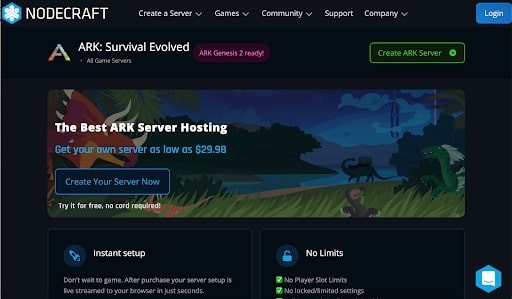
NodeCraft stands out in the realm of ARK server hosting due to its focus on utilizing advanced, custom technology to deliver a superior gaming experience. This approach, combined with their gaming, programming, and design expertise, gives them a competitive edge. Here’s why NodeCraft is considered a good choice for ARK server hosting:
Outstanding Features
One-Click Installs: NodeCraft offers a hassle-free setup with its one-click installation feature, simplifying the server setup process.
High-Performance Servers: The servers are optimized for high performance, ensuring no lag and low latency, which is crucial for an enjoyable gaming experience.
User-Friendly Control Panel: The control panel is custom-designed, making it intuitive and easy to navigate, even for users with limited technical expertise.
Extensive Mod Pack Selection: Hundreds of mod packs are available, offering a wide range of customization options to enhance the gaming experience.
Comprehensive DDoS Protection: Full DDoS prevention is included, safeguarding servers from potential disruptions and cyber threats.
Pricing
NodeCraft’s ARK hosting plans start at a competitive price of $9.98 per month, which includes 2 GB of RAM, 10 GB of storage, and allows for five instances.
For more demanding needs, plans scale up to $39.98 per month, which includes 40 GB of storage, 8 GB of RAM, and up to 25 instances.
NodeCraft’s combination of custom technology, user-friendly features, and competitive pricing make it an attractive option for ARK server hosting. The range of plans caters to various needs and budgets, from casual gamers to more dedicated players requiring larger server capacities.
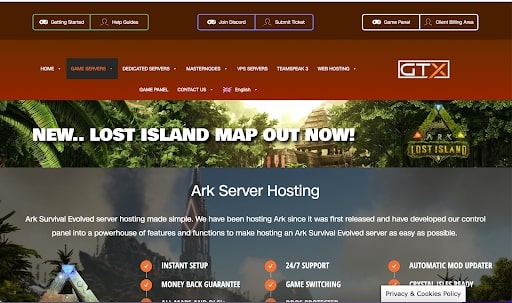
GTXGaming is highly regarded in the realm of Ark server hosting, primarily for its innovative approach to server management and a range of features tailored to enhance the gaming experience. Here’s an overview of what makes GTXGaming a notable choice:
Outstanding Features:
Customized Control Panel: Unlike many competitors that use variations of the TCAdmin interface, GTXGaming has developed a customized control panel. This panel includes a wide array of features, offering extensive control and customization options for server administrators.
24/7 Support: Round-the-clock support ensures that any issues can be addressed promptly, minimizing downtime and enhancing the overall server experience.
Support for All DLCs and Maps: GTXGaming servers support all downloadable content (DLC) and maps for Ark, providing a comprehensive gaming experience.
Automatic Mod Updater: This feature simplifies the process of keeping mods updated, ensuring that the server runs smoothly and players have access to the latest content.
DDoS Mitigation: Robust DDoS protection is essential for maintaining server stability and security, protecting against potential disruptive attacks.
Offsite Backups: Regular offsite backups safeguard server data, providing peace of mind and data security for server administrators and players.
Pricing:
GTXGaming offers a range of pricing options, starting at $14.16 per month for a 10-player server. This entry-level option is ideal for small groups or private servers.
For larger communities or more demanding needs, their plans go up to $90.68 per month for 250 slots, catering to a wide range of server sizes.
Additional paid options are available for expanded memory, NVMe SSD hard drives, faster CPU performance, VIP assistance, and server migration services.
Discounts are offered for longer subscription terms: 5% off for quarterly payments, 10% for semi-annual, and 15% for annual subscriptions.
Conclusion:
GTXGaming’s unique custom control panel, combined with a comprehensive set of features like 24/
/7 support, support for all DLCs and maps, automatic mod updating, DDoS mitigation, and offsite backups, positions it as a top-tier choice for hosting Ark servers. Their pricing structure is flexible, catering to various needs and budgets, from smaller 10-player servers to large 250-player communities. The added incentives for longer-term subscriptions make it an even more attractive option for those committed to maintaining a long-term server. Overall, GTXGaming’s focus on innovation, comprehensive features, and flexible pricing makes it a standout option for Ark server hosting.
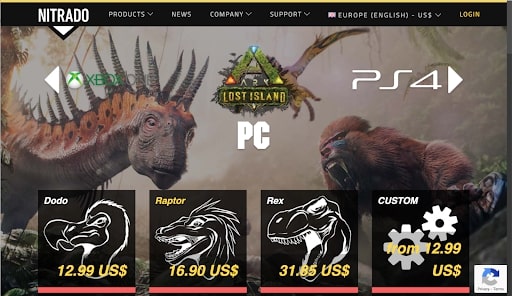
Nitrado is a prominent name in server hosting, especially for Ark, due to its high-performance hardware, excellent customer service, and user-friendly features:
Outstanding Features
Quick Setup: Nitrado offers a rapid setup process, allowing servers to be operational within seconds, which is ideal for gamers eager to start playing.
Unlimited File and Mod Uploads: They provide the flexibility to upload unlimited files and mods, enhancing the customization and gameplay experience.
High-Quality and Reliable Hardware: Nitrado uses top-tier hardware to ensure server reliability and performance, which is crucial for smooth gaming sessions.
Automated Daily Backups: The service includes automated daily backups, ensuring that game data is safely stored and can be restored if needed.
Free MySQL Database: They offer a MySQL database for free, which is beneficial for more advanced server management and customization.
Security and Customer Service
Protection Against Hackers and DDoS Attacks: Nitrado employs advanced detection technology to safeguard servers against hackers and DDoS attacks, providing peace of mind regarding server security.
Exceptional Customer Service: Known for their responsive and helpful customer support, Nitrado ensures that any issues or queries are addressed promptly.
Pricing
Flexible and Affordable Plans: Pricing starts at $12.99 per month for a ten-player slot, scaling up to $167.70 per month for 200 player slots, offering a wide range of options to accommodate different server sizes and budgets.
Discounts for Longer Subscriptions: Nitrado provides a 9% discount for quarterly payments and a 17% discount for annual payments, making it more economical for long-term commitments.
Conclusion
Nitrado is an excellent choice for Ark server hosting, especially for those looking for a blend of performance, ease of use, and security. Their combination of quick setup, unlimited mod uploads, reliable hardware, and robust security features, along with competitive pricing and discounts, makes them a preferred choice for gamers and server administrators alike. Whether for small groups or large communities, Nitrado’s hosting services cater to a broad spectrum of needs in the Ark gaming community.
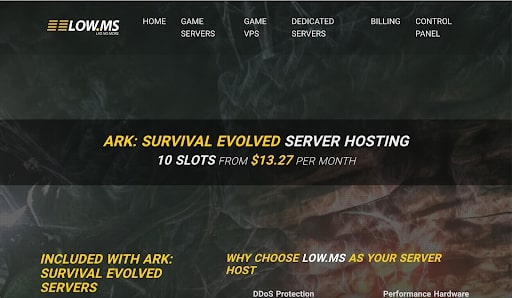
Low.ms stands out as an excellent Ark server hosting option, notable for its blend of high-speed hosting, state-of-the-art technology, and user-friendly interface, all offered at competitive prices:
Recent Establishment with Experienced Team: Despite being a relatively young company founded in 2016, Low.ms is staffed by seasoned developers with experience from other well-known game server hosting companies. This blend of fresh perspective and industry experience contributes to their innovative approach.
Competitive Pricing with High-Speed Hosting: Low.ms is dedicated to providing high-speed hosting at reasonable prices. They achieve this by continually updating their equipment, ensuring that no technology is outdated for more than two years. This commitment to modern infrastructure ensures high performance and reliability.
User-Friendly Control Interface: They have developed a control interface that is easy to navigate, making server configuration straightforward even for users with limited technical expertise. This user-friendly approach is especially beneficial for those new to server management.
Outstanding Features:
One-Click Installations for Plugins and Mods: Simplifies the process of adding new features and customizations to the server.
24/7 Uptime: Ensures that the server is always available, a crucial factor for gaming communities.
DDoS Mitigation: Protects the server from DDoS attacks, maintaining stability and security.
International Server Locations: Offers a wide range of server locations, which is beneficial for international gaming communities.
Flexible and Affordable Pricing: The pricing for Ark hosting plans starts at $12.60 per month for 30 player slots, going up to $42 per month for 100 player slots, each equipped with 10 GB of RAM. Additional paid options include NVMe SSD storage, dedicated IP addresses, and extra RAM for more demanding needs. Moreover, a 15% discount is available for annual payments, making it an even more cost-effective option.
In summary, Low.ms offers an attractive package for Ark server hosting, characterized by its blend of modern technology, user-friendly management tools, and competitive pricing. Their approach to continuously updating equipment and providing a range of server options makes them a strong choice for both small and large gaming communities.
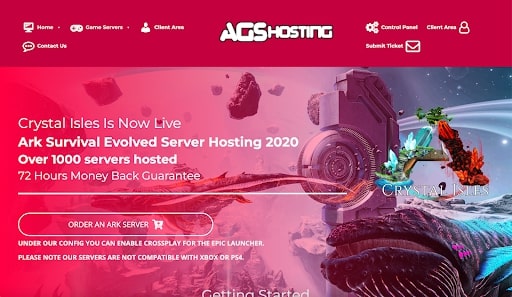
AGSHosting is a commendable choice for hosting Ark servers, particularly for large-scale gaming events and tournaments. Its strengths and offerings include:
Excellent Support Team
Rapid and Efficient: AGSHosting is known for its fast-acting support team, crucial for quickly setting up and resolving any issues that may arise.
24/7 Availability: The support crew is available around the clock, providing assistance whenever needed, which is especially beneficial for hosting large tournaments with participants from different time zones.
Strong Dependability
Ideal for Large Tournaments: AGSHosting has a solid reputation for reliability, especially when hosting large-scale events with over 100 participants and intense player-versus-player (PvP) action.
Compensation for UI Shortcomings: While the user interface (UI) may lack customization options, the support team effectively compensates by making necessary adjustments in the database directly.
Outstanding Features
Instant Setup: Servers can be set up in seconds, allowing for quick deployment and minimal downtime.
Comprehensive Map Support: Every map in Ark is supported, offering a full range of gaming environments.
DDoS Mitigation: This feature enhances server security and stability, protecting against external attacks that could disrupt gameplay.
Automated Maintenance: Backups, restarts, and Steam updates are automated, ensuring the server runs smoothly with the latest updates and minimal intervention.
Flexible Pricing with Options for Upgrades
Pricing Range: Hosting plans start at $13.87 per month for ten-player slots and extend up to $83.31 per month for 250 player slots, catering to various server sizes and budgets.
Included RAM: All plans come with access to 5GB of RAM, sufficient for standard server needs.
Premium Upgrades: Options for higher CPU prioritization, faster clock rates, additional memory, and faster NVMe SSD storage are available for enhanced performance.
Money-Back Guarantee: A three-day money-back guarantee offers a risk-free opportunity to test their service.
In summary, AGSHosting stands out for its exceptional support, reliability in hosting large-scale events, and a range of features that ensure a stable and efficient gaming experience. While the UI might be less customizable, the proactive support and the options for hardware upgrades make it a solid choice for those hosting Ark servers, particularly for large tournaments or PvP-focused gameplay.
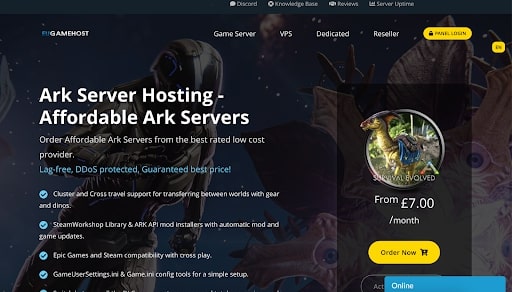
EUGameHost is recognized as a strong contender in ARK server hosting due to its unique combination of high reliability and affordability. This makes it an ideal choice for those seeking a stable and fast server experience. Here’s a closer look at what makes EUGameHost stand out:
Outstanding Features
High-Performance Servers: They offer servers that are optimized for performance, ensuring a lag-free gaming experience, which is crucial for seamless gameplay.
Cross-Play Compatibility: EUGameHost supports cross-play between Steam and Epic Games platforms, allowing a broader range of players to connect and play together.
Wide Range of Map Options: Players have the freedom to choose from all DLC maps, customized maps, and complete conversion mods, providing extensive customization and variety in gameplay.
Advanced DDoS Mitigation: The hosting service includes robust DDoS protection, ensuring the servers remain stable and secure against external attacks.
Cluster and Cross Travel Support: EUGameHost provides the capability to transfer items and dinosaurs between worlds, enhancing the gaming experience with more flexibility and continuity.
Pricing
The pricing for EUGameHost’s ARK server hosting starts at an affordable $7 per month for 20 player slots, making it accessible for smaller groups or individual players.
For larger server requirements, the plans go up to $44.80 per month for 128 player slots, offering scalability for a wide range of user needs.
The only additional cost comes from opting for extra CPU cores, which can enhance server performance.
EUGameHost’s blend of high-quality server performance, cross-play support, diverse map options, and competitive pricing, along with robust security features, makes it a compelling choice for ARK server hosting, especially for players looking for a balance between cost and quality.
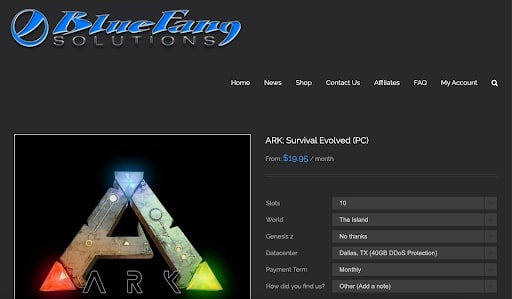
BlueFang Solutions is a commendable choice for Ark server hosting, particularly recognized for its excellent customer support and user-friendly features. Here’s a breakdown of its key attributes:
Outstanding Features:
Rapid Setup: BlueFang offers a quick and efficient setup process for Ark servers, ensuring that your server is up and running in seconds.
Easy-to-Use Control Panel: Their control panel is designed to be straightforward and user-friendly, catering to both experienced server administrators and beginners.
Regular Server Updates: Keeping the server software up-to-date is crucial for security and performance. BlueFang ensures regular updates, maintaining optimal server operation.
DDoS Mitigation: Robust DDoS protection is in place to safeguard servers from external attacks, ensuring uninterrupted gameplay and server stability.
Automatic Backups: BlueFang performs regular automatic backups, an essential feature for preserving server data and ensuring continuity in case of data loss.
Pricing:
BlueFang’s Ark server hosting starts at $19.95 per month for a 10-player server, a reasonable entry point for small groups or private servers.
Their plans extend up to $64.95 per month for 100 slots, accommodating larger communities or more demanding server needs.
Additional paid options include higher CPU priorities, VIP support, and dedicated IP addresses, enhancing server performance and support.
BlueFang offers discounts for longer-term commitments: 10% off for quarterly payments and 15% off for annual subscriptions.
Conclusion:
BlueFang Solutions stands out for its commitment to customer support, ensuring that all users, regardless of their technical expertise, receive respectful and helpful assistance. Coupled with its user-friendly control panel, reliable server performance, and solid security measures, it makes for an attractive option for hosting Ark servers. The pricing structure, while slightly higher for smaller servers, remains competitive, especially with the discounts offered for longer-term payments. Overall, BlueFang is an excellent choice for those prioritizing customer service and ease of use in their Ark server hosting solution.
ArkServers is recognized for its user-friendly approach and reliable hosting capabilities, making it a suitable choice for Ark server hosting, especially for users who prioritize ease of use:
Outstanding Features
User-Friendly Interface for Mod Installation: ArkServers offers a unique and intuitive user interface for adding mods, simplifying the server setup and operation process. This feature is particularly beneficial for gamers who are not tech-savvy and prefer a straightforward approach to server management.
Over 100 Game Options: They provide a wide range of game settings and options, allowing for extensive customization to cater to different gaming preferences.
Easy Mod Installation: The platform is designed to make mod installation simple and user-friendly, enhancing the gaming experience with minimal hassle.
Regular Server Updates: ArkServers ensures that servers are regularly updated, maintaining optimal performance and security.
DDoS Mitigation: The service includes robust DDoS protection, safeguarding servers from potential attacks and ensuring uninterrupted gameplay.
Automated Backups: Regular automatic backups are performed, ensuring that game data is secure and can be easily restored if needed.
Pricing and Trial Option
Flexible Hosting Packages: ArkServers offers two main hosting packages: $16 per month for 60 player slots and $32 per month for 250 player slots, catering to both small and large server needs.
Trial Version and Money-Back Guarantee: They provide an eight-hour trial version for users to test the service before committing, along with a 24-hour money-back guarantee, offering risk-free evaluation.
Conclusion
ArkServers is a solid choice for those looking for an Ark server hosting solution that combines ease of use with reliable performance. While it may be slightly more expensive than some competitors, its user-friendly mod installation interface and comprehensive features like regular updates, DDoS protection, and automated backups justify the price for many users. This hosting service is particularly appealing to those who want a hassle-free server setup and management
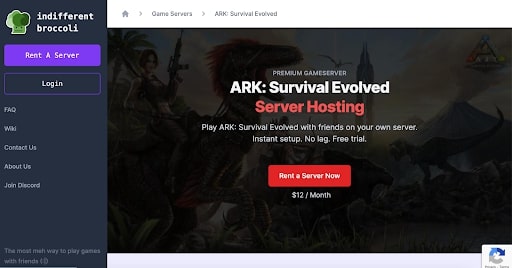
Indifferent Broccoli, a relatively new entrant in the Ark server hosting market, has quickly distinguished itself as a strong option due to its combination of excellent service, user-friendly interface, and competitive pricing:
New Player with Strong Service: Despite being a new company, set to open in 2021, Indifferent Broccoli has already made a mark by providing excellent service. Their freshness in the market is complemented by a strong commitment to customer satisfaction.
Custom-Built Control Panel for Ease of Use: One of the key highlights of Indifferent Broccoli is their user-friendly interface, facilitated by a custom-built control panel. This makes server management more accessible, especially for users who may not have extensive technical expertise.
Outstanding Features:
One-Click Installation: Simplifies the process of setting up and customizing the server, making it more convenient for users to get started quickly.
Extremely Low Latency: Ensures a smooth gaming experience with minimal lag, which is crucial for fast-paced games like Ark.
High Uptime of 99% or More: High uptime guarantees that the servers are reliable and available when needed, which is vital for maintaining a stable gaming community.
Simple Setup Process: The straightforward setup process is a significant advantage for those who want to get their server up and running with minimal fuss.
Competitive Pricing with Free Trial: Indifferent Broccoli offers Ark server hosting starting at $12 per month for eight-player slots and goes up to $32 per month for 64 player slots. This pricing is competitive in the market, making it an attractive option for small to medium-sized gaming groups. Additionally, they offer a free two-day trial, which allows potential customers to test the service before committing to a subscription.
In summary, Indifferent Broccoli presents itself as a promising choice for Ark server hosting, especially for those who
value ease of use and reliability. Their commitment to providing a user-friendly experience with their custom control panel, combined with extremely low latency and high uptime, caters to both novice and experienced server administrators. The competitive pricing and the option of a free two-day trial further enhance its appeal to a wide range of users looking for a quality hosting solution.
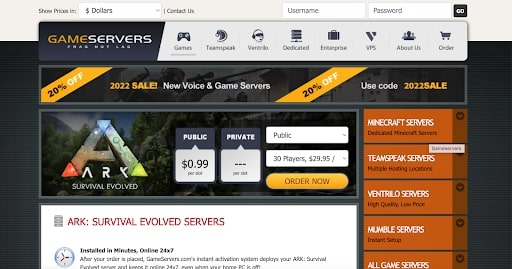
GameServers is a notable option for Ark server hosting, particularly due to its technical capabilities and infrastructure, despite not being renowned for customer service. Here’s a breakdown of its strengths:
Technical Excellence and Performance
Fast Servers with No Lag and Low Latency: GameServers offers high-speed servers, which are crucial for a seamless and enjoyable gaming experience, especially in fast-paced games like Ark.
Customized Control Panel: Their bespoke control panel is user-friendly and intuitive, making it easy for users to install mods and plugins without technical complexities.
Outstanding Features
24/7 Support: While their customer service might not be the highlight, they do offer round-the-clock support.
DDoS Mitigation: This feature ensures the server remains stable and secure from external attacks.
High-End Hardware: The use of top-tier hardware enhances server performance and reliability.
Extensive Gaming Network: Being part of the world’s largest gaming network can provide benefits in terms of connectivity and community engagement.
Pricing and Discounts
Range of Options: Server hosting plans begin at $29.95 per month for 30 player slots, scaling up to $69.95 per month for 70 player slots, accommodating different needs and server sizes.
Voice Servers: The option to add voice servers can enhance the gaming experience, especially for team-based play.
Subscription Discounts: Discounts are available for longer-term commitments: 5% for quarterly payments, 10% for semi-annual, and 15% for annual subscriptions, providing cost savings for long-term users.
Money-Back Guarantee: A 5-day money-back guarantee offers a short period to evaluate the service risk-free.
In summary, GameServers provides a robust Ark server hosting service with a focus on technical performance and ease of use, thanks to its high-speed servers, user-friendly control panel, and strong gaming network infrastructure. While their customer service may not be the primary selling point, the technical merits and pricing flexibility make it a strong contender for those prioritizing server performance and stability.
From the simple stacking of blocks to cooperative gameplay and rich plot structure, gaming has progressed from a means of entertainment to a friendly and engaging experience.
As a result, gaming has advanced a lot in our world. Many games incorporate unique experiences into their gameplay.
ARK: Survival Evolved is one such excellent game. It’s a survival game that takes place in prehistoric periods.
You can also play with your pals or join a local group within the game owing to its multiplayer option. If you do not want to be part of a group, you can play solo in single-player mode.
What is ARK? The survival game ARK: Survival Evolved, sometimes known as ARK or ARKSE, is an action-adventure game. It was first released on June 2, 2015. Studio Wildcard, Efecto Studios, Instinct Games, Virtual Basement, and others worked on this game.
The game has single-player and multiplayer modes and first-person and third-person perspectives (Point Of View).
The goal is straightforward: survive on an island populated by dinosaurs, prehistoric monsters, natural disasters, and hostile co-players.
In ARK: Survival Evolved, you can choose your protagonist and keep moving and become one of the game’s best players. Like any other experience-based game, you will unlock new tools, skills, guns, and materials as you gain experience and level up.
Okay, it’s not quite as straightforward as it appears. However, the game is certainly entertaining. That is why it is so popular on all major PC, smartphone, and game console platforms.
3. Conclusion
While many players prefer playing alone, multiplayer gaming offers a unique experience. You not only become a part of that community, but you also mingle, learn new gameplay techniques, and get to play the game in new ways each time.
You can either connect an existing server or start one from scratch. You have more freedom and privacy when you own your own server. But be prepared to take on a lot of tasks.
You should choose a server web host that offers the greatest services within your budget. Finally, have fun with the game.
We hope this list of the best ark server hosts can help you choose an excellent host for top-tier gaming of the ARK survival game series.
Marcus is a cybersecurity analyst with a focus on VPN and proxy services. As the founder and driving force behind a prominent VPN and proxy website, Private Proxy Guide, Marcus has emerged as a trusted authority in the digital realm. With a passion for staying ahead of evolving cyber threats, he has played a pivotal role in educating and empowering individuals and businesses to safeguard their online presence.
To provide the best experiences, we use technologies like cookies to store and/or access device information. Consenting to these technologies will allow us to process data such as browsing behavior or unique IDs on this site. Not consenting or withdrawing consent, may adversely affect certain features and functions.
Functional
Always active
The technical storage or access is strictly necessary for the legitimate purpose of enabling the use of a specific service explicitly requested by the subscriber or user, or for the sole purpose of carrying out the transmission of a communication over an electronic communications network.
Preferences
The technical storage or access is necessary for the legitimate purpose of storing preferences that are not requested by the subscriber or user.
Statistics
The technical storage or access that is used exclusively for statistical purposes.The technical storage or access that is used exclusively for anonymous statistical purposes. Without a subpoena, voluntary compliance on the part of your Internet Service Provider, or additional records from a third party, information stored or retrieved for this purpose alone cannot usually be used to identify you.
Marketing
The technical storage or access is required to create user profiles to send advertising, or to track the user on a website or across several websites for similar marketing purposes.








![8 Best Cloud Gaming Services 2021 [PC, PS4 & Xbox One]](https://www.privateproxyguide.com/wp-content/uploads/2020/03/Best-Cloud-Gaming-Services.jpg "Best Cloud Gaming Services ([year]) [PC, PS5 & Xbox One]")