Cloud gaming has completely transformed the gaming landscape, allowing players to stream high-quality titles on virtually any device—without the need for costly consoles or powerful PCs. Whether you’re a casual gamer, a competitive player, or a family looking for accessible fun, these services open the door to an entirely new way to enjoy games.
With only a stable internet connection, you can jump straight into your favorite games on your PC, smartphone, tablet, or smart TV. The best cloud gaming platforms deliver cutting-edge performance, low-latency gameplay, and curated game libraries, while eliminating traditional barriers like storage limits and constant hardware upgrades. Gaming has never been more accessible, convenient, and future-proof.
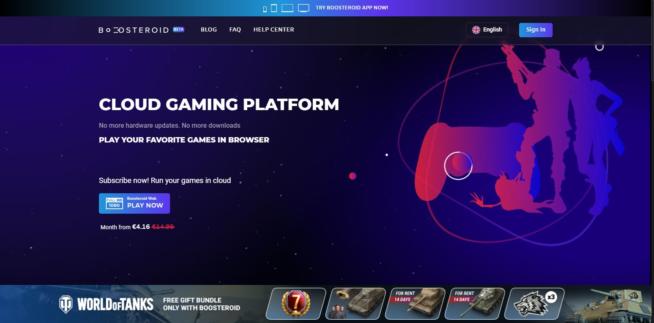
Boosteroid is reshaping the cloud gaming market by offering smooth, high-quality performance across a wide range of devices. Powered by advanced GPUs and strategically placed data centers, it eliminates the need for expensive gaming hardware. Whether on PC, Mac, Android, or directly via a web browser, Boosteroid ensures gaming remains accessible and responsive.
Performance & Coverage
Players in Central and Eastern Europe benefit most from Boosteroid’s strong server presence, which delivers low latency and excellent responsiveness. In contrast, users in areas with limited infrastructure—such as parts of South America or remote regions in Asia—may encounter higher latency. To offset this, Boosteroid uses adaptive streaming technology, dynamically adjusting resolution and bitrate to maintain stability even on less reliable networks.
Game Library Integration
One of Boosteroid’s biggest strengths is its seamless integration with Steam, Epic Games Store, and Origin. This allows players to access their existing game libraries without repurchasing titles. The platform supports up to 1080p resolution at 60 FPS, delivering smooth visuals when paired with strong internet speeds and nearby servers.
Pricing & Security
Boosteroid keeps things simple with a straightforward subscription model that includes unlimited gaming hours. Connections are protected with robust data encryption, ensuring a secure and reliable experience across devices.
✅ Pros
Strong performance in Central & Eastern Europe
Supports 1080p/60 FPS gameplay
Integrates with Steam, Epic Games, and Origin
Simple subscription model with unlimited hours
Works on PC, Mac, Android, and browsers
❌ Cons
Limited server coverage in South America & parts of Asia
No 4K or ultra-high FPS support yet
Experience varies depending on internet reliability
Shadow – High-Performance Cloud Gaming & Virtual PC
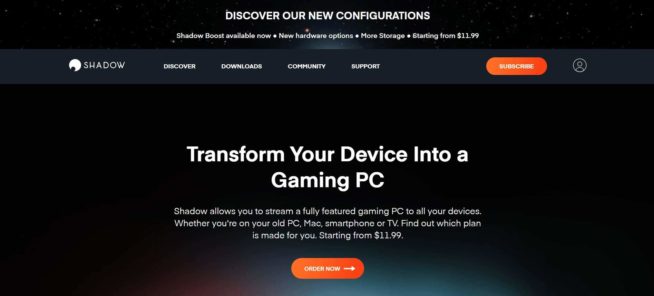
Shadow is a cutting-edge cloud gaming service that goes beyond traditional platforms by giving users access to a fully functional Windows environment. Unlike many competitors, Shadow allows you to install and play any game or software you own. Powered by state-of-the-art GPUs and storage, it delivers smooth gameplay, fast loading times, and high flexibility—perfect for gamers and power users alike.
Performance & Coverage
Shadow performs best in North America and Western Europe, where robust server coverage ensures minimal latency. In regions with limited infrastructure—such as parts of Asia or South America—users may face higher latency, impacting responsiveness in competitive games. To counter this, Shadow employs adaptive streaming technology that dynamically adjusts resolution and bitrate based on network conditions.
Graphics & Compatibility
Shadow supports up to 4K resolution at 60 FPS or 144 FPS at lower resolutions, providing a premium gaming experience for users with fast internet connections. Its wide compatibility—across PC, Mac, smartphones, and tablets—offers unmatched flexibility, making it easy to game or work from virtually any device.
Security & Pricing
Security is a core focus, with encrypted connections and regular system updates to protect user data. The subscription model is straightforward, giving you access to a dedicated high-performance virtual PC in the cloud for a predictable monthly fee.
✅ Pros
Full Windows environment with full app/game freedom
Supports up to 4K/60 FPS and 144 FPS at lower resolutions
Works on PC, Mac, smartphones, and tablets
Adaptive streaming ensures stable performance
Encrypted connections & regular updates
❌ Cons
Higher latency in Asia & South America
Premium pricing compared to other cloud gaming platforms
Requires fast, stable internet for best performance
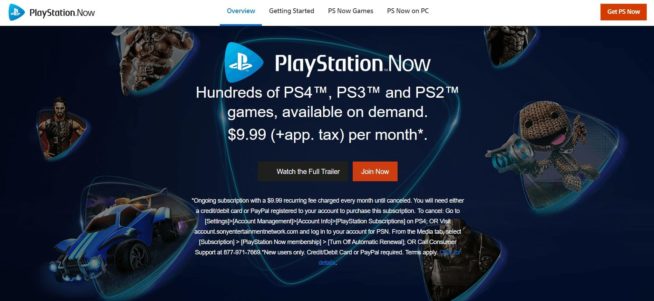
PlayStation Now is Sony’s cloud gaming platform, giving players access to a vast library of 800+ titles spanning the PS2, PS3, PS4, and PS5 eras. The service blends game streaming with downloads, allowing players to either stream directly or download select titles to their console. This hybrid model provides flexibility, making it suitable for both casual players and dedicated gamers.
Performance & Coverage
PlayStation Now performs best in North America, Europe, and Japan, where Sony’s server infrastructure delivers low-latency gameplay and smooth streaming. In regions with weaker coverage—such as parts of South America or rural areas—players may encounter latency issues, especially in action-heavy or competitive games. To stabilize performance, the platform uses dynamic resolution scaling that adapts to changing network conditions.
Graphics & Game Library
Streamed games are capped at 720p resolution, which is modest compared to competitors offering 1080p or 4K. However, the extensive library of PlayStation exclusives—including God of War, Uncharted, and The Last of Us—makes the service highly appealing for fans of Sony’s ecosystem. The ability to download games to PlayStation consoles adds further value and flexibility.
Compatibility & Pricing
PlayStation Now works on both PlayStation consoles and PCs, expanding its reach beyond console users. The subscription model offers unlimited access to the game library at an affordable monthly price, delivering strong value for gamers seeking variety without buying each game individually.
✅ Pros
Access to 800+ games across multiple PlayStation generations
Hybrid model: streaming + game downloads
Exclusive PlayStation titles available
Affordable subscription with unlimited gaming hours
Works on PlayStation consoles and PCs
❌ Cons
Streamed games limited to 720p resolution
Latency issues in underserved regions
Less flexible than platforms offering higher resolutions and FPS
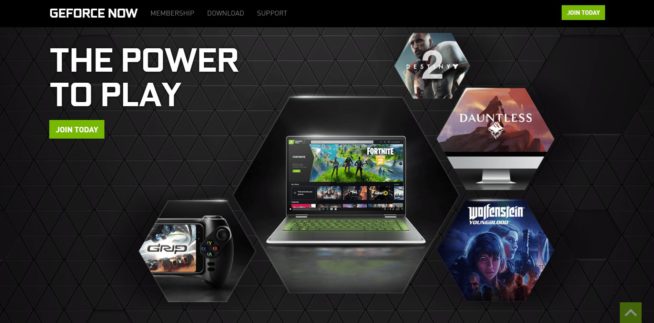
GeForce NOW, developed by NVIDIA, is one of the most advanced cloud gaming platforms available, powered by RTX GPUs. The service connects directly to your existing game libraries (Steam, Epic Games Store, Ubisoft Connect), allowing you to play titles you already own without repurchasing. With support for real-time ray tracing and DLSS (Deep Learning Super Sampling), GeForce NOW delivers cutting-edge graphics and performance, even on low-end devices.
Performance & Coverage
GeForce NOW runs on a global network of optimized data centers. Gamers in North America, Europe, and parts of Asia enjoy low-latency gameplay, while users in regions like South America or Africa may experience higher ping due to limited infrastructure. To adapt, the platform uses adaptive bitrate technology, dynamically adjusting resolution and frame rates for smooth performance. Premium subscribers gain access to RTX 4080-class GPUs, supporting 4K at 120 FPS, while the free tier offers up to 1080p streaming.
Compatibility & Features
The service is compatible with PC, Mac, Android, iOS, Chromebooks, and select Smart TVs, making gaming accessible virtually anywhere. NVIDIA’s own technologies, such as NVIDIA Reflex (reducing input lag for competitive gaming) and end-to-end encryption, ensure fast and secure gameplay. With multiple subscription tiers (Free, Priority, and Ultimate), GeForce NOW scales to fit both casual gamers and competitive players.
✅ Pros
Supports existing game libraries (Steam, Epic, Ubisoft)
Real-time ray tracing & DLSS for next-gen graphics
RTX 4080-class GPUs available for 4K 120 FPS
Wide device compatibility (PC, Mac, mobile, TVs)
NVIDIA Reflex reduces input lag
❌ Cons
Limited game support compared to native libraries
Free tier capped at lower resolution & queue times
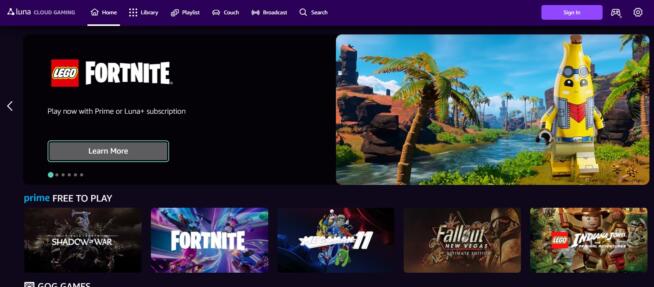
Amazon Luna is a subscription-based cloud gaming service built on Amazon Web Services (AWS), leveraging its global infrastructure to deliver scalable, reliable, and low-latency performance. Luna offers different channels (such as Luna+ or Ubisoft+) with curated game libraries available for a monthly fee, giving users flexibility to choose their preferred content.
Performance & Coverage
Luna performs best in regions with strong AWS data center coverage, such as North America and parts of Europe, where gamers enjoy low-latency and stable connections. In regions with weaker infrastructure, players may notice increased latency, particularly in competitive titles. The platform uses adaptive streaming, dynamically adjusting resolution and bitrate, supporting up to 1080p at 60 FPS, with plans for 4K support in select titles.
Compatibility & Features
Amazon Luna supports a wide range of devices, including Windows PCs, Macs, Fire TVs, Fire tablets, iPhones, iPads, and Android devices. It integrates seamlessly with the Amazon ecosystem, allowing game launches via Alexa voice commands or Fire TV remotes. The optional Luna Controller connects directly to AWS servers using Wi-Fi, reducing input latency for a smoother experience.
✅ Pros
Built on AWS – scalable and reliable infrastructure
Channel-based model (Luna+, Ubisoft+, more)
Wide device compatibility, including Fire TV
Luna Controller reduces input latency
Tight integration with Amazon ecosystem (Alexa, Prime)
❌ Cons
Currently limited to regions with strong AWS presence
Max resolution capped at 1080p for most titles
Game library depends on subscription channels
Not as widely available as GeForce NOW or Xbox Cloud Gaming
Xbox Game Pass Ultimate – Cloud Gaming Powered by Azure
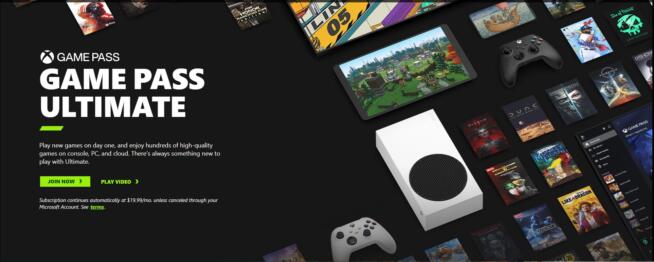
Microsoft Xbox Game Pass Ultimate is a comprehensive gaming subscription service that combines access to a vast library of games with cloud streaming via Xbox Cloud Gaming (formerly xCloud). Built on Microsoft Azure’s global infrastructure, one of the most extensive networks in the world, it delivers high-performance streaming and day-one access to first-party exclusives, offering gamers unmatched value and flexibility.
Performance & Coverage
Optimized for regions with strong Azure data center coverage – including North America, Europe, and parts of Asia – Xbox Cloud Gaming delivers low latency and stable performance. In underserved areas, players may face higher latency in fast-paced games, but adaptive streaming technology ensures smoother gameplay by dynamically adjusting resolution and bitrate up to 1080p at 60 FPS.
Compatibility & Features
Game Pass Ultimate works across a wide range of devices: Xbox consoles, Windows PCs, Android, iPhones, and iPads, making gaming accessible anywhere. With Xbox Series X hardware integrated into Azure servers, players enjoy faster loading times, improved graphics, and Auto HDR support. Additional features include cloud saves, cross-platform progression, and multiplayer capabilities, ensuring a seamless experience across devices.
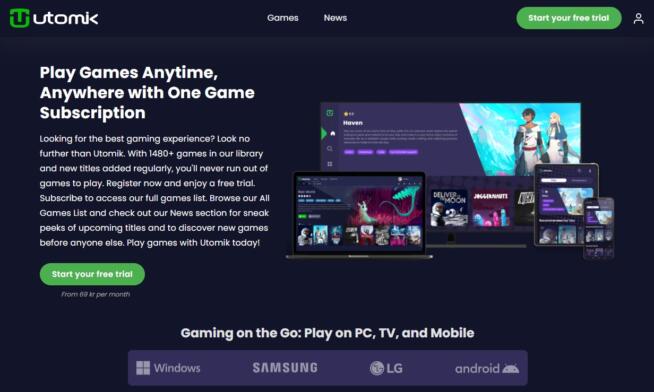
Utomik is a unique cloud gaming platform focused on accessibility, affordability, and simplicity. With a library of 1,000+ games, Utomik uses a hybrid model that combines partial downloads with cloud streaming, letting users start playing within minutes—even on lower-end devices—without waiting for a full download.
Performance & Coverage
Utomik performs best in regions with strong internet infrastructure such as North America and Europe, offering smooth gameplay with minimal latency. In areas with weaker connectivity, performance may vary, especially for larger or resource-heavy titles, but adaptive streaming technology helps maintain stability by adjusting resolution and data usage dynamically.
Device Support & Features
Utomik supports Windows PCs, Android devices, and smart TVs, with plans for expanded compatibility. Games run at up to 1080p resolution, making it well-suited for casual and mid-core gamers. Its simple subscription model includes unlimited access for one monthly fee, and no external store accounts are required—streamlining the gaming experience.
✅ Pros
1,000+ games available
Hybrid partial download + streaming model
Quick access on lower-end devices
Simple, family-friendly subscription
No need for external game accounts
❌ Cons
Limited to 1080p resolution
Performance varies in regions with weaker internet
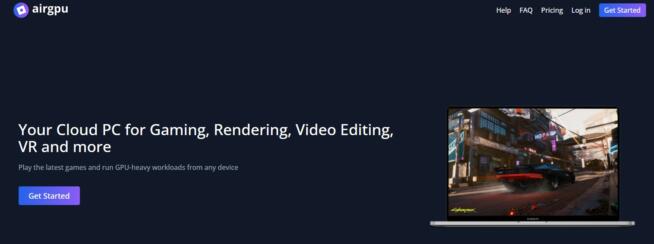
airgpu is a flexible cloud gaming and virtual desktop platform designed for gamers, developers, and creatives who need access to high-performance PCs without expensive hardware. Unlike traditional cloud gaming services, airgpu provides a customizable virtual machine powered by NVIDIA GPUs, giving users full control to install and run any game, software, or application—making it highly versatile for both gaming and productivity.
Performance & Pricing
airgpu uses a pay-as-you-go model, meaning users are only charged for the time they use—ideal for those who need occasional access to high-end hardware. Configurations support up to 4K resolution and 240 FPS, ensuring smooth performance for graphically demanding tasks like AAA gaming, 3D rendering, or video editing.
Global Coverage & Latency
The service performs best in regions with strong infrastructure, such as North America and Europe, delivering a near-local gaming experience with low latency. In underserved regions, latency may be higher, but airgpu mitigates this with network optimizations and adaptive streaming technology.
Device Support & Accessibility
airgpu supports PCs, Macs, and thin clients, giving users access from almost any device. Its user-friendly interface and straightforward setup make it easy to get started, even for those unfamiliar with virtual desktops. With its customizable configurations, airgpu is ideal for anyone seeking flexible, high-performance cloud computing.
✅ Pros
Customizable virtual desktops with NVIDIA GPUs
Pay-as-you-go pricing model
Supports up to 4K @ 240 FPS
Great for gaming and productivity
Works on PCs, Macs, and thin clients
❌ Cons
Higher latency in underserved regions
Requires stable, fast internet for best performance
More complex than plug-and-play cloud gaming services
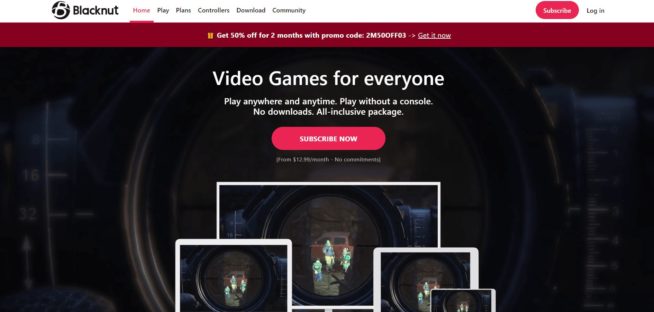
Blacknut is a cloud gaming platform built for families and casual gamers, offering a subscription-based model with unlimited access to 500+ curated games. Its focus on simplicity and accessibility makes it ideal for anyone seeking a hassle-free gaming experience without expensive hardware. Multiple user profiles allow family members to enjoy personalized recommendations and progress tracking.
Performance & Streaming Quality
Blacknut performs best in regions with strong internet infrastructure like North America and Europe, where servers deliver low-latency and smooth gameplay. In regions with weaker infrastructure, performance may vary, particularly for action-heavy or competitive titles. Its adaptive streaming technology dynamically adjusts resolution and bitrate, ensuring stable performance. The platform supports up to 1080p @ 60 FPS, which is ideal for casual and family gaming.
Device Support & Features
Blacknut is compatible with PCs, Macs, Android, iOS, smart TVs, and select set-top boxes. It also includes parental controls, making it a safe, family-friendly choice. The all-inclusive subscription model means users don’t need to purchase individual games— everything in the library is included for one monthly fee.
✅ Pros
500+ games included in subscription
Multiple user profiles for families
Supports wide range of devices (PC, mobile, TV)
Built-in parental controls
Easy setup with no extra hardware required
❌ Cons
Not designed for hardcore or competitive gaming
Limited to 1080p resolution (no 4K support)
Performance depends heavily on local internet quality
Antstream Arcade is a cloud-based retro gaming platform offering thousands of classic titles from platforms like Atari, Amiga, ZX Spectrum, and Sega. By streaming games directly from its servers, Antstream removes the need for downloads, installations, or emulators, making retro gaming accessible on virtually any device.
Performance & Streaming
The platform uses adaptive streaming protocols to deliver low-latency gameplay, automatically adjusting quality to suit network conditions. A connection of at least 5 Mbps is recommended for an optimal experience, though higher speeds ensure smoother performance. Antstream supports Windows, macOS, Android, iOS, and select smart TVs, ensuring broad accessibility.
Features & Functionality
Antstream Arcade’s subscription model gives unlimited access to its retro library, complete with cloud saves, cross-device play, and real-time multiplayer. Users can compete in leaderboards, tournaments, and global challenges, adding a modern twist to classic titles. The user-friendly interface organizes games by platform, genre, and popularity for easy navigation.
✅ Pros
Thousands of retro games from classic platforms
No downloads, emulators, or installations needed
Cross-device play with cloud saves
Global leaderboards, tournaments, and challenges
User-friendly, categorized game library
❌ Cons
Requires stable internet (5 Mbps+ recommended)
No support for modern AAA games
Performance may vary in regions with limited servers
Playkey is a cloud gaming platform designed to let users enjoy high-end PC games on low-spec devices. By streaming games directly from powerful GPU-accelerated servers, Playkey eliminates the need for costly gaming rigs, providing smooth, responsive gameplay over the internet.
Performance & Technology
Playkey’s infrastructure runs on NVIDIA-powered cloud servers that handle resource-intensive game rendering. Game visuals are streamed in real-time to the user’s device using adaptive bitrate streaming, which maintains low latency and minimal buffering even on unstable networks. For the best performance, a 10 Mbps+ broadband connection is recommended.
Compatibility & Access
The service is available on Windows and macOS, supporting both keyboards and gamepads. Users can stream games they already own via Steam, Origin, or Uplay, or access Playkey’s own curated library of popular titles. A lightweight client makes setup quick and straightforward.
Business Model & Security
Playkey offers both pay-per-use and subscription-based models, giving flexibility to casual gamers and heavy users alike. The platform also integrates DRM licensing systems, ensuring secure partnerships with publishers and protecting game rights.
✅ Pros
Runs high-end PC games on low-spec devices
NVIDIA GPU-accelerated servers
Supports Steam, Origin, and Uplay libraries
Flexible pay-per-use or subscription model
Adaptive streaming minimizes latency
❌ Cons
Requires stable 10 Mbps+ internet
Limited server coverage in some regions
Not designed for competitive, latency-critical gaming
Loudplay is a cloud gaming service built to stream high-performance PC games directly to low-spec devices. By providing access to virtual gaming PCs hosted in the cloud, Loudplay removes the need for expensive hardware, while still delivering graphically demanding experiences.
Performance & Technology
Loudplay runs on GPU-accelerated servers optimized for real-time rendering and streaming. Its adaptive streaming technology ensures low latency gameplay, adjusting video quality based on network strength. For the best results, a stable 15 Mbps+ internet connection is recommended.
Device Support & Game Access
The platform supports Windows, macOS, Android smartphones, and tablets. Users can install and play games from major stores like Steam, Epic Games Store, and Origin inside the virtual PC environment. Loudplay is compatible with keyboards, mice, and game controllers for a traditional gaming feel.
Pricing & User Experience
Loudplay follows a pay-as-you-go model, charging based on the hours used. This makes it budget-friendly for casual players who don’t need constant access. The service also includes an intuitive dashboard for managing your virtual PC and launching games with ease.
Maximum Settings is a cloud gaming and computing platform offering fully customizable virtual gaming PCs. With access to high-end GPUs and CPUs, users can run demanding games or perform resource-intensive computing tasks without investing in powerful local hardware.
Performance & Technology
The platform runs on a distributed network of GPU-accelerated servers, primarily using NVIDIA graphics technology for rendering and streaming. Adaptive bitrate streaming ensures smooth, low-latency gameplay across devices. Supported resolutions go up to 4K at 60+ FPS, depending on configuration and internet quality. A stable 15 Mbps+ connection is recommended.
Flexibility & Control
Users have full administrative control over their virtual machines, allowing installation of games and apps from Steam, Epic Games Store, or custom software. Features like persistent storage, real-time hardware upgrades, and robust encryption make the platform highly adaptable for both gamers and professionals.
Pricing & Compatibility
Maximum Settings offers both pay-per-use and subscription models, letting users scale resources and costs to their needs. The service supports Windows, macOS, Android, and more, ensuring wide accessibility across platforms.
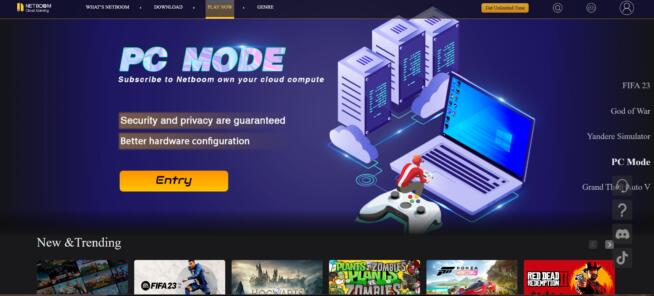
NetBoom is a cloud gaming platform built to deliver PC-quality games to mobile devices, low-end PCs, and lightweight hardware. By running titles on GPU-powered cloud servers, NetBoom streams demanding PC games directly to your device with minimal setup required.
Performance & Technology
NetBoom’s servers are optimized for gaming workloads, delivering smooth performance even for resource-heavy titles. Adaptive streaming technology ensures low-latency gameplay with resolutions up to 4K at 60 FPS. A stable 10 Mbps+ internet connection is recommended for best results.
Compatibility & Features
The platform works across Android, iOS, Windows, and macOS, supporting touch controls, keyboards, and game controllers. Players can link accounts from Steam, Epic Games Store, or Origin to stream owned games or choose from NetBoom’s built-in game library.
Pricing & Accessibility
NetBoom uses a pay-as-you-go model, charging by gameplay hours, or offers a subscription plan with unlimited access. Its lightweight app and scalable cloud infrastructure make it an accessible solution for gaming on the go.
✅ Pros
Supports mobile, PC, and macOS devices
Play games you already own via Steam, Epic, or Origin
Adaptive streaming up to 4K 60 FPS
Flexible pay-as-you-go and subscription pricing
❌ Cons
Requires at least 10 Mbps stable internet
Performance varies in regions with limited server coverage
Less suited for competitive eSports due to latency
Cloud gaming lets you play video games without powerful hardware. Games run on remote servers (“the cloud”) and are streamed to your device, similar to Netflix or YouTube streaming.
+– What devices can I use for cloud gaming?
Most services support PCs, Macs, smartphones, tablets, smart TVs, and browsers. Some even work with consoles or set-top boxes.
+– Do I need a fast internet connection?
Yes. Most platforms recommend 10–20 Mbps for 720p/1080p, and 35 Mbps+ for 4K. Low latency (under 30 ms) is crucial for responsive gameplay.
+– Do I need to buy games separately?
It depends. Platforms like GeForce NOW use your existing Steam/Epic libraries, while Xbox Game Pass Ultimate or Blacknut include a library with your subscription.
+– Are there free cloud gaming options?
Yes. Some services offer free tiers with limits—like GeForce NOW Free—or time-limited trials.
+– Can I play multiplayer games via cloud gaming?
Yes, but a stable low-latency connection is key to avoid lag in online matches.
+– What are the limitations of cloud gaming?
Latency and input lag on unstable networks
High data usage (streaming consumes bandwidth)
Server availability varies by region
Not all games are supported on every service
+– Do I need special controllers or hardware?
Most services work with USB/Bluetooth controllers or keyboard and mouse. Some, like Amazon Luna, sell proprietary low-latency controllers.
+– Can I save my progress across devices?
Yes. Saves are stored in the cloud, letting you continue on any supported device.
Marcus is a cybersecurity analyst with a focus on VPN and proxy services. As the founder and driving force behind a prominent VPN and proxy website, Private Proxy Guide, Marcus has emerged as a trusted authority in the digital realm. With a passion for staying ahead of evolving cyber threats, he has played a pivotal role in educating and empowering individuals and businesses to safeguard their online presence.




![8 Best DNS Servers in 2024 [Gaming, PS4 & Xbox One]](https://www.privateproxyguide.com/wp-content/uploads/2020/10/best-dns-servers-150x150.jpg "8 Best DNS Servers [year]: Fast for Gaming, PS5 & Xbox Series X")



![5 BEST Sneaker Proxies 2021 [Residential & Datacenter]](https://www.privateproxyguide.com/wp-content/uploads/2019/01/best-sneaker-proxies-150x150.jpg "7 Best Sneaker Proxy Services")