Price: FREE
Servers: 11 countries
Simultaneous connections: Unlimited
Jurisdiction: Canada
Torrenting: OK
Unblocks Streaming: Yes
Traffic: 10 GB Free TrustPilot Score: 4,8/5
Speed: Fast
1. ExpressVPN
ExpressVPN is an excellent choice for PS4 & PS5 users due to its fast and reliable performance, crucial for online gaming. It provides a wide server network with over 3,000 servers in 94 countries, ensuring low-latency connections and stable gameplay. This VPN is optimized for gaming, minimizing buffering and lag, which is especially important for multiplayer games and streaming content.
Security is another strong point, with AES-256 encryption and a strict no-logs policy, protecting your privacy while gaming. ExpressVPN’s support for advanced security protocols like OpenVPN and Lightway ensures that your connection is both secure and fast. The VPN also offers split tunneling, allowing gamers to route PS4 & PS5 traffic through the VPN while using other applications without encryption.
ExpressVPN’s compatibility with both PS4 and PS5 is seamless, with easy setup via router configuration or manual setup on the console. Additionally, it supports streaming, so you can access geo-restricted content on platforms like Netflix, Hulu, and more while gaming. With its user-friendly interface, 24/7 customer support, and a 30-day money-back guarantee, ExpressVPN offers a premium service that enhances your gaming experience and keeps you safe online.
NordVPN is a top choice for PS4 & PS5 users thanks to its exceptional speed, security, and ease of use. With over 5,400 servers across 59 countries, it ensures a large selection of fast and reliable connections, reducing lag and buffering during online gaming. NordVPN also supports NordLynx, a high-performance protocol that offers lightning-fast speeds with enhanced security, making it ideal for gaming and streaming on PlayStation consoles. Privacy is a priority with NordVPN, which uses AES-256 encryption and adheres to a strict no-logs policy.
This guarantees your online activities remain secure and anonymous. Additionally, NordVPN features double VPN, which routes your traffic through two servers for an added layer of protection. Setting up NordVPN on PS4 & PS5 is easy through router configuration or manual setup, ensuring you can secure your entire home network with one subscription. The service also supports split tunneling, allowing users to direct gaming traffic through the VPN while keeping other activities unaffected.
NordVPN’s ability to unblock geo-restricted content makes it perfect for accessing international game libraries, streaming services, and content on platforms like Netflix. With its reliable customer support and 30-day money-back guarantee, NordVPN offers a powerful and user-friendly VPN for gamers.
CyberGhost is an excellent VPN for PS4 & PS5 users, offering a great balance of speed, security, and ease of use. With over 8,000 servers in 91 countries, it provides a large selection of optimized servers for gaming, ensuring low latency and smooth online experiences. This is crucial for multiplayer gaming on PlayStation, where lag and high ping can ruin gameplay. CyberGhost also boasts a dedicated “NoSpy” server network, designed for even greater privacy and speed.
Security is a key feature of CyberGhost, as it uses AES-256 encryption to protect user data. With a strict no-logs policy and the option for an automatic kill switch, it ensures complete anonymity and privacy while gaming. Additionally, CyberGhost supports multiple VPN protocols, including OpenVPN and IKEv2, which are both secure and fast. Setting up CyberGhost on PS4 & PS5 is simple, with an easy-to-follow router setup guide.
This allows users to protect all devices connected to the network, including gaming consoles. The VPN also offers split tunneling, enabling gamers to route PlayStation traffic through the VPN while using other applications without encryption. With its ability to unblock geo-restricted content on streaming platforms and 24/7 customer support, CyberGhost is a reliable and efficient choice for gamers looking to secure their PS4 & PS5 experience.
Surfshark is a great choice for PS4 & PS5 users due to its exceptional speed, security, and user-friendly features. With over 3,200 servers in 100 countries, Surfshark provides a reliable network that ensures low latency and minimal lag for a smooth gaming experience. This is crucial for PlayStation gamers, where connection stability and fast speeds are essential for online multiplayer sessions and streaming. Security is a top priority with Surfshark, offering robust AES-256 encryption, a no-logs policy, and a built-in kill switch for added protection.
Additionally, Surfshark supports various security protocols, including OpenVPN and IKEv2, providing users with both speed and security. The service also features MultiHop, which routes traffic through two servers for extra security, and CleanWeb, which blocks ads, trackers, and malware—enhancing the gaming experience by reducing interruptions. Surfshark’s standout feature is its unlimited device policy, meaning you can secure all your devices, including PS4 & PS5, with just one subscription. Setting up Surfshark on your gaming consoles is simple through router configuration.
The VPN also allows split tunneling, so you can direct gaming traffic through the VPN while using other apps normally. With its ability to unblock geo-restricted content on platforms like Netflix, competitive pricing, and 24/7 customer support, Surfshark is a solid and versatile choice for gaming on PlayStation consoles.
Private Internet Access (PIA) is an excellent VPN for PS4 & PS5 users, offering a robust combination of speed, privacy, and security. With over 35,000 servers in 77 countries, PIA ensures reliable and fast connections, reducing lag and buffering during online gaming. This large server network provides multiple options to find the optimal connection for seamless multiplayer gaming and streaming on PlayStation consoles. PIA excels in security, using AES-256 encryption, a strict no-logs policy, and advanced privacy features like a kill switch to ensure your data remains protected.
The VPN supports a variety of protocols, including OpenVPN, WireGuard, and IKEv2, giving users flexibility in balancing security and speed for gaming. Additionally, PIA allows for DNS and IPv6 leak protection, ensuring your gaming sessions are not interrupted or compromised. Setting up PIA on PS4 & PS5 is straightforward through router configuration, securing all connected devices with one subscription. The VPN also supports split tunneling, enabling you to route gaming traffic through the VPN while leaving other apps unaffected.
PIA’s ability to unblock geo-restricted content provides access to international game libraries and streaming services, expanding your options for entertainment. With its competitive pricing, reliable performance, and strong privacy features, Private Internet Access is a top-tier choice for securing your PS4 & PS5 gaming experience.
IPVanish is a great VPN option for PS4 & PS5 users due to its fast speeds, strong security features, and ease of use. With a network of over 2,000 servers in more than 50 countries, IPVanish provides stable connections and low-latency performance, essential for uninterrupted gaming and streaming. The VPN minimizes lag and buffering, making it an ideal choice for online multiplayer gaming on PlayStation consoles.
Security is a major strength of IPVanish, offering AES-256 encryption and a strict no-logs policy to keep your data private and secure. It also includes a kill switch, which automatically disconnects you from the internet if the VPN connection drops, preventing any data leaks during gaming. IPVanish supports several secure VPN protocols, such as OpenVPN and IKEv2, allowing users to choose the best balance of speed and security for their gaming needs.
Setting up IPVanish on PS4 & PS5 is simple via router configuration, which protects all connected devices with a single subscription. Additionally, IPVanish allows split tunneling, so you can route your gaming traffic through the VPN while other applications can bypass it. With its fast connection speeds, strong privacy protection, and easy setup, IPVanish is an excellent choice for PS4 & PS5 users looking for a reliable and secure VPN service.
Atlas VPN is a solid choice for PS4 & PS5 users due to its fast speeds, strong security, and user-friendly interface. With servers in over 40 countries, it ensures reliable connections that help minimize lag and provide a smooth gaming experience. Atlas VPN is well-suited for online multiplayer gaming on PlayStation, as its low latency ensures smooth gameplay without interruptions. Security features are also a strong point, with AES-256 encryption that secures your internet traffic and protects against potential threats.
The VPN also has a strict no-logs policy, ensuring that your online activities remain private. Additionally, Atlas VPN includes a kill switch, which cuts your internet connection if the VPN disconnects, further safeguarding your privacy during gaming sessions. Setting up Atlas VPN on PS4 & PS5 is easy with router configuration, which allows you to secure multiple devices under one subscription. The VPN also offers split tunneling, so you can route gaming traffic through the VPN while leaving other activities unaffected.
While Atlas VPN’s server network is smaller compared to some competitors, it still provides a reliable and secure option for gaming on PlayStation consoles. With its strong security, fast performance, and simple setup, Atlas VPN is a great choice for PS4 & PS5 gamers looking for a cost-effective VPN.
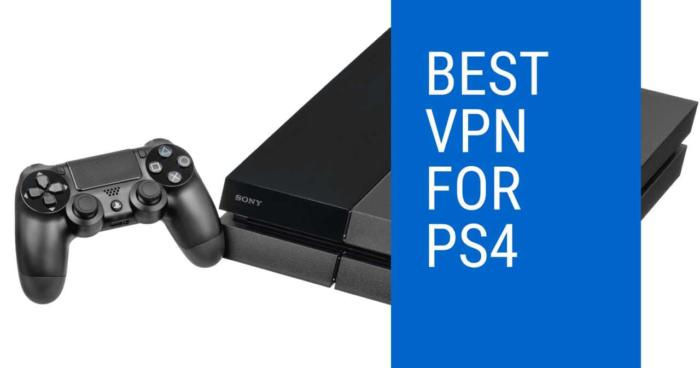
The PlayStation 4 and PlayStation 5 are powerful gaming consoles that deliver immersive experiences through multiplayer gaming, streaming services, and digital content. However, users often face challenges such as region-locked content, high ping during online play, and security risks tied to online transactions. A VPN (Virtual Private Network) specifically tailored to PS4 and PS5 use can help address these issues, ensuring a smoother, more secure, and unrestricted gaming experience. Here’s why a VPN is essential for PS4 and PS5 users:
1. Access Geo-Restricted PlayStation Store Content
The PlayStation Store offers different games, DLCs, and prices depending on your region.
Unlock Exclusive Content: Use a VPN to switch your virtual location and access games or downloadable content (DLCs) not available in your country. For instance, players in Europe can connect to U.S. servers to access exclusive bundles or promotions.
Early Game Releases: Access new game releases earlier by connecting to regions like New Zealand, where titles often launch before other countries due to time zones.
2. Reduce Ping for Online Multiplayer Games
Online games like Call of Duty, FIFA, Apex Legends, and Fortnite on PS4 and PS5 require low latency and stable connections for the best experience.
Improve Connection Stability: A VPN routes your traffic through optimized servers, reducing lag and high ping, particularly for players in regions far from game data centers, such as Australia or South Africa.
Enhance Cross-Region Play: If you’re in North America and want to team up with friends in Europe, a VPN can connect you to servers that provide smoother cross-region gameplay.
3. Unblock Region-Locked Streaming Apps
The PS4 and PS5 are more than just gaming consoles; they’re complete entertainment hubs.
Access Global Streaming Libraries: Use a VPN to unblock region-specific content on apps like Netflix, Hulu, BBC iPlayer, and Disney+. For example, connect to U.S. servers to unlock a broader Netflix catalog or UK servers to watch BBC iPlayer.
Stream Without Buffering: A VPN with high-speed servers ensures smooth streaming, even in 4K resolution, on your PS5.
4. Protect Against DDoS Attacks
Online gaming on PS4 and PS5, especially in competitive modes, exposes you to risks like DDoS attacks from malicious opponents.
Secure Your Connection: A VPN masks your IP address, making it impossible for other players to launch DDoS attacks against your connection.
Ensure Ranked Match Stability: Competitive players in Call of Duty or Rainbow Six Siege can use a VPN to protect their matches from disruptions.
5. Save Money on PlayStation Store Purchases
The cost of games, subscriptions, and DLCs often varies by region due to localized pricing.
Buy Cheaper Games and Subscriptions: Use a VPN to connect to regions like Turkey or Argentina, where PlayStation Store prices are significantly lower. For example, a PlayStation Plus subscription might cost less in these regions compared to North America or Europe.
Take Advantage of Regional Sales: Access sales and promotions exclusive to specific countries.
6. Secure Online Transactions
When purchasing games, subscriptions, or in-game items directly from the PlayStation Store, protecting your financial data is crucial.
Encrypt Payment Information: A VPN encrypts your connection, preventing hackers from intercepting sensitive data like credit card details.
Protect Transactions on Public Wi-Fi: If you’re using your PS4/PS5 in a shared network environment, a VPN ensures that your financial transactions remain private and secure.
7. Avoid ISP Throttling During Gaming
Internet Service Providers (ISPs) often throttle bandwidth during high-data activities like online gaming.
Prevent Speed Restrictions: A VPN hides your gaming activity from your ISP, ensuring consistent speeds and smooth gameplay.
Optimize Online Performance: Gamers in urban centers like New York, Sydney, or Tokyo can experience stable connections even during peak usage hours.
8. Play Games in Censored Regions
Some regions restrict or block access to certain online games or features.
Bypass Regional Blocks: If you’re in a region like China, UAE, or Saudi Arabia, where some PlayStation features or games are restricted, a VPN lets you access them by connecting to unrestricted servers.
Enjoy Full Online Functionality: Use a VPN to restore features like voice chat or multiplayer modes that might be disabled in your region.
9. Enhance Remote Play
Sony’s Remote Play feature allows you to stream your PS4/PS5 games to other devices, but it requires a strong and stable connection.
Optimize Streaming: A VPN can route your traffic through high-speed servers, ensuring smooth gameplay when streaming to your phone, PC, or tablet.
Secure Remote Play on Public Networks: If you’re streaming games on the go, a VPN protects your data when using public Wi-Fi at airports or cafes.
10. Prevent Account Hacking
Your PlayStation Network (PSN) account may contain payment information and purchased content, making it a target for hackers.
Mask Your IP Address: A VPN ensures your account details are safe by encrypting your data and hiding your real IP address.
Avoid Phishing Attempts: By securing your connection, a VPN reduces the risk of cyberattacks while browsing or gaming online.
Localized Benefits for PS4 & PS5 Users
North America: Access early game releases in regions like New Zealand or enjoy region-exclusive PlayStation Store content in Japan.
Europe: Use a VPN to save money on games by connecting to regions like Turkey or Poland, where prices are lower.
Asia-Pacific: Reduce ping and latency by connecting to nearby gaming servers, ensuring smoother gameplay in multiplayer titles.
Middle East: Overcome restrictions on voice chat and multiplayer modes in regions like UAE or Saudi Arabia.
South America: Improve connectivity to North American servers for better multiplayer experiences.
Customer Reviews for VPNs for PS4 & PS5
NordVPN Review – From a Competitive Gamer
“As a competitive player who spends hours in online lobbies, NordVPN has been a game-changer for my PS5. I play Call of Duty and Apex Legends regularly, and the connection stability has improved drastically since I started using NordVPN. The ability to switch regions is also a huge bonus—I can now join servers in South America or Asia when the competition in my area gets too intense. Plus, I feel much safer knowing my IP is hidden, especially after hearing horror stories about DDoS attacks in ranked matches. NordVPN is worth every penny for serious gamers.”
— Alex T., PS5 Competitive Player
ExpressVPN Review – From a Streaming Enthusiast
“I use my PS5 not only for gaming but also as my main streaming device, and ExpressVPN has been perfect for unlocking content. Living in Australia, I often find that Netflix and Disney+ don’t have the same catalog as in the U.S., but ExpressVPN lets me access everything effortlessly. The speeds are incredible—no buffering, even when streaming in 4K. It’s also been great for accessing early game releases by connecting to New Zealand servers. If you use your PlayStation for more than just gaming, ExpressVPN is a must-have.”
— Sarah L., PS5 Streaming Fanatic
Surfshark Review – From a Family Gamer
“As a parent, I want to ensure my kids have a safe and enjoyable gaming experience on our PS4. Surfshark has been an affordable and reliable VPN for the whole family. The unlimited device connections mean I can use it on all our devices, not just the console. I’ve also used it to save money by purchasing games from regions where they’re cheaper, which has been a game-changer for our gaming budget. The added privacy features give me peace of mind, knowing my kids’ data is secure while they play online. For families, Surfshark is a fantastic option.”
— Emma R., Family Gamer
CyberGhost Review – From a Casual Gamer
“I don’t game competitively, but CyberGhost has enhanced my experience on the PS5 in so many ways. The streaming-optimized servers are excellent for watching Netflix U.S. and BBC iPlayer, which aren’t available in my region. It’s also been useful for connecting to less congested servers during peak gaming hours, especially when I’m playing FIFA online. The interface is easy to use, even for someone who isn’t super tech-savvy. CyberGhost has made my PlayStation experience more enjoyable and hassle-free.”
— Daniel M., Casual Gamer
ProtonVPN Review – From a Privacy Advocate
“As someone who values privacy, ProtonVPN has been a great addition to my PS4 setup. I primarily use it for securing my connection while playing online multiplayer games like Fortnite and Destiny 2. The Secure Core feature provides an extra layer of protection, which is reassuring when making purchases directly through the PlayStation Store. While it’s not the fastest VPN I’ve used, the privacy features more than make up for it. If security is your top priority, ProtonVPN is an excellent choice for your PlayStation.”
— Thomas R., Privacy Advocate
IPVanish Review – From a Rural Gamer
“Living in a rural area, I’ve always struggled with high ping and lag when gaming online. IPVanish has been a lifesaver for my PS5—it helps me connect to better servers and significantly reduces my latency in games like Call of Duty and Apex Legends. The unlimited device connections are a bonus, as I also use it on my phone and PC. It’s easy to set up with my router, and the performance has been rock solid. If you’re in a rural area and want to improve your PlayStation experience, IPVanish is a fantastic option.”
— Jake R., Rural Gamer
Private Internet Access (PIA) Review – From a Student
“As a student on a tight budget, PIA has been an affordable way to enhance my PS4 experience. I use it to access region-locked PlayStation Store deals, saving a lot of money on games and subscriptions. It’s also great for connecting to servers in other regions to avoid high ping during online matches. The built-in ad-blocking feature is an added bonus, making my browsing and gaming experience smoother. For students who want to make the most of their PlayStation without spending a fortune, PIA is a great choice.”
— Neha G., University Student
ExpressVPN Review – From a Frequent Traveler
“I travel a lot for work, and ExpressVPN has been a game-changer for my PS5. Whether I’m in Europe, Asia, or the U.S., I can always access my home region’s PlayStation Store and online services. It’s also been amazing for watching region-locked content on Netflix and Hulu during my downtime. The connection speeds are fantastic, even on hotel Wi-Fi, and I’ve never experienced any interruptions during gaming or streaming. If you’re a frequent traveler, ExpressVPN is a must-have for keeping your PlayStation fully functional.”
— Clara J., Traveling Gamer
Surfshark Review – From a Budget Gamer
“I’ve been using Surfshark with my PS4 for a few months, and it’s been amazing for the price. It lets me connect to servers in other countries to access cheaper game deals, which has saved me a ton of money. I also use it to unblock region-specific content on streaming platforms, which makes my PlayStation more versatile. The unlimited connections mean I can share the VPN with my siblings, so we all benefit. Surfshark is perfect for gamers on a budget who still want a premium experience.”
— Kevin J., Budget-Conscious Gamer
NordVPN Review – From a Hardcore Gamer
“As someone who spends hours grinding ranked matches on my PS5, NordVPN has been an essential tool. I’ve reduced my ping by connecting to optimized servers closer to the game’s data centers, which has made a noticeable difference in my performance. It’s also great for switching regions when I want to play in less competitive lobbies or access exclusive content. The connection is always stable, and the speeds are fantastic for both gaming and streaming. If you’re serious about gaming, NordVPN is an investment you won’t regret.”
— Alex H., Hardcore PS5 Gamer
Marcus is a cybersecurity analyst with a focus on VPN and proxy services. As the founder and driving force behind a prominent VPN and proxy website, Private Proxy Guide, Marcus has emerged as a trusted authority in the digital realm. With a passion for staying ahead of evolving cyber threats, he has played a pivotal role in educating and empowering individuals and businesses to safeguard their online presence.




![8 Best DNS Servers in 2024 [Gaming, PS4 & Xbox One]](https://www.privateproxyguide.com/wp-content/uploads/2020/10/best-dns-servers-150x150.jpg "8 Best DNS Servers [year]: Fast for Gaming, PS5 & Xbox Series X")