Price: FREE
Servers: 11 countries
Simultaneous connections: Unlimited
Jurisdiction: Canada
Torrenting: OK
Unblocks Streaming: Yes
Traffic: 10 GB Free TrustPilot Score: 4,8/5
Speed: Fast
As online privacy concerns and global internet restrictions continue to grow, VPNs have become essential tools for safeguarding personal data and bypassing content filters.
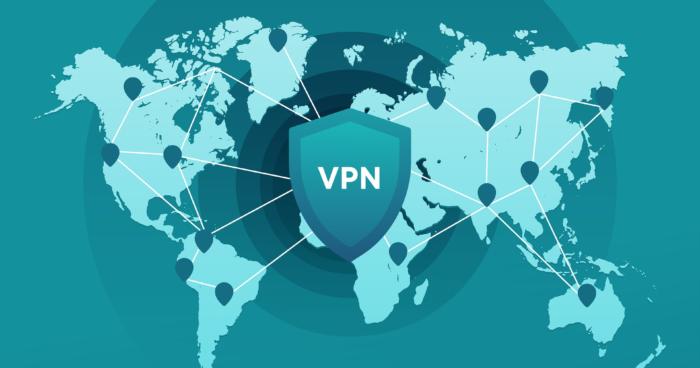
These versatile services encrypt your internet connection and route it through servers in various locations, allowing you to maintain anonymity and access geo-restricted content from anywhere in the world.
This article will explore the best VPNs available today, providing a comprehensive guide to selecting the right service for your needs.
Whether you are looking to enhance security, improve streaming access, or secure your browsing on public Wi-Fi, we will discuss the strengths and potential drawbacks of each VPN, ensuring you can make an informed decision tailored to your specific requirements.
NordVPN is widely regarded as one of the leading VPN providers for several compelling reasons, especially for users who prioritize privacy, speed, and global server access.
Here’s an analysis of its key strengths:
1. High-Speed Servers Globally
Global Coverage: NordVPN provides an extensive network of servers across the world. This wide distribution ensures that users can connect to a server close to their location, minimizing latency and maximizing speed.
Optimized for Torrenting: The high-speed servers are particularly beneficial for torrenting, allowing for quick and efficient file downloads. This is a significant advantage noted by users on platforms like Reddit.
2. Strict No-Logs Policy
Enhanced Privacy: NordVPN’s strict no-logs policy means it does not track, collect, or share your private data. This is crucial for users who value their online anonymity, especially when engaging in activities like torrenting.
Trust and Transparency: This policy builds user trust, as it assures them that their activities are not being monitored or recorded.
3. Strong Security Features
Encryption and Protocols: NordVPN uses advanced encryption (such as AES-256) and offers a variety of secure protocols. This ensures that user data is highly secure and protected from potential breaches or surveillance.
Additional Security Tools: Features like Double VPN (which routes your traffic through two VPN servers) and Onion over VPN (for Tor users) provide additional layers of security.
4. Multiple Device Protection
Simultaneous Connections: NordVPN allows multiple simultaneous connections, enabling users to protect various devices with a single account. This is ideal for users who want to secure their phone, laptop, tablet, etc., at the same time.
5. User-Friendly Interface
Ease of Use: The service is known for its user-friendly interface, making it accessible even for those who are not technically savvy. This ease of use extends across its applications on various platforms.
6. Unrestricted Internet Access
Bypassing Censorship and Geo-Restrictions: NordVPN is effective at overcoming internet censorship and accessing geo-restricted content, which is a significant advantage for users in restrictive regions or those accessing international content.
Conclusion
NordVPN’s combination of speed, security, privacy, and global server access makes it an excellent choice for a wide range of users, from those engaged in torrenting to those who simply want to protect their online privacy across multiple devices. Its commitment to a no-logs policy, coupled with robust security features, positions it as a top-tier VPN provider for individuals seeking comprehensive control over their online privacy and unrestricted internet access.
ExpressVPN is often regarded as one of the best VPN providers for several key reasons:
Extensive Global Coverage: With servers in over 94 countries, ExpressVPN offers one of the widest ranges of server locations. This extensive coverage allows users to access content from almost any part of the world, making it highly versatile for various international internet needs.
High-Speed Connections: ExpressVPN is known for its high operational speed, which is crucial for activities like streaming, gaming, and downloading large files. Users can enjoy a seamless online experience with minimal buffering and fast load times.
Advanced Encryption Technology: The use of state-of-the-art 256-bit SSL encryption ensures that users’ data and online activities are highly secure. This level of encryption is considered military-grade and is extremely difficult to breach, offering users peace of mind regarding their online privacy and security.
Streaming and Netflix Compatibility: ExpressVPN is particularly effective for streaming video content. Its ability to consistently bypass geo-restrictions makes it an excellent choice for accessing streaming services like Netflix, especially for users outside the US. The VPN provider is also known for providing guidance on which servers to use for optimal streaming performance.
30-Day Money-Back Guarantee: The company offers a 30-day money-back guarantee, allowing users to try the service risk-free. This policy demonstrates confidence in their service quality and provides a safety net for new users.
Strict No-Logs Policy: ExpressVPN has a strict no-logs policy, meaning it does not keep records of users’ internet activities. This policy is crucial for maintaining user privacy and anonymity online.
Torrenting Capability: The VPN is also optimized for torrenting, ensuring that users can download and share files securely and privately. This is particularly important for users who frequently engage in P2P file sharing.
User-Friendly Interface: ExpressVPN is known for its ease of use, making it accessible for both beginners and advanced users. The interface is intuitive, and setting up the VPN on various devices is straightforward.
In summary, ExpressVPN’s combination of extensive server coverage, high-speed connections, advanced security measures, excellent streaming and torrenting capabilities, and a commitment to user privacy make it a top choice among VPN providers. These features cater to a wide range of online activities and user needs, contributing to its reputation as one of the best VPN services available.
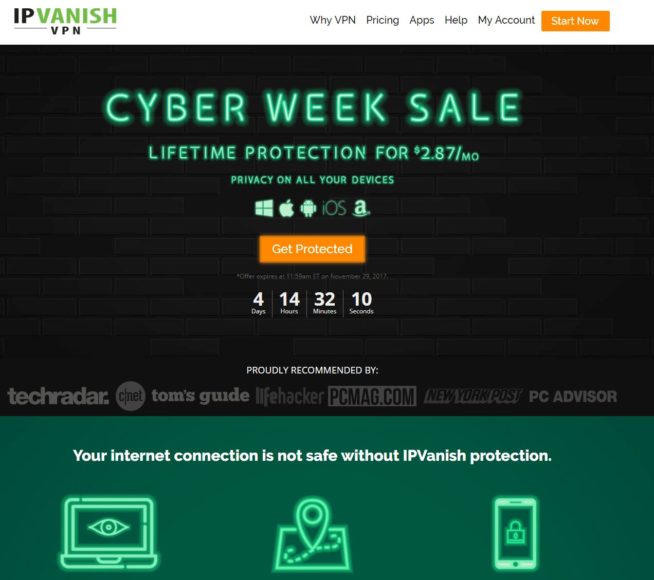
IPVanish is considered one of the best VPN providers for several reasons, balancing affordability with a robust set of features:
Affordability: One of the most significant advantages of IPVanish is its cost-effectiveness. With a subscription as low as $2.87 per month, it offers a budget-friendly VPN solution, making it accessible to a wider range of users who might otherwise be unable to afford VPN services.
Comprehensive Device Compatibility: IPVanish offers apps for a variety of devices, including laptops, computers, smartphones, and tablets. This broad compatibility ensures that users can maintain their online privacy across different devices and platforms, which is essential in today’s multi-device environment.
24/7 Customer Support: Around-the-clock customer support is a valuable feature, especially for users who may not be technically savvy. This accessibility ensures that help is readily available, providing peace of mind and enhancing the overall user experience.
Security Enhancement: Like other top VPN providers, IPVanish enhances network security. It helps in safeguarding users’ internet activities from eavesdroppers, particularly on unsecured networks such as public Wi-Fi, thus enhancing overall online privacy and security.
Internet Freedom: By using IPVanish, users can bypass geo-restrictions and censorship. This is particularly beneficial for accessing content that may be restricted in certain regions, improving the users’ freedom as they navigate the internet.
However, there are some limitations and considerations:
No Torrent Support: IPVanish does not allow torrenting. This could be a significant limitation for users who rely on torrents for downloading and sharing files. For these users, a VPN provider that supports P2P file sharing would be more appropriate.
Performance and Features: While IPVanish is cost-effective and offers basic VPN services, users should consider whether its performance and feature set meet their specific needs, especially when compared to other VPN providers that might offer more advanced features.
In conclusion, IPVanish is a strong choice for those seeking an affordable, user-friendly VPN solution with good device compatibility and customer support. However, its suitability depends on individual user needs, especially considering its limitation regarding torrenting.
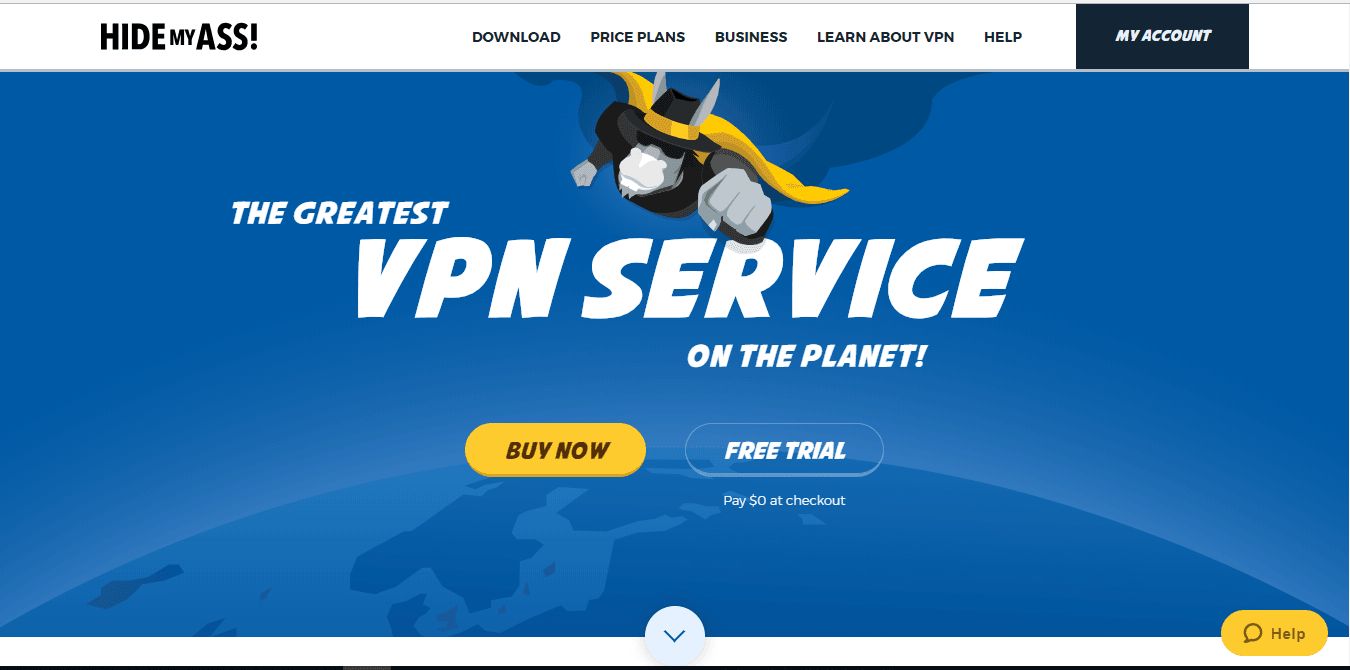
Hide My Ass (HMA) is considered one of the best VPN providers for several reasons:
Strong Data Encryption: HMA uses advanced data encryption algorithms to secure user information. This level of encryption is essential for protecting sensitive data from potential breaches and ensuring online privacy.
Suitable for Individual and Business Use: The service caters to both individual users and businesses, indicating a versatile infrastructure that can handle varied demands, from personal privacy to corporate security.
Diverse Pricing Options: While HMA might not be the cheapest option, it offers multiple subscription plans, including monthly, 6-month, and yearly packages. This flexibility allows users to choose a plan that best fits their budget and usage needs.
Feature-Rich Service: HMA stands out with its variety of features. This includes a range of server locations, different modes for various usage scenarios, and user-friendly apps for multiple devices. Such features make it a comprehensive VPN solution that meets diverse user requirements.
High-Speed Performance: One of the key highlights of HMA is its fast performance, attributed to its network of modern servers. These servers are optimized to provide efficient operations, which is crucial for activities that require high bandwidth, like streaming, gaming, or large file transfers.
Global Server Network: HMA boasts a wide-reaching server network, which is beneficial for users who need to access content from different geographical locations. This global network ensures that users can connect to a server that is geographically closer to them, resulting in better speed and reliability.
User-Friendly Interface: The service is known for its easy-to-use interface, making it accessible for VPN beginners while still offering advanced features for seasoned users.
No Torrenting Policy: While this might be a con for some users, HMA’s policy of not allowing torrenting can be seen as a commitment to legal and responsible use of internet resources. This stance might appeal to users and businesses concerned with adhering to legal standards and ethical practices.
In conclusion, despite not being the cheapest option and its restriction on torrenting, Hide My Ass offers a balance of strong security features, high-speed performance, and user-friendly experience, making it a commendable choice for both individual and business VPN users. The combination of its sophisticated encryption, diverse pricing plans, and fast server network makes it a notable contender in the VPN market.
TunnelBear VPN has garnered recognition as one of the best VPN providers for several compelling reasons:
Speed and Efficiency: TunnelBear is known for providing a fast and reliable VPN service. Speed is a critical factor for VPN users, especially those who stream videos, play online games, or download large files. A fast VPN ensures that these activities can be done without significant lag or buffering.
Strong Security Features: The emphasis on security is a standout feature of TunnelBear. It offers robust encryption, which is crucial for protecting data and maintaining privacy online. This level of security is especially important for businesses that need to protect sensitive information and for individual users concerned about their online privacy.
Unlimited Data at Affordable Rates: Offering unlimited data at a monthly charge of just $4.16 makes TunnelBear an attractive option for both personal users and businesses. This pricing is competitive in the VPN market, especially considering the unlimited data usage, which is not a common offering in many other VPN services.
Ease of Use: TunnelBear is often praised for its user-friendly interface, making it a great option for those who are new to VPNs or prefer a straightforward experience. The simplicity of setup and ease of use ensures that users can start protecting their internet connection with minimal effort.
Recognition from Major Tech Media: Endorsements from respected tech media outlets like Lifehacker, Forbes, and The Verge lend credibility to TunnelBear. Positive reviews from these sources often reflect a product’s reliability and effectiveness, contributing to its reputation as a top choice in the VPN market.
Ideal for Casual and Public Wi-Fi Use: For users who need a VPN for casual use, such as securing their connection in public Wi-Fi spaces, TunnelBear is an excellent choice. The combination of its ease of use, security features, and affordable pricing makes it suitable for occasional users who want to ensure their data is protected on unsecured networks.
Cost-Effectiveness for Businesses: Businesses looking for a cost-effective VPN solution will find TunnelBear appealing. Its combination of unlimited data, strong security, and competitive pricing makes it a viable option for companies needing to protect their online activities without incurring high costs.
In summary, TunnelBear’s combination of fast and secure service, user-friendliness, affordability, and high praise from reputable tech media makes it stand out as one of the best VPN providers. It is especially suitable for private users and businesses seeking a reliable, cost-effective solution for their VPN needs. Its suitability for casual use, such as on public Wi-Fi networks, further broadens its appeal to a wide range of users.
Without getting too deep in terms of technical mumbo-jumbo, a VPN is essentially designed to hide your identity as you browse through the web.
ISP services have the ability to track your every movement while you are consulting the web, and they often store your information or share it with third-party users.
By subscribing to a reputable VPN provider, you will be able to access your favorite sites, stream, download, and enjoy content without restrictions and without leaving traces, even if you are using a public wi-fi network outside (for example, if you are connecting from your neighborhood’s coffee shop or a public library).
To put it simply, a VPN is a service that can be used in order to establish a safe connection through encryption algorithms designed to keep your data and information as reliable as possible.
Usually, the process is achieved by creating a “virtual tunnel” between your computer and the server operated by your VPN provider of choice.
When you are connected to your VPN provider, your data will “pass through the virtual tunnel,” so no third parties (including your ISP) can access your information and see what you are up to while surfing the net.
As mentioned earlier, people are getting increasingly concerned about their privacy, so it is not surprising that the VPN industry has experienced a massive boom, with hundreds of providers offering services on a global scale.
The demand for reliable and effective VPN services has spiked up greatly, unfortunately paving the way for lurkers and scammers who are looking to take advantage of people who seek to protect their information.
There are many VPN providers out there who are actually not very legit. They might market themselves as the solution to your online privacy issues, but in turn, they might simply not do anything at all, or worse, they might be the ones to trick you and steal the very information you are paying them to protect.
There are many bad VPN services online, so you need to be especially careful before spending your money or your trust in any particular company.
2.2 VPN service for everything?
There is a wide variety of VPN services out there, and choosing the right one based on your needs might be a bit tricky. There are many things to consider. What are you mostly going to do through your VPN provider?
Do you connect often using public networks? Do you frequently download or stream content through the web? There are many questions you should ask yourself if you are looking to choose the best VPN provider to suit your needs and budget.
2.3 Netflix and streaming
Many people love to use websites such as Netflix or other video streaming portals in order to enjoy video, film, or other media. In many situations, you could benefit from a VPN provider in order to mask your geo-location or protect your information while using such a website.
As you certainly might know, streaming requires more data, and a slow VPN provider might impair the best experience. This is the reason why we highly recommend relying on a VPN service that is well-known for high-speed performance.
This way, you will be able to enjoy good resolution videos with no speed bumps or streaming issues. You should also look for a VPN that is able to unblock Netflix and other Geo-restricted services if you plan to do some watching in another country.
2.4 iPhone and Android
These days, laptops and computers are no longer the only devices we use to connect to the Internet and browse through websites.
Mobile phones and tablets are on the increase, and there are many VPN services that are specifically dedicated to this particular market and purpose.
Some of the best VPN providers offer particular Apple or Android apps, so users can install VPN-tools on their phones or tablets.
2.5 Free vs paid VPN
There is a wide variety of VPN services out there, including free options. However, if you are serious about keeping your information safe and protecting your personal data, you should definitely consider using a paid VPN.
As a general rule, commercial VPN services are more reliable and effective, giving you peace of mind in different situations.
Having said that, you could certainly use a free VPN service if it is reputable enough, particularly if you only need the service occasionally, like when you are using a public wi-fi network you do not normally use. Bandwidth is usually very restricted with free VPNs.
2.6 Torrenting & P2P
When downloading files using torrent services, it is very important to protect your privacy.
Most torrent platforms are highly traceable since the download is a P2P-based operation (this is when different people share files together, and the download happens from sourcing bits and pieces of files directly from various users, as opposed to downloading a whole file directly from a server).
Many VPN services out there are fast and reliable enough to be used for torrenting purposes. However, you need to make sure that it is allowed by the VPN-provider. They should also have a clear no-logs policy!
2.7 Why using a VPN is better
VPN services are absolutely great for privacy, but they can be used for many other purposes as well. For example, you can use a VPN service in order to hide your geographical location, as well as using P2P download services in the safest possible way.
VPN services are also great if you are looking for ways to evade censorship from institutions such as governments, schools, ISP providers, or workplaces, just to mention a few.
Marcus is a cybersecurity analyst with a focus on VPN and proxy services. As the founder and driving force behind a prominent VPN and proxy website, Private Proxy Guide, Marcus has emerged as a trusted authority in the digital realm. With a passion for staying ahead of evolving cyber threats, he has played a pivotal role in educating and empowering individuals and businesses to safeguard their online presence.
2 thoughts on “5 Best VPN Providers (2025) [PC, iOS, Android]”
mona
i simply want to watch youtube without buffering. My former isp was sabotaged by a competitor, which was proven in court; who has been buying up all the smaller isp mom & pop shops in central Oklahoma. Their true intent being to present a nice, whopping, succulent package to Hughes net after buying out central Ok. i miss cowboy net because they did not throttle. Literally. It wasn’t a thing for them. i had to take this “other” company’s service (viasat) because they were “it.” The tech told me that they “slow it down.” “You mean you throttle my service?” no reply.





















i simply want to watch youtube without buffering. My former isp was sabotaged by a competitor, which was proven in court; who has been buying up all the smaller isp mom & pop shops in central Oklahoma. Their true intent being to present a nice, whopping, succulent package to Hughes net after buying out central Ok. i miss cowboy net because they did not throttle. Literally. It wasn’t a thing for them. i had to take this “other” company’s service (viasat) because they were “it.” The tech told me that they “slow it down.” “You mean you throttle my service?” no reply.
Hi Mona,
Have you tried the alternatives listed here: https://www.privateproxyguide.com/how-to-bypass-isp-throttling/?