Quick answer: The Best Valheim Server Hosting in 2025 is Apex Hosting!
The online open-world survivor genre has been increasingly popular in recent years. When you know you’ll be resurrected on another side of the planet and have to guide your avatar properly while holding down ‘W’ for 15 minutes, a digital death is much more terrifying.
Now you’re a bare-knuckled, unarmed character who must sprint over miles of open ground to rejoin your buddies. The excitement and motivation of survival and the sorrow and misery of dying to grow more real.
Valheim is the most recent edition in the survival genre. This post can be very useful if you search for the best Valheim Server Hosting. It’s a gorgeous game like Ark, Minecraft, or Rust, and if you want to get the most out of it, you’ll need to find a proper server.
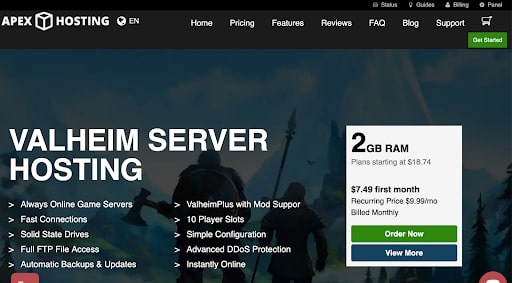
Apex Hosting stands out as an excellent option for Valheim server hosting for several reasons:
Nearly Instant Setup: The promise of nearly immediate setup is a significant advantage. This feature allows users to start their Valheim server almost as soon as they finish the registration process, offering a quick and efficient way to get into the game.
24/7 Assistance: Continuous support is crucial for server hosting, especially for games like Valheim which can have complex hosting needs. Apex Hosting’s commitment to round-the-clock assistance means that users can get help whenever they need it, regardless of their timezone.
Customer-Friendly Control Panel with Mobile Access: The availability of a user-friendly control panel, especially one that’s accessible via mobile, adds a layer of convenience for server admins. It allows for easy management of the server from anywhere, which is particularly useful for quick adjustments or troubleshooting.
Outstanding Features: Apex Hosting includes a robust set of features for Valheim server hosting. One-Click Modpacks simplify the process of adding mods to the server, DDoS Protection ensures server security against attacks, Ultra-Low Latencies improve game performance by reducing lag, and automated backups are critical for preserving game progress.
Free Subdomain: Offering a free subdomain allows server owners to create a personalized, easy-to-remember address for their server, enhancing the branding and accessibility of their gaming community.
Comprehensive Panel: A comprehensive panel means that server admins have extensive control and monitoring capabilities over their server, which is crucial for maintaining a stable and enjoyable gaming environment.
Pricing Model: Apex Hosting’s pricing structure, which does not rely on a ‘per slot’ model, can be more appealing and straightforward for many users. This model can offer better value, especially for servers with fluctuating player numbers or those planning to scale up.
Overall, Apex Hosting provides a blend of ease of use, comprehensive features, and reliable support, making it a strong choice for hosting Valheim servers. These factors contribute to a smoother and more enjoyable gaming experience for both server admins and players.
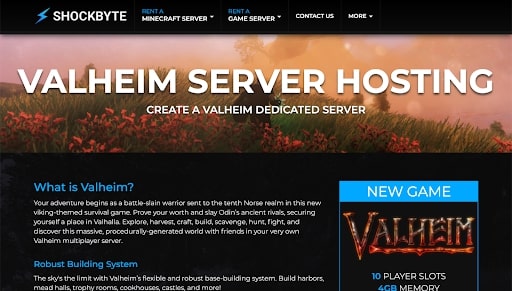
Shockbyte emerges as a commendable choice for Valheim server hosting due to several key features and benefits:
Global Server Locations: One of the standout features of Shockbyte is the wide distribution of its servers globally. This is crucial for multiplayer games like Valheim, as it allows players to choose a server location closest to them, minimizing latency issues and ensuring a smoother gaming experience.
DDoS Protection: In the online gaming world, DDoS (Distributed Denial of Service) attacks are a common concern. Shockbyte’s inclusion of DDoS protection as a standard feature is a significant benefit, safeguarding servers from such attacks and ensuring stable and uninterrupted gameplay.
Technical Focus: For the tech-savvy or those who place high importance on the technical aspects of server hosting, Shockbyte offers a range of advanced features and functionalities. This makes it an attractive option for those who want more control and customization of their server environment.
Cost-Effectiveness: Starting at $2.50, Shockbyte’s pricing is competitive, especially considering the variety of services and features it offers. This price point makes it an accessible option for a wide range of users, from casual gamers to more dedicated server administrators.
Wide Range of Services: Shockbyte’s variety of options and services means that users can find a package that best suits their specific needs. Whether it’s for a small group of friends or a larger gaming community, there’s likely a plan that fits the bill.
Appeal to Technical Users: The focus on technical features and capabilities is a big draw for users who are keen on having more in-depth control and customization options for their server. This can include everything from detailed server configuration to advanced performance tuning.
In summary, Shockbyte’s combination of global server locations, robust security features, technical capabilities, and competitive pricing make it a strong candidate for hosting Valheim servers. These factors cater to a wide audience, from those seeking a budget-friendly option to tech enthusiasts looking for a server with advanced capabilities.
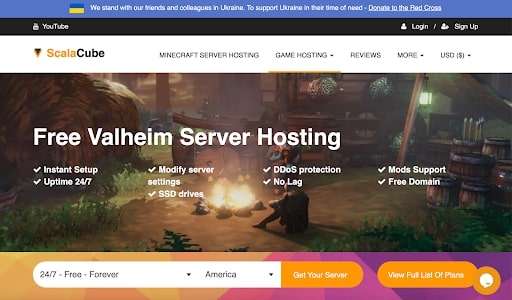
ScalaCube presents itself as an excellent choice for hosting Valheim servers, characterized by its comprehensive features and user-friendly approach:
Enhanced Security with DDoS Protection: Security is a top priority for any server host, and ScalaCube ensures this by providing robust DDoS protection. This feature is crucial for protecting servers from external attacks, ensuring a stable and secure gaming environment.
User-Friendly Interface: The simplicity of ScalaCube’s interface is a significant advantage, particularly for those who may not be technically inclined. A straightforward and intuitive interface makes server management easier, even for beginners.
Responsive Customer Support: The availability of reliable customer support is essential for addressing any issues that may arise. ScalaCube’s commitment to providing accessible support adds a layer of reassurance for server administrators.
Customization Flexibility: ScalaCube offers extensive customization options, allowing server owners to tailor game mechanics according to their preferences. This level of control is appealing to those who want to personalize their server experience without restrictions.
Lag-Free Server Performance: Ensuring a lag-free experience is critical for enjoyment in multiplayer games like Valheim. ScalaCube’s focus on providing lag-free servers contributes to a smooth and enjoyable gaming experience.
Accessible Pricing Structure: Starting at $14 for ten-player slots, ScalaCube’s pricing is competitive and offers good value, especially considering the features provided. This makes it a viable option for both small and medium-sized gaming groups.
Free Trial Option: The availability of a free trial service is a great way to test the hosting capabilities without financial commitment. This feature is particularly useful for users who want to evaluate the service quality before subscribing.
In summary, ScalaCube’s combination of secure, user-friendly, and flexible server hosting solutions, coupled with its competitive pricing and free trial option, makes it a strong candidate for those looking to host Valheim servers. These features cater to a broad spectrum of users, from novices to experienced server administrators, looking for a reliable and customizable gaming experience.
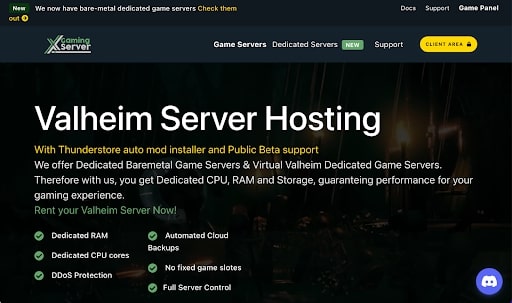
XGamingServer stands out as a strong option for hosting Valheim servers due to its comprehensive and performance-focused features:
Virtual Dedicated Gaming Servers: XGamingServer provides virtual dedicated servers, which offer the resources and capabilities of a dedicated server but at a potentially lower cost. This setup is beneficial for running high-demand games like Valheim, as it ensures sufficient resources for smooth gameplay.
Optimized Gaming Experience: The emphasis on smooth-running games with high quality and FPS (Frames Per Second) indicates that XGamingServer prioritizes a high-performance gaming experience. High FPS is essential for a fluid and enjoyable gaming experience, particularly in action-packed games like Valheim.
DDoS Protection: As with any online gaming server, protection against DDoS attacks is crucial. XGamingServer’s ability to defend servers from such attacks without compromising performance is a significant advantage, ensuring both security and stability.
Cloud Backup: The feature of cloud backup is vital for game data safety. It allows server owners to safeguard their game progress and configurations, ensuring that no data is lost in case of technical issues.
Advanced Hardware: The use of AMD Ryzen 7 CPUs and Intel i7 7700K processors, along with a 1Gbps network interface, speaks to the high-quality hardware used by XGamingServer. This kind of hardware ensures that the servers can handle the demands of modern games with ease.
File Manager with One-Click Launch: A user-friendly file manager that can be launched with a single click adds to the ease of server management. This feature is particularly beneficial for those who prefer a straightforward approach to file handling and server configuration.
Affordable Pricing: Starting at $8 per month, XGamingServer offers an affordable option for hosting Valheim servers. This pricing is competitive, especially considering the range of features and the quality of service provided.
In summary, XGamingServer’s combination of high-performance hardware, robust security measures, convenient management tools, and competitive pricing makes it a compelling choice for Valheim server hosting. These features cater to gamers seeking a stable, secure, and high-quality gaming experience.
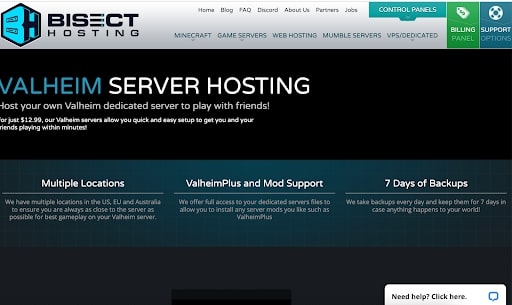
Bisect Hosting stands out as a promising option for Valheim server hosting for several reasons:
Lag-Free Gaming Experience: Bisect Hosting emphasizes providing a lag-free gaming environment, which is crucial for multiplayer games like Valheim. Minimizing lag ensures a smoother and more enjoyable gameplay experience, which is essential for maintaining player engagement and satisfaction.
Cost-Effectiveness: Offering premium features at a low cost is a significant advantage, making Bisect Hosting an appealing choice for a wide range of players, from casual gamers to more dedicated server administrators.
Simple and Quick Setup: The promise of an easy and rapid setup process is particularly appealing, as it reduces the time and technical expertise required to get a server up and running. This is beneficial for users who may not be as technically proficient or for those who wish to start playing with minimal delay.
Daily Backups: The feature of daily backups is a major benefit, providing a safety net against data loss. Regular backups ensure that in the event of any issues, server data can be easily restored, thereby safeguarding the progress and settings of the game.
Competitive Pricing with Scalable Options: Starting at $12.99 a month for 4 GB RAM, Bisect Hosting offers competitive pricing. The additional options, such as a 50 GB NVMe SSD and unlimited slots, provide scalability and flexibility, catering to different server sizes and performance needs.
High-Quality Hardware: The use of NVMe SSDs for storage is a noteworthy point, as these drives offer faster data access speeds compared to traditional HDDs or even regular SSDs. This can contribute to faster server performance and reduced load times.
In summary, Bisect Hosting’s combination of lag-free performance, user-friendly setup, daily backups, scalable options, and competitive pricing make it a strong candidate for hosting Valheim servers. These features address the key needs of server administrators and players alike, providing a reliable and enjoyable gaming experience.
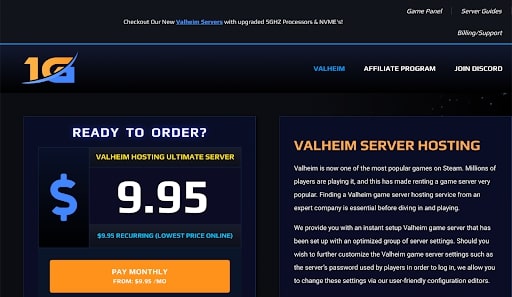
1GServerhost stands out as a compelling choice for Valheim server hosting due to its combination of performance, user-friendliness, and value-added features:
Optimal Speed and Performance: Prioritizing optimal speed for server performance is crucial for a seamless gaming experience, especially for multiplayer games like Valheim. This ensures smooth gameplay with minimal lag, which is essential for player satisfaction.
User-Friendly Management Panel: A user-friendly management panel simplifies server administration, making it accessible even for those with limited technical expertise. This ease of management is a significant advantage for users who want a hassle-free setup and maintenance process.
Immediate Startup with No Maximum RAM Limit: The ability to get started immediately without concerns about RAM limits allows for great flexibility and scalability. This is particularly beneficial for servers that may need to accommodate a growing number of players or increased game complexity.
Valheim Plus Mod Support: Support for Valheim Plus and other mods enhances the gameplay experience by allowing for customization and added features. This support is vital for players looking to tailor their game beyond the base version.
Comprehensive FTP Access and Support Channels: Providing comprehensive FTP access gives server owners greater control over their server files. Additionally, having various support channels like chat, Discord, email, and tickets ensures that users can get assistance in a way that suits them best.
Integration with NexusMods: The integration with NexusMods offers a vast array of modding options, further enhancing the game’s customization and replayability.
Reasonable Pricing with Trial Offers and Discounts: The pricing structure, starting at $14/month with optional add-ons, is competitive. The offer of a trial version with discounts for extended commitments and a 24-hour refund policy provides a low-risk way for users to evaluate the service.
Discounts for Longer Commitments: The availability of discounts for three and six-month commitments encourages longer-term use, which can be more cost-effective for regular players or server administrators.
In summary, 1GServerhost’s blend of high-speed performance, ease of use, mod support, multiple support channels, and a flexible pricing model with trial and refund options make it an attractive option for hosting Valheim servers. These features cater to a broad range of users, from casual gamers to dedicated server administrators looking for a reliable, customizable, and user-friendly hosting solution.
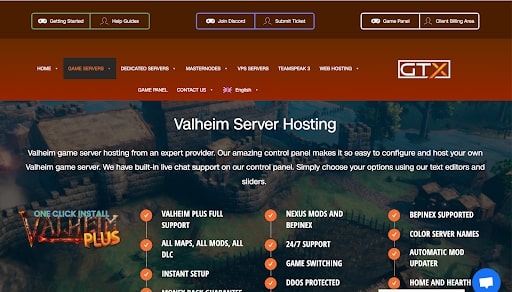
GTXGaming distinguishes itself as a strong contender in the Valheim server hosting space for several reasons:
Comprehensive Service Offering: GTXGaming provides a wide array of products and services, making it a versatile option for different hosting needs. This range of services is beneficial for users looking for a one-stop solution for their server hosting requirements.
Pre-configured Valheim Setup: The availability of a fully built-up Valheim configuration simplifies the setup process for users. This is particularly advantageous for those who may not be technically inclined or prefer a quick and hassle-free start.
Advanced Features for Enhanced Gameplay: Features like rocket plugin support, MySQL database support, and steam workshop support are significant for enhancing the gaming experience. These features allow for greater customization and flexibility in server management and game modification.
User-Friendly Control Panel with Integrated File Browser: The control panel’s ease of use, coupled with a built-in file browser for uploading and downloading server files, adds to the convenience of managing the server. An intuitive control panel is crucial for efficient server administration.
One-Click Backup and Restore Functionality: The ability to execute backups and restores with just one click is a notable feature. It ensures that server data is safely backed up and can be easily restored, which is vital for preserving game progress and settings.
Competitive Pricing with Scalable Plans: GTXGaming’s pricing is competitive with other hosting platforms, and the option to start with a basic plan and scale up offers flexibility. This scalability is essential for catering to different server sizes and budget constraints.
In summary, GTXGaming’s combination of a comprehensive service range, pre-configured setup, advanced hosting features, user-friendly control panel, and flexible pricing makes it a compelling choice for hosting Valheim servers. These features cater to a wide range of users, from novices to experienced server administrators, looking for a reliable, customizable, and efficient server hosting solution.
AA Game Host emerges as a notable choice for Valheim server hosting due to its performance-centric and user-supportive features:
Outstanding Performance with Minimal Latency: AA Game Host’s focus on delivering outstanding performance is crucial for a seamless gaming experience. Ensuring minimal latency and slowness is key for real-time games like Valheim, where quick response times and smooth gameplay are essential.
Global Connectivity for Enhanced Multiplayer Experience: The ability to connect with gamers from all around the world is a significant advantage for multiplayer games. This global connectivity enhances the multiplayer experience in Valheim, allowing for diverse interactions and a more engaging play environment.
Comprehensive Support Options: Offering live support through various channels like email, ticket, or chat ensures that users can get assistance promptly and through a medium that is convenient for them. This kind of support is invaluable for troubleshooting and enhancing user experience.
Instant Setup: The feature of instant setup is beneficial, especially for those eager to start playing without delay. It simplifies the process of getting the server up and running, making it more accessible for users of varying technical expertise.
Compatibility with Randomly Generated Maps: Support for randomly generated map compatibility is particularly relevant for Valheim, where exploration is a key aspect of the game. This feature ensures that players can enjoy diverse and dynamic game worlds.
High-Speed SSD/NVMe Storage: The use of SSD/NVMe storage is a notable point, as these types of storage offer faster data access speeds compared to traditional HDDs. This can lead to quicker load times and improved server performance.
Flexible Pricing Based on Requirements: AA Game Host’s pricing model, which is based on the number of slots and the selected payment options, offers flexibility to cater to different server sizes and budget constraints. This approach allows users to choose a plan that best fits their specific needs.
In summary, AA Game Host’s blend of high-performance hosting, global connectivity, comprehensive support, instant setup, map compatibility, and flexible pricing makes it a strong candidate for those looking to host Valheim servers. These features address the needs of a diverse range of users, from casual gamers to dedicated server administrators, seeking a reliable and efficient server hosting solution.
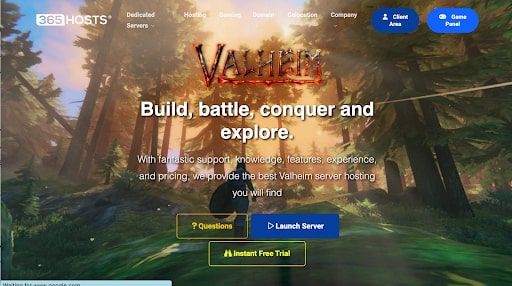
365 Hosts positions itself as a notable option for Valheim server hosting due to its combination of affordability, user-friendly control, and reliable support:
Customized Pterodactyl Panel: The use of a Customized Pterodactyl Panel for server control is a significant feature. This panel is known for its user-friendliness and customization options, making server management more accessible and adaptable to individual needs.
Availability in Key Regions: Being available in both Europe and the United States is a considerable advantage. This regional coverage can lead to better server performance due to reduced latency for players in these areas.
Cost-Effectiveness: The service’s affordability is a major draw, especially for those on a tight budget or for whom cost is a primary consideration. Affordable hosting services make Valheim server hosting more accessible to a wider audience.
Excellent Live Support Team: Good customer support is crucial for hosting services. 365 Hosts’ commitment to providing excellent live support ensures that users can quickly get help with any issues or questions they may have.
Easy-to-Use and Customizable Game Server Panel: A game server panel that is both easy to use and customizable is important for server administrators of all skill levels. It allows for a hassle-free setup and ongoing management of the server.
High-Quality Service at a Low Price: Offering high-quality service without a high price tag is an attractive proposition. This balance suggests that users don’t have to compromise on service quality even while opting for a more budget-friendly option.
Competitive Pricing with Flexible Slots and Free Trial: Starting at $0.58 per slot with a minimum limit of ten seats is competitively priced. Additionally, the offer of a free trial is a great way for potential users to test the service before committing financially.
In summary, 365 Hosts’ blend of an affordable, user-friendly, and supportive hosting service, along with its strategic regional availability, makes it an appealing option for hosting Valheim servers. These features cater to a broad range of users, from those seeking an economical solution to those prioritizing ease of use and reliable support.
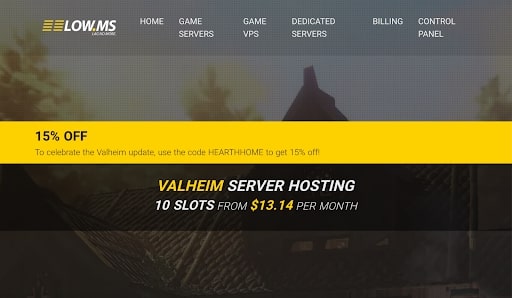
Low.MS stands out as a strong option for Valheim server hosting due to its close collaboration with game developers, rapid setup, and customer-focused features:
Direct Ties with Valheim Developers: The fact that Low.MS has direct ties with Valheim developers is a significant advantage. This relationship likely means that the hosting service is optimized for Valheim, potentially offering better performance and quicker updates in line with the game’s development.
Suitable for Multiplayer and Community Gaming: Being tailored for multiplayer experiences and community use, Low.MS is well-suited for players who want to enjoy Valheim with friends or within larger gaming communities. This aspect is crucial for those looking to create or join a robust multiplayer environment.
Quick Setup: A quick setup process is highly beneficial, particularly for players eager to start playing without delay. This feature caters to both experienced and novice server administrators who value efficiency.
Five-Day Refund Policy: The five-day refund policy is an attractive safety net for new users. It allows them to try the service with the reassurance that they can get their money back if it doesn’t meet their expectations.
One-Click Setup and Automated Mod Updating: Features like one-click setup and automated mod updating significantly ease server management. They save time and effort, making the service user-friendly for those who might not be technically savvy.
24/7 Customer Support: Round-the-clock customer support is crucial for any server hosting service. This ensures that help is available whenever needed, which is particularly important for addressing urgent issues or questions.
Competitive Pricing Based on Slots: Starting at $1.37 per slot, with about ten slots in total, the pricing model is competitive and flexible. This allows users to scale their server based on the number of players and their budget.
In summary, Low.MS’s combination of developer collaboration, quick setup, user-friendly features, a reassuring refund policy, and competitive pricing makes it a compelling choice for hosting Valheim servers. These aspects cater to a wide range of users, from casual gamers to dedicated server administrators, looking for a reliable, efficient, and well-supported server hosting solution.
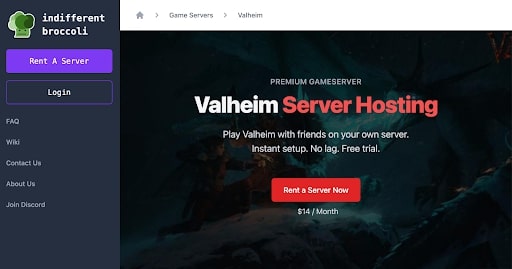
Indifferent Broccoli emerges as a commendable choice for Valheim server hosting due to its focus on performance, accessibility, and customer support:
High-Quality Hosting Services: Indifferent Broccoli’s commitment to providing high-quality services is essential for a smooth gaming experience. This includes offering a lag-free environment, which is crucial for real-time games like Valheim where quick response times and uninterrupted gameplay are important.
User-Friendly Features for All Player Levels: The platform’s emphasis on accessibility, such as not requiring coding skills for server setup and management, makes it user-friendly for a broad range of players, from beginners to advanced users. This inclusivity is important in reducing barriers to hosting and managing a game server.
24-Hour Customer Assistance with Quick Response Times: Round-the-clock customer support and quick response times are invaluable for addressing any issues or queries users may have. This continuous support ensures that server administrators can get help whenever they need it, minimizing downtime and enhancing the overall user experience.
FTP Access for Greater Control: Providing FTP access allows users more control over their server files. This feature is particularly beneficial for those who want to customize their server further or need to manage large game files.
Affordable Pricing with Free Trial and Refund Policy: The pricing structure, starting at $1.40 per slot, is reasonable and competitive. The addition of a 2-day free trial and a seven-day refund policy reduces the risk for new users, allowing them to test the service and determine if it meets their needs before committing financially.
In summary, Indifferent Broccoli’s combination of high-quality hosting services, user-friendly features, responsive customer support, and a customer-centric pricing model makes it a strong candidate for hosting Valheim servers. These features cater to a wide audience, from casual gamers to more serious server administrators, looking for a reliable, accessible, and supportive server hosting solution.
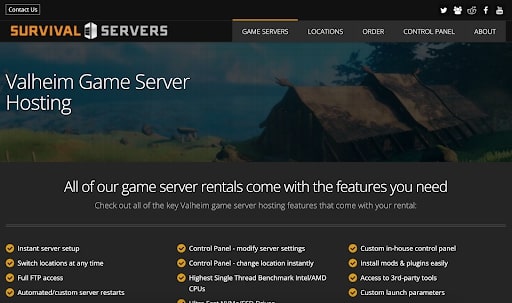
Survival Servers stands out as a notable Valheim server hosting service due to its specialized server offerings and a range of performance-focused features:
Specialized Valheim Game Server: The provision of a specialized server for Valheim indicates a focused approach tailored to the specific requirements of the game. This specialization likely translates into a hosting environment that’s optimized for Valheim’s unique gameplay and performance needs.
Comprehensive Feature Set for Enhanced Gameplay: The inclusion of features like high-performance nodes and Valheim Plus support suggests a strong emphasis on delivering a high-quality gaming experience. High-performance nodes ensure reliable and fast server performance, which is crucial for multiplayer games.
Unlimited Resources in Terms of Cores and Memory: Offering unlimited resources in terms of cores and memory is a significant advantage, especially for larger servers or those looking to run the game with minimal performance constraints. This aspect of the service indicates a commitment to providing a robust and scalable hosting solution.
Competitive Pricing with Scalable Options: Priced at around $1.40 per slot, Survival Servers offers a competitive pricing model. The requirement of a minimum of about thirty slots makes this service more suited for medium to larger server needs, offering a scalable solution that can grow with the server’s player base.
Optimized for High-Quality Gaming Experiences: The overall focus of Survival Servers on delivering one of the best gaming performances suggests a hosting environment that is optimized for stability, speed, and reliability. These factors are essential for maintaining an immersive and enjoyable gaming experience.
In summary, Survival Servers’ combination of a specialized Valheim game server, high-performance hosting features, unlimited resources, and competitive pricing makes it a strong option for those looking to host Valheim servers. These features cater to a broad range of users, particularly those who require a robust, scalable, and performance-oriented server hosting solution.
ArkServers appears to be a strong choice for Valheim server hosting based on the provided information. Here’s an explanation of why it can be considered a good Valheim server hosting option:
1. Quick and Easy Setup: One of the standout features of ArkServers is its quick and straightforward setup process. It’s crucial for gamers who want to start playing their Valheim game as soon as possible. The fact that it only takes a minute or two to set up is a significant advantage, as it minimizes downtime and frustration.
2. Free Domain: The inclusion of a free domain as part of the hosting package is a valuable perk. A free domain can simplify the process of connecting to your Valheim server, making it easier for you and your friends to join the game.
3. Customer Service: The availability of a responsive customer service team is crucial for server hosting. In case you encounter any issues or have questions during the setup or while running your Valheim server, being able to contact customer support can save you time and ensure a smoother gaming experience.
4. Refund Policy: ArkServers offers a money-back guarantee if you’re not satisfied, which indicates a commitment to customer satisfaction. This policy gives you peace of mind, knowing that you can try the service risk-free and get a refund if it doesn’t meet your expectations.
5. Free Trial: The provision of an eight-hour free trial is an excellent way for potential users to test the hosting service without any initial financial commitment. It allows you to evaluate the performance, reliability, and suitability of ArkServers for your Valheim server needs.
In summary, ArkServers stands out as a good Valheim server hosting option due to its quick setup, the inclusion of a free domain, responsive customer service, money-back guarantee, and the availability of a free trial. These features cater to the needs of gamers who want a hassle-free and reliable hosting experience for their Valheim game servers.
Valheim is the most current survival sandbox online game to emerge from IronGate Ab, a development firm based in Sweden, a country in Northern Europe. It has made the charts of the best-selling on Steam with up to 500,000 simultaneous players. Other similar games, such as Ark Survival Evolved, have built massive networks around its Survival sandbox continuous play, and Valheim- Survival Game is the next up because of its simplicity and ease of entry, leaving more advanced games like Ark in the dust.
In simple terms, it’s an early access internet game that functions well, unlike other initial access web games. Valheim hasn’t invented anything new in terms of game technology, but it avoids difficult game mechanics that elevates the game’s value among players/internet gaming enthusiasts.
3. Why is it necessary to rent a server for Valheim?
When purchasing a Valheim server hosting service, you have two options: self-hosting on a devoted computer network or hiring a service such as those listed on this page. The second option is far more useful than the first; self-hosting on a computer system can cost roughly the same as leasing one, but leasing a server appears to be far more useful for specific requirements and usability.
You may get a superb Valheim server hosting service for yourself for only $12.99 per month and have it hosted and accessible 24 hours a day, seven days a week, with various features/benefits and avoid the hassles of self-hosting. You will notice a decrease in lag since the best gaming server hosting providers have massive GBPS server interconnections at their server data centers, which results in significant lag reductions. This is typically a shared server hosting environment, but it is effective.
4. Advantages of Valheim server hosting
Valheim caters primarily to players/gamers who value spending time constructing personal areas or a common vision with friends/family. Stick with Counter-Strike /Call of Duty if you want fast action.
The following are some of the benefits of playing gaming on your own domain controller:
Excellent command: Nothing compares to acting like a boss. Instead of putting up other people’s rules, restrictions, and wants, you can customize and run your own game server. Your maps, mods, and rules regularly appear superior to others’ maps, mods, and rules.
Improved Experience: Establishing and launching your private server on your own computer system has never been easier. The fundamental difficulty is that most home computers cannot handle the extra CPU, memory, storage, and input/output demands required to run a perfect gaming server. Finally, it triggers internet gamers’ most dreadful nightmare, which is lagging. Also, you can begin your own event of the internet game to play ahead of time.
This is the case in which the benefits of paying for an online gaming server from a reputable web-hosting platform pique someone’s interest. Playing web-based games on a robust server managed by a reputable service provider gives you the ability and power to play with individuals you truly want to play with continually.
We have produced a list of what we believe are the top Valheim server hosting network operators currently accessible.
5. Conclusion
Video games like Valheim are becoming increasingly popular because they can be played by anyone around the globe who has access to the internet. Choose a good Valheim server hosting service, like the ones we listed in this article, to play it at high speed without pauses or frequent lags.
Marcus is a cybersecurity analyst with a focus on VPN and proxy services. As the founder and driving force behind a prominent VPN and proxy website, Private Proxy Guide, Marcus has emerged as a trusted authority in the digital realm. With a passion for staying ahead of evolving cyber threats, he has played a pivotal role in educating and empowering individuals and businesses to safeguard their online presence.