Quick answer: The Best Firewall Service Provider in 2024 is Perimeter 81!
Firewalls are very important for protecting your system against various threats – be it offline or online.
While firewalls are crucial for every system, they can easily become obsolete if hackers learn new tricks to bypass them. That’s why implementing your own firewall is very complex without previous experience.
However, as we speak, a very popular option is getting a firewall as a service, often referred to as FWaaS. Here, you won’t implement the firewall directly but you’ll rather pay for it in the form of a subscription.
This way, you don’t have to worry about maintenance, which is often the hardest part.
With dozens of FWaas providers on the market, it’s increasingly hard to choose the quality one.
Thus, our mission today is to give you the best firewall service providers that are proven and tested by our team. Without further ado, let’s delve deeper into this very important subject.
1. Best Firewall Service Providers 2024 – Top 10 FWaaS Providers
To make sure we give you the best possible firewall service providers in 2024, we made a list of the top 10 choices. We tested them out thoroughly and thanks to their vast possibilities, we can guarantee their quality.
| Name |
Starting Price |
Free Trial |
VPN Included |
Best suited for |
Customer support |
| Perimeter 81 |
$8 |
Yes |
Yes |
Large companies |
24/7 live chat |
| Zscaler Cloud Firewall |
Contact |
No |
No |
Virtual offices |
Email |
| CrowdStrike Falcon Firewall Management |
$8.99 |
Yes |
No |
Large companies |
24/7 live chat |
| Fortinet SASE |
Contact |
Yes |
|
Small & large companies |
24/7 live chat, phone, email |
| Sophos Firewall |
Contact |
Yes |
No |
Home use & large businesses |
24/7 live chat |
| SecurityHQ Managed Firewall |
Contact |
Yes |
No |
Individuals & smaller businesses |
Email |
| Cato Networks SASE |
Contact |
Yes |
No |
Large companies |
24/7 live chat |
| Palo Alto Networks SASE |
Contact |
No |
No |
Large & enterprise-level companies |
24/7 live chat |
| Barracuda MSP CloudGen Firewall |
Contact |
Yes |
Yes |
Large & small companies |
Email & phone |
| Secucloud FWaaS |
Contact |
No |
Yes |
Larger companies |
Phone |
Wondering which FWaaS solutions we recommend? The list is below:
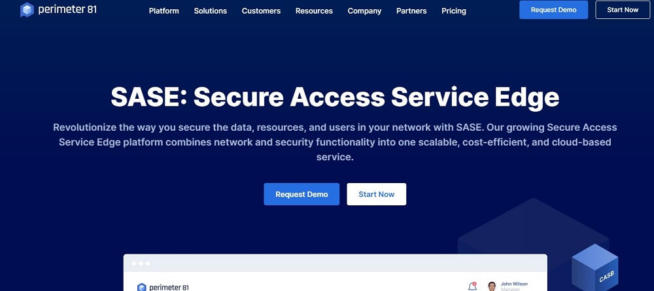
Perimeter 81 stands out as a comprehensive and versatile firewall-as-a-service (FWaaS) provider, offering robust security solutions suitable for both large companies and smaller businesses. Its ability to focus on multiple networks, affordability, and range of features make it a top choice in the FWaaS market. Here’s an overview of why Perimeter 81 is an effective firewall service provider:
-
Multi-Network Focus: Unlike many firewalls that concentrate on a single network, Perimeter 81 is designed to handle multiple networks. This capability is particularly beneficial for large companies with extensive resources and complex network structures.
-
Affordable Plans for Small Businesses: With plans starting at just $8 per month for a minimum of five users, Perimeter 81 is also accessible to smaller businesses. This pricing strategy ensures that smaller entities can afford high-level security.
-
Transparent Pricing Structure: Perimeter 81 is noted for its straightforward pricing with no hidden fees. This transparency is valuable for businesses planning their security budgets without worrying about unexpected costs.
-
Unlimited Network Tunnels on All Plans: The service offers unlimited network tunnels across all its plans, providing scalability and flexibility for businesses as they grow and their network needs evolve.
-
Comprehensive Protection: Perimeter 81 offers 360-degree protection, allowing businesses to secure all their websites under one subscription. This unified approach ensures consistent security across all sites and simplifies management.
-
Advanced Security Features in Higher Plans: More expensive plans include an always-on VPN, WireGuard protocol, and DNS filtering, enhancing the overall security posture. Features like split tunneling and private DNS further strengthen protection.
-
Free Demo and Money-Back Guarantee: A free demo allows potential users to test Perimeter 81’s capabilities before committing to a purchase. Additionally, all plans come with a 30-day money-back guarantee, adding a layer of assurance for new users.
-
Pros:
- Offers a versatile solution that caters to both large and small businesses.
- Affordable pricing with transparent cost structures.
- Advanced security features provide robust network protection.
- User-friendly with the option for a free demo and a money-back guarantee.
-
Cons:
- While there are no specific downsides mentioned, potential users should evaluate whether Perimeter 81’s feature set aligns with their specific security needs and technical infrastructure.
In summary, Perimeter 81 is a highly recommended FWaaS provider due to its ability to cater to a wide range of business sizes, offering scalable and comprehensive security solutions. Its combination of affordability, advanced security features, and user-friendly approach makes it a leading choice in the firewall service market.
Perimeter 81
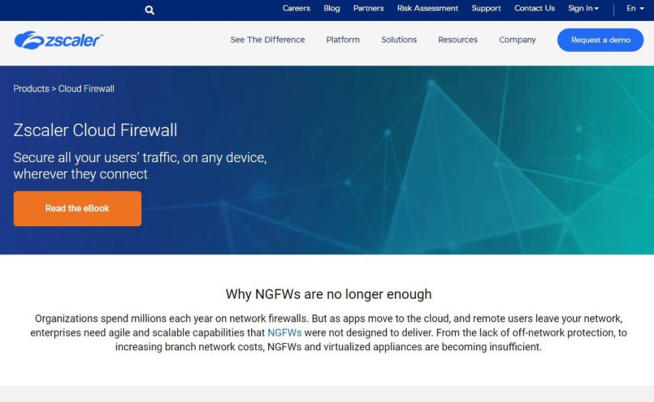
Zscaler Cloud Firewall is an innovative FWaaS (Firewall-as-a-Service) solution tailored for modern, distributed work environments, including virtual offices and remote work setups. Its unique approach to network security makes it a valuable tool for businesses of varying sizes, especially those embracing remote or hybrid work models. Here’s an overview of why Zscaler Cloud Firewall stands out:
-
Designed for Virtual Offices: Zscaler Cloud Firewall is optimized for virtual office environments, enabling remote workers to securely access their workspace from any location, including their homes. This design aligns well with the increasing trend of remote work.
-
Traffic Scanning and Protection: Unlike traditional on-device firewalls, Zscaler Cloud Firewall secures connections by scanning all traffic. This comprehensive scanning ensures that any data transferred to and from the virtual workspace is checked for threats, maintaining a high security standard.
-
Low Impact on Resources: Since the firewall operates in the cloud, it is not resource-intensive for user devices. This aspect is crucial for ensuring that remote workers can maintain optimal performance on their devices, even during high workloads.
-
Suitable for Home Workers and Large Businesses: The solution is versatile, offering benefits not only for large businesses but also for individuals working from home. Its ability to provide enterprise-level security in a remote setting is a significant advantage.
-
Affordable Business Plans: Zscaler Cloud Firewall offers a relatively inexpensive business plan that includes features like URL filtering, full SSL inspection, and data loss prevention, making it accessible for smaller businesses or teams.
-
Pros:
- Effective for securing remote and virtual office environments.
- Comprehensive traffic scanning enhances network security without taxing device resources.
- Offers plans that cater to both small businesses and large enterprises.
- Features like URL filtering and SSL inspection provide a robust security suite.
-
Cons:
- No free trial is available, which may limit the ability of potential users to evaluate the service before committing.
- Pricing information is not openly available and requires potential users to request it, adding an extra step in the evaluation process.
-
Pricing: Specific pricing details for Zscaler Cloud Firewall are not publicly disclosed. Interested users must request pricing information directly from Zscaler, which typically involves providing some personal or business details.
In summary, Zscaler Cloud Firewall is an effective and versatile FWaaS solution, particularly suited for businesses with remote or virtual offices. Its approach to securing network traffic in the cloud, combined with its scalability and low impact on device performance, makes it a strong contender in the FWaaS market. While the lack of a free trial and the need to request pricing information may be minor drawbacks, its overall performance and features offer a compelling value proposition for businesses seeking robust cloud-based network security.
Zsclaer Cloud Firewall
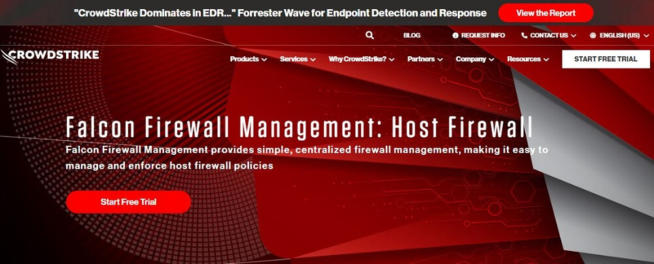
CrowdStrike Falcon Firewall Management is a robust FWaaS (Firewall-as-a-Service) solution, particularly suitable for large and enterprise-level organizations. It offers comprehensive endpoint security and protection, making it a strong choice for businesses seeking advanced cybersecurity. Here’s an overview of why CrowdStrike Falcon Firewall Management stands out:
-
Full Endpoint Security and Protection: Designed to provide a high level of protection, Falcon Firewall Management focuses on endpoint security, safeguarding systems against various cyber threats.
-
Ease of Use: The solution is user-friendly, combining a cloud-based management dashboard with a client installed on the user’s device. This dual approach ensures comprehensive protection while maintaining ease of use.
-
Remote Accessible Dashboard: The ability to access the firewall’s dashboard remotely from any browser is particularly advantageous for system administrators who may not always be on-site. This feature enhances the flexibility and responsiveness of managing the system’s security.
-
Policy Creation and Management: Falcon Firewall Management allows administrators to create and apply new policies across the system or tailor them to individual machines. This flexibility is key for businesses with diverse or complex network structures.
-
Minimal Impact on System Resources: Despite its comprehensive protection capabilities, the tool is designed not to be resource-intensive. This means it won’t significantly impact the performance of the protected devices, allowing for normal operations without slowdowns.
-
Pros:
- Offers top-notch endpoint security, ideal for large and enterprise-level companies.
- User-friendly interface with remote management capabilities.
- Allows for flexible policy creation and management, catering to specific organizational needs.
- The client-based approach ensures end-to-end protection without taxing system resources.
-
Cons:
- May be more expensive than some other options, particularly for higher-tier plans.
-
Pricing: Falcon Firewall Management’s pricing starts at $8.99 per month. There are also more comprehensive plans like the Enterprise plan at $15.99 per month, which include additional features like threat hunting and endpoint detection & response. The Elite and Complete plans offer even more advanced solutions but at a higher price point.
In summary, CrowdStrike Falcon Firewall Management is a powerful and flexible FWaaS solution, especially effective for larger organizations requiring advanced endpoint security. Its combination of ease of use, comprehensive protection, and minimal impact on device performance makes it a valuable tool for businesses prioritizing cybersecurity. While the pricing reflects its enterprise-level capabilities, the range of plans available allows organizations to choose the level of protection that best suits their needs and budget.
CrowdStrike Falcon Firewall Management
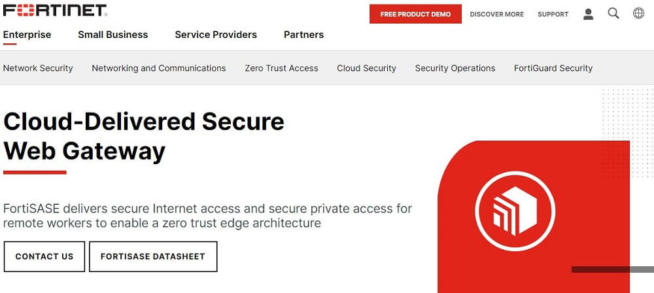
Fortinet SASE (Secure Access Service Edge) is a comprehensive security solution that combines cloud-based firewall protection with additional security tools, making it an excellent choice for businesses of all sizes. Its holistic approach to cybersecurity and resource efficiency are key advantages. Here’s a closer look at why Fortinet SASE stands out:
-
360-Degree Protection for Various Systems: With over two decades of experience, Fortinet has established itself as a provider of robust security solutions. The SASE solution is designed to offer comprehensive protection, catering to both small and large businesses.
-
Beyond FWaaS: Fortinet SASE is not just a firewall-as-a-service; it includes a suite of additional security tools. This multifaceted approach ensures broader protection against a range of cybersecurity threats.
-
DNS Protection: The package includes DNS protection, which helps in real-time defense against malicious programs and domains. This feature is crucial for preventing access to harmful websites and mitigating phishing attacks.
-
Intrusion Prevention System: The intrusion prevention feature actively scans the business network for suspicious activities and potential breaches. This proactive approach is key in identifying and mitigating threats before they cause harm.
-
Resource Efficiency: As a cloud-based solution, Fortinet SASE is gentle on resources. By distributing protection via the cloud, it ensures that all protected devices maintain optimal performance without being bogged down by security software.
-
Pros:
- Offers a comprehensive security solution beyond traditional firewall capabilities.
- Suitable for businesses of various sizes due to its scalable nature.
- The inclusion of DNS protection and intrusion prevention enhances overall security.
- Cloud-based distribution ensures minimal impact on device performance.
-
Cons:
- As with any comprehensive solution, the cost may be a factor for smaller businesses or those with limited budgets.
-
Free Trial and Additional Options: Fortinet offers a free trial of its SASE solution, allowing potential users to evaluate its effectiveness. Additionally, the Next-Generation Firewall solution is available for businesses seeking even higher performance and security.
In summary, Fortinet SASE is a robust and feature-rich security solution ideal for businesses seeking an all-encompassing approach to cybersecurity. Its combination of FWaaS, DNS protection, and intrusion prevention, all delivered via a cloud-based system, makes it an effective and efficient choice. The free trial opportunity further adds to its appeal, giving businesses a chance to assess its suitability for their specific needs. While pricing details are not provided, the wide range of features and the option for a free trial make Fortinet SASE a compelling option in the cybersecurity market.
Fortinet SASE
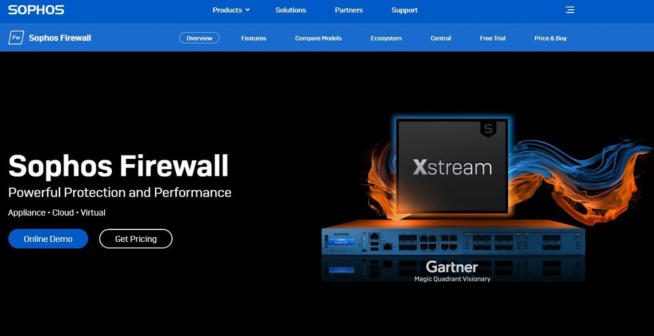
Sophos Firewall stands out as a versatile and robust firewall solution suitable for medium-sized businesses, large enterprises, and even home use. With its long-standing experience in the cybersecurity industry, Sophos brings a well-rounded and secure firewall offering. Here’s an overview of why Sophos Firewall is a commendable choice:
-
History and Expertise: Sophos, with a history dating back to 1985, has extensive experience in cybersecurity, initially focusing on antivirus and encryption before developing its firewall solutions.
-
Cloud-Based Solution: The cloud-based nature of Sophos Firewall ensures that it doesn’t consume significant resources on user devices. This setup is ideal for maintaining system performance while providing effective security.
-
Robust TLS Encryption: One of the key features of Sophos Firewall is its strong TLS encryption, offering a high level of security for data in transit. This encryption is crucial for protecting sensitive information from interception or tampering.
-
Deep Packet Inspection: The firewall includes deep packet inspection capabilities, thoroughly scanning network traffic to identify and prevent any suspicious activities or malicious software.
-
User-Friendly Interface: Sophos Firewall boasts a highly-polished and intuitive interface, making it easy to manage and monitor network security. This user-friendly aspect is beneficial for administrators who need to oversee complex network environments.
-
Advanced Processing and VPN Integration: The use of Xstream processors enhances the smooth operation of the firewall. Additionally, the inclusion of a VPN adds an extra layer of security, ensuring anonymity and privacy for all network activities.
-
Pros:
- Suitable for a wide range of users, from businesses to home users.
- Cloud-based operation minimizes the impact on device resources.
- Strong encryption and deep packet inspection provide comprehensive network security.
- Easy-to-use interface with advanced processing capabilities.
- The inclusion of a VPN enhances privacy and security for the entire network.
-
Cons:
- Pricing information is not readily available and requires direct contact with Sophos.
-
Free Trial and Home Use Option: Sophos offers a free trial of its premium firewall services, allowing users to evaluate its features. Additionally, the XG Firewall for home use is available for free, which is a significant benefit for individual users.
In summary, Sophos Firewall is a powerful and efficient security solution, backed by decades of experience in cybersecurity. Its combination of ease of use, advanced security features, and cloud-based operation makes it an attractive option for various user groups. While pricing details require direct inquiry, the availability of a free trial and a free version for home use provides opportunities for users to experience Sophos Firewall’s capabilities firsthand.
Sophos Firewall
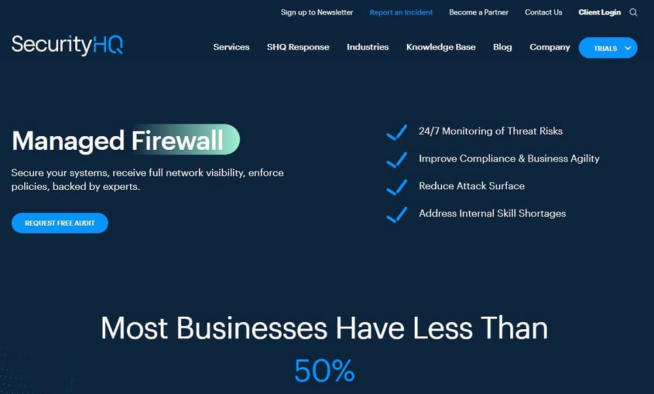
SecurityHQ Managed Firewall stands out as a particularly user-friendly and cost-effective FWaaS (Firewall-as-a-Service) solution, making it an excellent choice for individual users and smaller companies. Its fully-managed nature, 24/7 threat monitoring, and ease of use are key features that contribute to its appeal. Here’s a detailed look at why SecurityHQ Managed Firewall is a commendable choice:
-
Fully-Managed Service: One of the significant advantages of SecurityHQ’s firewall solution is that it’s fully managed. This means the company handles all maintenance and management, reducing the workload and technical demands on network administrators.
-
Affordable for Smaller Entities: Designed with budget considerations in mind, this solution is ideal for smaller companies or individual users who require robust firewall protection without a high cost.
-
24/7 Threat Monitoring: Despite its affordability, SecurityHQ Managed Firewall includes around-the-clock threat monitoring. This continuous vigilance is crucial for maintaining high security levels and responding promptly to potential threats.
-
Firewall Optimization and Automated Threat Containment: The service offers firewall optimization and automated threat containment. This feature ensures real-time threat removal and response, enhancing the overall security without the need for manual intervention.
-
User-Friendly Interface: The solution boasts a simplistic yet comprehensive interface, making it accessible and easy to navigate, even for those with limited technical expertise.
-
Compliance with Multiple Security Standards: SecurityHQ Managed Firewall adheres to various security standards, including CIP, NERC, SOX, HIPAA, and PCI DSS. This compliance is important for businesses in regulated industries.
-
Pros:
- Ideal for non-technical users and smaller companies due to its managed nature.
- Affordable pricing structure, making it accessible to businesses with limited budgets.
- Continuous threat monitoring ensures a high level of security.
- Automated features reduce the need for manual security management.
-
Cons:
- May not be as feature-rich as some other FWaaS solutions like Perimeter 81.
- Pricing information is not publicly available and requires direct inquiry.
-
Free Audit and Trial: SecurityHQ offers a one-time free managed firewall audit and a free trial of its Managed Firewall service, providing an opportunity for potential users to evaluate its effectiveness.
In summary, SecurityHQ Managed Firewall is a solid FWaaS option for smaller businesses and individual users, offering a blend of affordability, ease of use, and comprehensive security features. Its fully-managed nature, combined with continuous monitoring and compliance with key standards, makes it a hassle-free and reliable choice for enhancing network security. The lack of public pricing information is a minor drawback, but the availability of a free trial and audit helps users assess the service’s value before committing.
SecurityHQ Managed Firewall
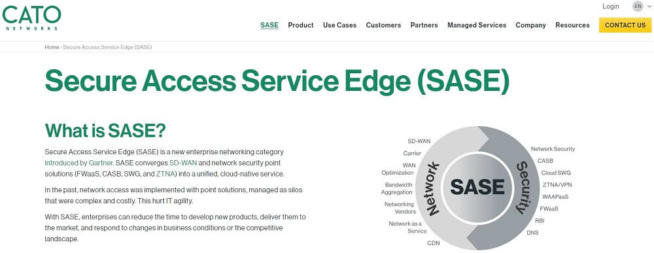
Cato Networks’ SASE (Secure Access Service Edge) solution, incorporating FWaaS (Firewall-as-a-Service), is a comprehensive and advanced security package ideal for more sophisticated users and larger companies. It combines full firewall protection with a suite of additional security tools, making it a robust choice for businesses with significant security needs. Here’s an overview of its key features and benefits:
-
WAN Optimization and DNS Support: Cato Networks SASE includes WAN optimization, enhancing network performance, and DNS support for secure and efficient domain name resolution.
-
Global Server Network: The cloud-based solution is supported by multiple servers worldwide, not just a single server. This distributed approach enhances reliability and performance, especially for businesses operating internationally.
-
Comprehensive Security Bundle: As a bundle, Cato Networks offers a range of security features, including an effective antivirus, managed systems for threat detection, and intrusion prevention. This comprehensive approach ensures multi-layered security.
-
Real-Time Threat Mitigation with Deep Packet Inspection: Deep packet inspection, a feature often found in robust firewalls, is integral to Cato Networks SASE. It thoroughly scans inbound and outbound traffic for potential threats, offering real-time mitigation.
-
Managed System for Easier Administration: The managed nature of the system means that maintenance and upgrades are handled by Cato Networks, reducing the administrative burden on internal IT teams.
-
Pros:
- Offers a full suite of advanced security features, making it suitable for larger companies with complex security needs.
- Global server network ensures reliable and fast performance across different regions.
- Managed service model simplifies administration and maintenance.
- Deep packet inspection provides thorough and proactive security.
-
Cons:
- May be more complex and potentially costlier, which might be a consideration for smaller businesses or those with limited budgets.
- Pricing information is not publicly available and must be requested.
-
Free Trial Availability: Cato Networks offers a free trial, allowing potential users to evaluate the service before committing. This trial can be accessed by providing an email address.
In summary, Cato Networks SASE is an excellent choice for larger companies or those requiring advanced and comprehensive cybersecurity solutions. Its combination of WAN optimization, global server support, deep packet inspection, and a suite of managed security services makes it a powerful tool for safeguarding complex network environments. While the solution may be more advanced and possibly more expensive than some other options, its robust feature set and the convenience of a managed service model justify its value, particularly for businesses with extensive security requirements. The availability of a free trial further enhances its appeal by allowing businesses to assess its suitability for their specific needs.
Cato Networks SASE
Palo Alto Networks SASE (Secure Access Service Edge) is a comprehensive and highly reliable FWaaS (Firewall-as-a-Service) provider, offering a range of advanced features suitable for both large corporations and smaller businesses. Known for its robust security solutions, here’s why Palo Alto Networks SASE stands out:
-
Next-Generation Firewall: The Next-Generation Firewall feature of Palo Alto Networks SASE provides top-tier threat protection, making it a strong defense against a wide array of cyber threats.
-
Suitable for Various Business Sizes: The solution is designed to cater to the needs of both large companies and smaller businesses, providing scalability and flexibility in terms of firewall protection.
-
SD-WAN and WAN Optimization: The inclusion of SD-WAN and WAN optimization enhances network performance and reliability, crucial for businesses with significant online operations.
-
User-Friendly and Resource-Efficient: Despite its richness in features, Palo Alto Networks SASE is user-friendly. Being a cloud-based solution, it minimizes the impact on local resources, ensuring that system performance is not compromised.
-
Zero Trust Network Access (ZTNA): The ZTNA feature adds an additional layer of security with encryption and real-time threat detection, crucial for maintaining high security in an increasingly complex cyber landscape.
-
Data Loss Prevention and Machine Learning: The solution includes data loss prevention capabilities and a Cloud Secure Web Gateway that leverages machine learning to enhance protection.
-
Pros:
- Offers a comprehensive set of security features, providing robust protection against various cyber threats.
- Suitable for a wide range of business sizes, offering scalability.
- Cloud-based nature ensures minimal impact on system resources.
- Advanced features like ZTNA and machine learning-based protection enhance overall security.
-
Cons:
- Pricing details are not publicly available, requiring potential users to contact the company for information.
- No free trial is offered, which might limit the ability for potential users to evaluate the service before committing.
-
Customer Support: Palo Alto Networks provides 24/7 live chat support, allowing users to seek assistance and information as needed.
In summary, Palo Alto Networks SASE is a top-tier firewall service provider known for its reliability and exceptional protection capabilities. It is a suitable choice for businesses of various sizes, offering a range of advanced security features in a user-friendly and efficient cloud-based package. While the lack of publicly available pricing information and the absence of a free trial may be drawbacks for some, the overall value and security offered by the solution make it a strong contender in the cybersecurity market.
Palo Alto Networks SASE
1.9 Barracuda MSP CloudGen Firewall
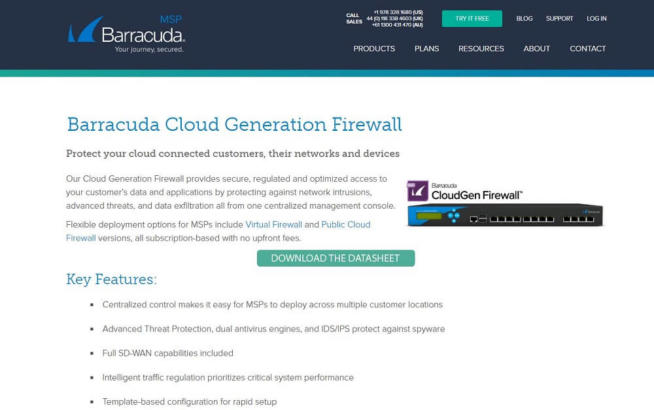
Barracuda MSP CloudGen Firewall is a versatile and efficient cloud-based firewall solution, offering a range of customizable features suitable for various business needs. Its ability to deliver high-quality firewall protection without heavily taxing system resources makes it an appealing option in the FWaaS (Firewall-as-a-Service) market. Here’s a detailed look at why Barracuda MSP CloudGen Firewall is a commendable choice:
-
Fully-Customizable Firewall: The CloudGen Firewall provides full customization options, allowing businesses to tailor security settings and policies to their specific needs. This adaptability is crucial for businesses with unique or evolving security requirements.
-
Real-Time Threat Detection and Notification: The solution operates in real-time, actively detecting and eliminating threats. The notification system for each action offers transparency and insight into the firewall’s effectiveness.
-
SD-WAN Capabilities: The inclusion of SD-WAN (Software-Defined Wide Area Network) capabilities enhances network performance and reliability, which is particularly beneficial for businesses with distributed operations.
-
Centralized Control and Remote Management: CloudGen Firewall enables centralized control, making it easy to manage the firewall remotely. This feature is valuable for businesses with multiple locations or remote teams.
-
Managed Firewall Services: Barracuda MSP takes responsibility for updating and maintaining the firewall system, offering a managed solution that reduces the administrative burden on internal IT teams.
-
Pros:
- Customizable features ensure the firewall can be tailored to specific business needs.
- Real-time operation and notifications provide active security and transparency.
- SD-WAN capabilities and centralized control enhance network management.
- Managed services alleviate the need for extensive in-house maintenance and updates.
-
Cons:
- Pricing information is not directly available and requires contact with customer support.
-
Free Trial and Subscription Plans: Barracuda MSP CloudGen Firewall offers a free trial and several subscription plans. These plans include a VPN and mobile support, among other features, but pricing details need to be obtained by contacting customer support.
In summary, Barracuda MSP CloudGen Firewall is a strong FWaaS option, offering customizable, real-time protection with the convenience of a managed service. Its combination of advanced features and ease of management makes it suitable for a wide range of business sizes and types. While the need to contact support for pricing information may be a minor inconvenience, the availability of a free trial and the solution’s overall capabilities make it a compelling choice for businesses seeking robust and adaptable firewall protection.
Barracuda MSP CloudGen Firewall
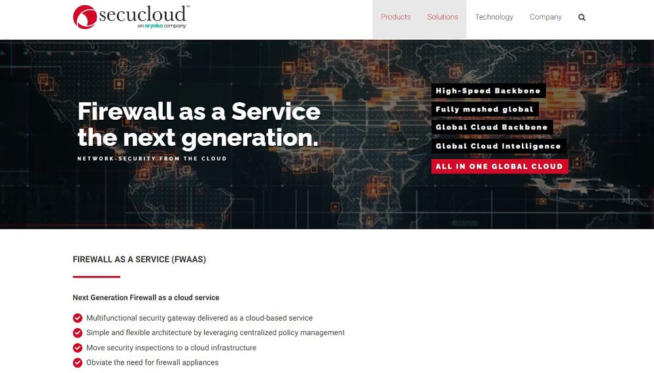
Secucloud FWaaS (Firewall-as-a-Service) is a modern, cloud-based firewall solution that leverages machine learning to enhance threat detection and management. It stands out for its efficiency and advanced technology, making it a compelling option in the FWaaS market. Here’s a detailed look at its features and benefits:
-
Machine Learning for Threat Detection: One of the key features of Secucloud FWaaS is the use of machine learning. This technology helps in more accurate threat detection and removal, reducing the chances of false alerts and ensuring robust security.
-
Ease of Setup and Maintenance: The solution is designed for ease of setup and maintenance, with much of the workflow automated by machine learning processes. This ease of use is crucial for businesses without extensive IT resources.
-
Resource-Efficient Cloud-Based Solution: Being cloud-based, Secucloud FWaaS minimizes the impact on local system resources, ensuring that the user’s device performance is not compromised.
-
Global Cloud Intelligence: The Global Cloud Intelligence feature provides access to comprehensive lists of known malicious files and hacker addresses. This global perspective enhances the firewall’s ability to protect against emerging threats.
-
Real-Time Updates: Secucloud FWaaS is updated in real-time, 24/7, ensuring that the system stays current with the latest security threats. This continuous updating is vital for maintaining effective protection.
-
Proxy Service with VPN Protection: The solution functions as a proxy service, routing internet traffic through an encrypted network. Additionally, the connection between the user and Secucloud’s system is protected by a Virtual Private Network (VPN), anonymizing user information and bolstering security.
-
Pros:
- Advanced threat detection using machine learning technology.
- User-friendly with automated processes for ease of use.
- Efficient and non-resource-intensive cloud-based operation.
- Continuous updates and global intelligence for comprehensive protection.
-
Cons:
- No free trial is available, which may limit the ability to evaluate the service beforehand.
- Pricing details are not publicly disclosed and require direct contact with customer support.
In summary, Secucloud FWaaS is an effective and advanced firewall service provider, particularly suited for businesses looking for a modern, machine learning-driven security solution. Its combination of automated threat detection, ease of use, and efficient cloud-based operation makes it a strong contender in the firewall service market. While the lack of a free trial and publicly available pricing information may require potential users to seek additional details from customer support, the overall capabilities and features of Secucloud FWaaS make it a valuable option for robust cybersecurity.
Secucloud FWaaS
2. What Is a Firewall?
With the list of the best firewall service providers in 2024 out of the way, let’s talk about what exactly is a firewall.
People know that the word firewall usually means protection against some form of online threats. It is often used in the IT sector and this tool is a staple of online security for complex systems. If you think better, even Windows has a firewall built-in, which guarantees almost 100% protection against threats.
While Windows computers often utilize antivirus and anti-malware software, firewalls are somewhat different. Thinks of a firewall like security at the front of the entrance of a particular building. Their task is to filter out the potential threats and eliminate them if they start creating problems.
In the same fashion, firewalls reside at the very entrance of the company’s network, serving as the first (and usually the last) line of defense. They are here to eliminate viruses, malware, and other types of online threats so that they don’t endanger the company’s network.
Firewalls are also customizable and they can come as both hardware and software. The solutions we talked about are in the software form and they support various customization options. This means that they can react only to certain threats and even employ machine learning for added functionality.
Firewall technology changed a lot over the years and today, we have more advanced but also more reliable systems.
2.1 And How Does a Firewall Work?
The way the firewall is going to work mainly depends on the type of firewall we’re talking about. Luckily, we’re going to talk about some of the most popular ones in a few minutes but generally speaking, firewalls have the task of protecting your network or group of networks.
Once you put the firewall in place, it scans inbound traffic for potential threats. This is done via the firewall’s malware/virus database, which, during the traffic scan, is used to see if any familiar threats are found. Of course, this is just a basic explanation, as there are more advanced systems involved.
For example, some firewalls can use machine learning to adapt to new threats, which are then put into the database for further notice. Also, firewalls can detect if the inbound traffic is coming from an IP address that is a mismatch with that traffic’s originating location.
That’s why firewalls are so widely used – because they offer complete protection for systems with frequent updates, making them more reliable than any other solution.
3. Should I Use Cloud-Based Firewalls?
Cloud-based firewalls are the topic of today’s discussion. For those who didn’t read carefully, Firewall-as-a-Service or FWaaS is exactly the cloud-based firewall solution.
The point of this type of firewall is to eliminate the need for physically running the firewall in your company’s data center. Instead, the required protection is distributed online, which eliminates the load on the company’s resources, thus avoiding slowdowns in resource-demanding tasks.
For those wondering, cloud-based firewalls have no specific downsides except for a smaller degree of customizability. After all, these solutions come with pre-made plans available for purchase. On the brighter side, they offer all the security you need at a relatively affordable price.
Furthermore, FWaaS providers often include additional tools to bolster your protection. Some of them include a Virtual Private Network and antivirus, which makes your connection anonymous. As for the downtime, usually, it’s non-existent.
On rare occasions, providers will schedule the downtime in advance, which is sometimes necessary to apply the updates. But, as said, downtimes are very rare and the protection level is very high, making this type of firewall extremely reliable.
Should you use cloud-based firewalls then? Well, it depends on your needs. These solutions are often great for larger companies with several sites that need protection. However, they can be utilized by small businesses too especially if we talk about affordable solutions like Zscaler Cloud Firewall, for example.
4. What Is a Next-Generation Firewall (NGFW)?
Next-Generation firewalls or NGFW raise the level of protection significantly. Unlike traditional firewalls, they include deep packet inspection, which helps inspect the content of each inbound data packet. Besides, thanks to their advanced technology, they can even automatically detect malicious apps.
NGFW solutions allow you to use them on the app level. Thus, in your system, you can select how your employees will use the apps and which apps they can use. You can then forbid VoIP calls but allow them to share files, or perhaps, prohibit the use of P2P apps like Vuze or uTorrent.
One of the most important features of NGFW is machine learning. They follow the behavior of each inbound data packet to determine if it’s malicious or benign. Additionally, they can even decrypt encrypted packets and read their content, which makes NGFW much more secure.
Are NGFW solutions more secure than cloud-based ones? Sure!
On the other side, they’re very expensive, making them not suitable for users on a budget or small companies. Still, it’s vital to mention that they’re compliant with pretty much every standard and offer far more features than any other firewall type.
Therefore, if you need maximum protection and you don’t care about blazing-fast performance, which isn’t the focus here, NGFW providers are your best choice.
5. Popular Types of Firewalls Explained
Before concluding this discussion, we shall explain a few popular types of firewalls and see how efficient they are.
5.1 Traditional Firewalls
Traditional firewalls are the cheapest option, yet, in 2024, they’re not as great as they were before. Simply put, they’ll efficiently prevent malicious traffic from entering your network as long they’re correctly set up.
You can set them up to deny or allow traffic coming from particular IPs and ports, with no ability to protect the network from web-based attacks. The worst thing, however, is that an incorrect setup will most likely lead to a breach, which you want to avoid at all costs.
All in all, while not the most reliable option, it’s relatively easy to get it up and running and it won’t cost you a fortune to implement. However, make sure you set it up correctly to avoid potential problems and hacker attacks.
5.2 Container Firewalls
As its name implies, a container firewall has the ability to isolate application stakes, services, and workloads in a container. Once it does so, the firewall applies the settings you put in place to these containerized apps similar to traditional firewalls.
Needless to say, container firewalls can also protect the traffic outside the container, albeit, they don’t provide the highest possible level of security. That is because we’re talking about a newer type of firewall that didn’t have the time to mature and become as reliable as NGFW.
The good thing is that it’s easy to set up and configure, especially if you need extra protection for certain applications.
5.3 Database Firewalls
We should also talk about database firewalls. Logically, they protect databases from online-based attacks, and as such, they reside right in front of the database or group of databases. Their protection level is very high, as they can efficiently detect and eliminate database-aimed threats.
This is extremely valuable with companies that have confidential information not meant for sharing. Usually, companies use it to protect information regarding prototypes and yet-to-come projects that people outside the company shouldn’t know about.
What’s more, hackers often target databases because, many times, this information can be sold to the highest bidder for revenue. That’s where a database firewall comes in and does its job. Just be careful to update it frequently and have in mind that they offer almost no protection against zero-day threats.
6. Conclusion
With everything said, I think you now have a clear picture of what the best firewall provider is. While Perimeter 81 is the most popular option, you might want to take a look at the other choices depending on your needs.
All of these providers offer pretty much the maximum level of protection, and while some of them are more expensive, you can be sure that their security is rock-solid. Now, you can go ahead, test some of them via a free trial, and make a rational decision.
We earn commissions using affiliate links.















![14 Best Pirate Bay Alternatives ([year]) When TPB Is Down](https://www.privateproxyguide.com/wp-content/uploads/2021/03/the-pirate-bay-150x150.jpg "Best Pirate Bay Alternatives")