Do you often work with your files on several devices? Most likely, you do.
Nowadays, many people have to work a lot with documents and files at home, at the office or on the go. We all have at least one mobile device and a desktop PC. But how can you transfer files between all of your devices without any delay? Aren’t you tired of using external drives, USB flashes, and taking cables with you everywhere you go?
Furthermore, there is always the risk of confusing something or losing some important files or hardware. Fortunately, there is a much better solution — various cloud storage. The first storage of this type appeared more than 10 years ago and they are now are becoming more and more popular. Indeed, it is much more convenient to copy all the files to the cloud and be able to access them everywhere, even on the opposite side of the world. No external drives, no several identical copies, no lost files, and important details — isn’t it so good? Among others, Dropbox was one of the pioneers in the industry and it is still one of the best cloud storage today. What are its features? Is it really as good as it is said? Is it worth the money? Let’s dive deeper.
In general, Dropbox is really great cloud storage service. If you are ready to overpay a bit for a fast and reliable cloud, this service will be a great choice. At the same time, there are competitors with more attractive prices such as pCloud and much more user-friendly support.
What do you think about Dropbox?
Pros and Cons
Pros
Excellent upload and download speed.
Easy integration with Microsoft Office online.
Dropbox Paper.
Works perfectly on multiple devices.
File versioning.
Cons
Expensive prices.
Very bad support working only during business days and business hours.
Dropbox is a cloud-based platform for storing any data in the form of folders or files. That is, you do not use any additional devices — the files are on remote servers. They give you 2 GB for free. In addition, you can increase the storage capacity by sharing your referral link and signing up your family members, friends, and colleagues. For each new user, you will receive 500 additional MB and up to 16 GB in total. By using the premium subscription you can expand the storage to 2 TB.
With the help of the Dropbox cloud, you can synchronize files, for example, between multiple devices. For example, you can have several home computers, office one, tablets, and smartphones and you can easily use the same account on all devices. This means you will not have to manually transfer files between your devices — they will be immediately available everywhere. The Dropbox developers are constantly working on keeping the service up to date with the newest features. It is designed to store information in any form and synchronize the data between desktop PCs and all sorts of mobile devices.
Dropbox is extremely easy to use and manage — to start working with it, you do not have to be a computer geek. As we already mentioned, it supports any file format. In Dropbox, you can work with a large number of folders and files at the same time. Dropbox can be installed on any operating system, and it will work perfectly. For example, even if you have Mac at home, Windows at work, and Android or an iPad for traveling, the files will be synchronized between all the devices and immediately available.
You can easily work with any files on any device, transfer them, modify or delete them. Moreover, you can share the files with everyone — you can share them with a particular person or make the link public. If you update a file on your PC, it is automatically updated on the Internet. The service also supports multi-user collaboration — all you need to do is create one shared folder and the other documents will not be visible to this group of users. If the files are changed by one user, then they change automatically for the other users who will get a system notification. Accidentally made some wrong changes? No problem, you can easily restore the previous version. Despite providing a lot of useful and powerful features, you want a complete beginner to being able to easily cope with the service. Now, it’s time to take a closer look at its features.
2. Features
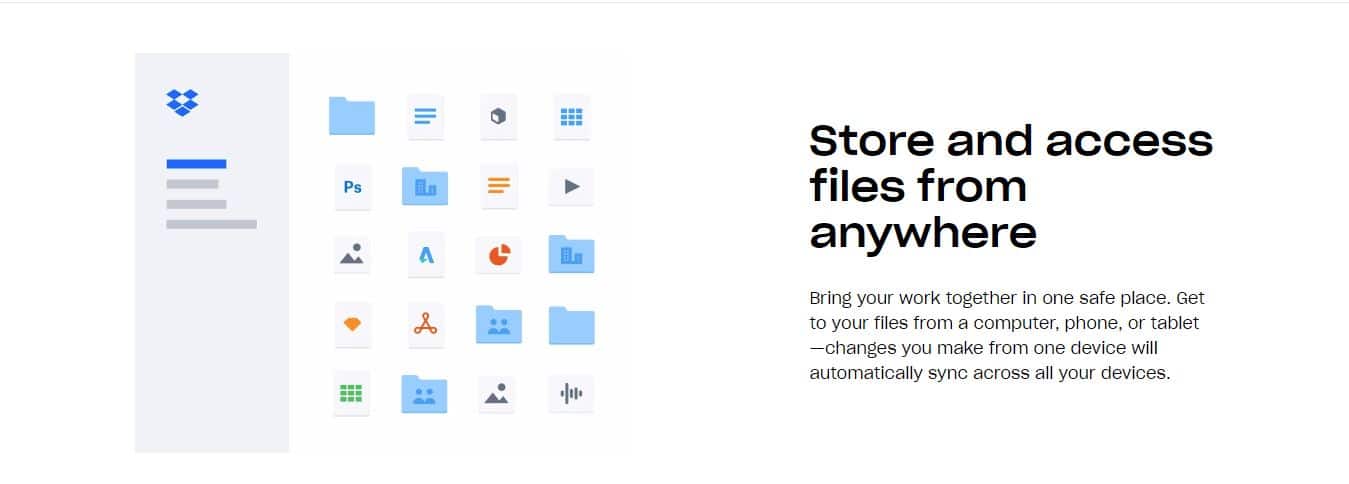
Store all your files of any type — images, videos, documents, spreadsheets, presentations — in one place. Access them from any device — desktop or mobile computer, smartphone, tablet or even your favorite web browser. Edit and apply changes on one device, and the files will be immediately synced between all your devices.
Easy one-click integration with favorite applications. Forget about complex procedures — just integrate Dropbox to store, save or sync any sensitive files.
Great security options. Dropbox has reliable encryption algorithms and protocols. Moreover, you can control who accesses your files, get security notifications on your email, remotely delete the data when you lose your device, recover files, and use many other useful and convenient features.
Great team management tools for businesses — track any activity and control the security.
Convenient file organization. Do not spend a lot of time looking for something — all the data is well structured and organized into folders. Create groups and add members to structure the files logically.
Choose how to establish a folder hierarchy — it is completely up to you. With the order in a file structure, you will not waste your time looking for something in particular.
Preview many types of files including even those for which you do not have the installed apps on your system to see them.
Microsoft Office integration – you can easily create Word, Excel and PowerPoint files right within the web interface.
Access the files and folders offline – very useful if you do not have a permanent Internet connection. This feature is available both on desktop and mobile. Please remember that you must have enough free space to store the files offline.
Files backup – configure the files and folders you would like to backup automatically. This option will prevent you from losing important files and projects.
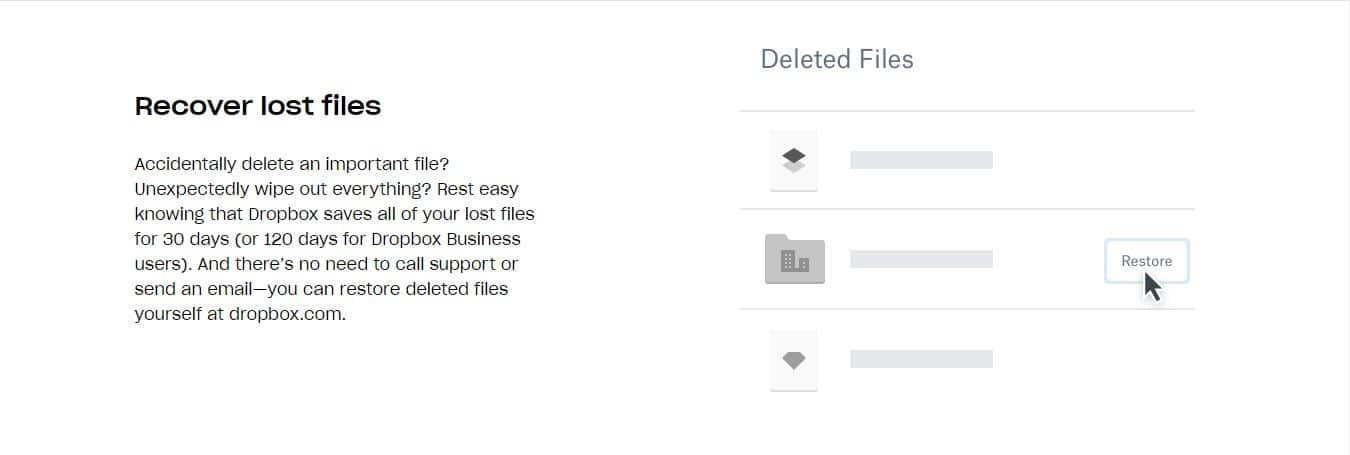
Recover lost files. You have a certain period of time during which you are able to recover your files. This period depends on your account type. For the free account, you have 30 days, while for Dropbox for Business the period is 120 days.
3. Collaboration tools
Another great Dropbox advantage is that it has several powerful collaboration tools for group work: Dropbox Paper and Dropbox Showcase. Let’s take a look at some of their details.
3.1 Dropbox Paper
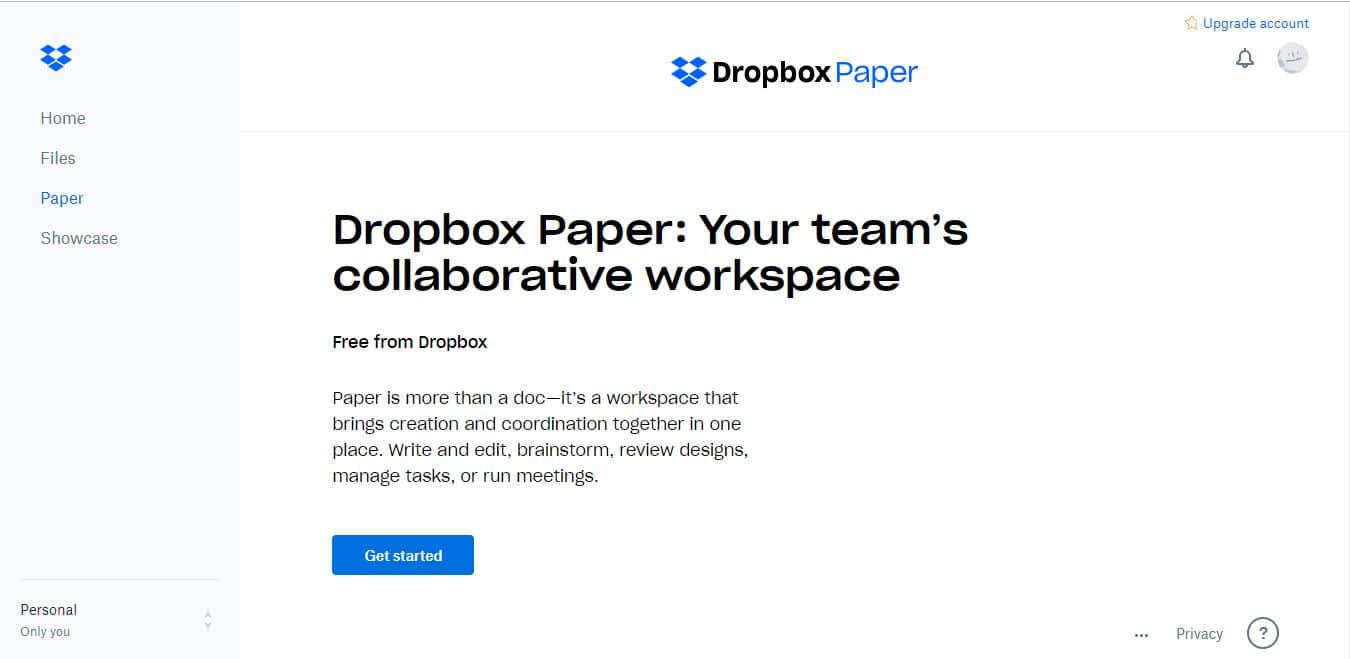
This is a free online tool to create simple but powerful documents and convert them into presentations. It has very powerful tools for teamwork and allows working with any type of content — images, videos, lists, graphs, schemes, as well as Pinterest boards and YouTube videos. You can create and edit the interactive documents, review and discuss them, manage group tasks or apply meetings.
Dropbox Paper features include:
Simple, attractive and user-friendly interface — you will not need to spend much time to understand how everything works.
Keep the things and team organized. Create and assign to-do lists, due dates, or mention a particular person right inside the document.
Give and get feedback. Leave comments on any part of the document be it an image, paragraph or table. Use emojis to highlight your emotions.
Integrate Dropbox Paper to your calendar. Why may you need that? You will be able to find the proper documentation needed for a meeting or discussion much faster. Also, there are a lot of smart templates.
Add links to any external content right into the document. These may include GIF animations, Pinterest boards, YouTube videos, Google Maps locations, SoundCloud clips, and many more. Dropbox Paper knows how to properly work with any of them.
Work on the go on your mobile device. Don’t be tied to your office or desktop PC — apply changes and new ideas, leave comments or give feedback wherever you go.
Transform documents into presentations. Just create a document, click a button and get a professional-looking presentation.
Replace your personal virtual assistant with Papers. It has everything you need for that.
3.2 Dropbox Showcase
This is a very useful premium feature when you need to send a lot of files to someone and make sure they opened all of them and the files look properly on their devices, as you intended. The option will turn your files into a packaged page that you can share with friends, colleagues, and partners. Make sure they get the files in time, control the progress, and check who viewed particular tabs.
Dropbox Showcase features include:
Professional look. Represent your brand perfectly — add the trademarks and brand identity.
Create attractive memorable stories. Add different visual elements — customized layouts, visual previews, as well as informative captions — to make sure your audience will see the content as you intended, in the right order and context.
Control downloads views, comments, and reactions on the shared work.
4. Price
Getting a Dropbox account is very easy. It will take you a couple of minutes and a stable Internet connection. Let’s create an account together. On the home page, click the Sign-up button in the right top corner. The system will offer you two options: sign up with your email address or using your Google account. For the first option, you will have to type in your first and last name as well as create a password. When using Google Authenticator, you will just have to confirm your account. In any case, you will get a confirmation email to confirm your address and activate your Dropbox account.
Having confirmed your account, you will be able to access the web version or download an application. At this stage, the system will not ask you for any financial information. In the very beginning, you get 2 GB for free. Of course, nowadays, that’s not a lot at all but at least, they are valid infinitely.
You can feel quite comfortable with only 2 free GB when you, for example, are going to use Dropbox to store some documents. To work with media files, this volume is critically low. It is enough for just about several hundred pictures — an average family vacation generates several times more. Of course, you are free to choose a paid subscription to get 1 or 2 TB.
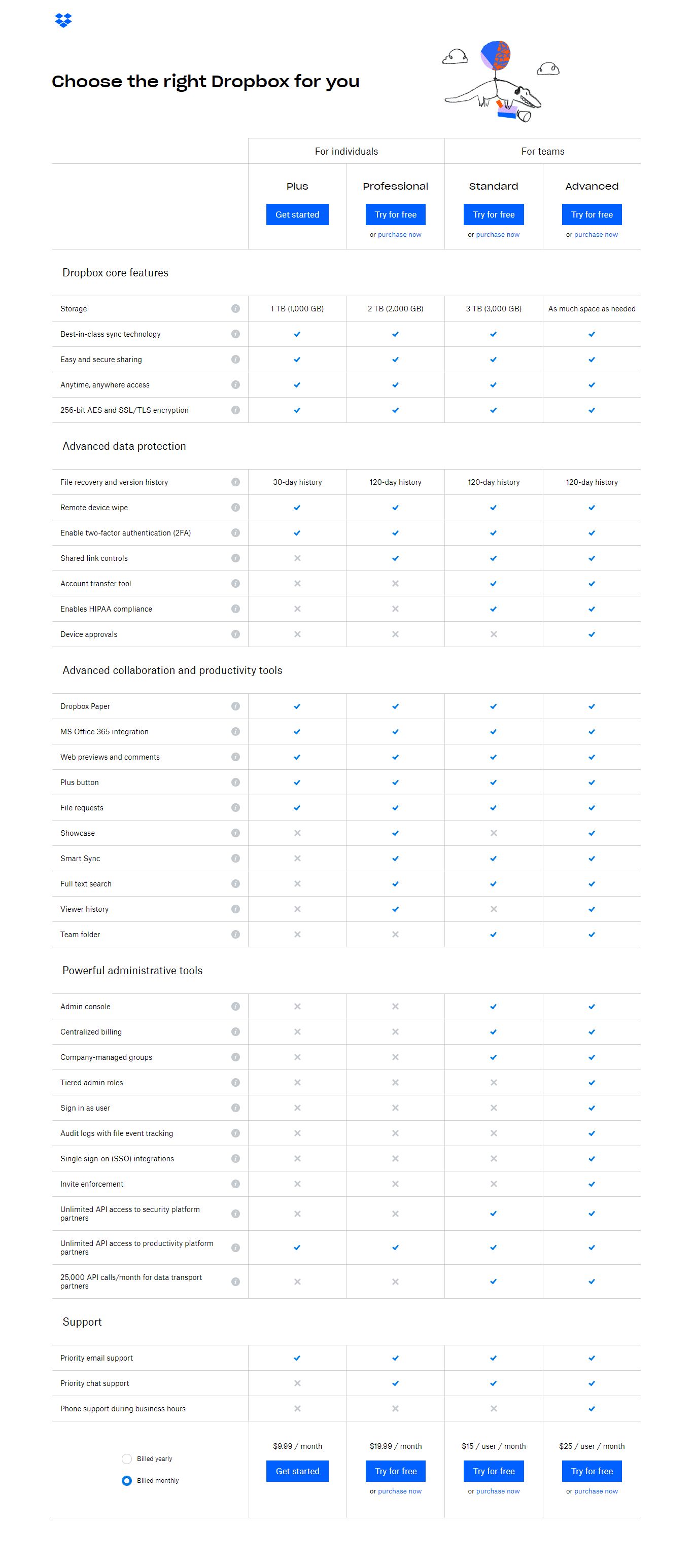
Dropbox offers two pricing plans: Plus or Pro. The first one is a bit limited compared to the second. It gives only 1 TB of storage and some features are not available. The Pro plan gives 2 TB of storage and some more advanced options. At the same time, it is double the price.
Here is a short table of the available plans:
Individual
For teams
Plus
Professional
Standard
Advanced
Storage
1 TB
2TB
3 TB
Unlimited
Paid monthly
$9.99/mo
$19.99/mo
$15/user/mo
$25/user/mo
Paid annually
$8.25/mo
$16.58/mo
$12.50/user/mo
$20/user/mo
There are lots of competitors who provide more affordable prices. Now, let’s see the detailed comparison of the tariff plans.
The gradation is obvious: the more features you need, the more expensive plan you will require.
5. Supported platforms and applications
As mentioned earlier, Dropbox supports the most popular desktop and mobile operating systems and platforms. Let’s take a closer look at them.
5.1 Web interface
To access all your files on any computer without installing the desktop or mobile app, you can use the Dropbox web interface. Unlike most competitors, you can use even a mobile browser, not only a desktop one.
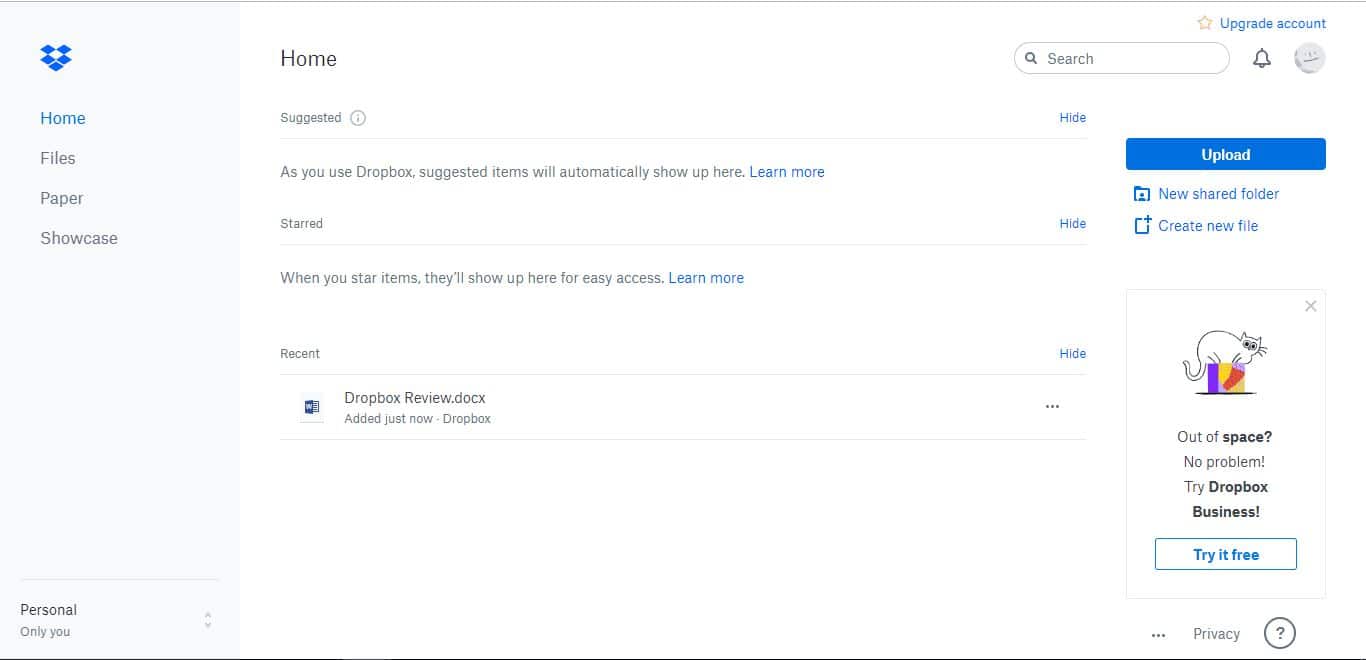
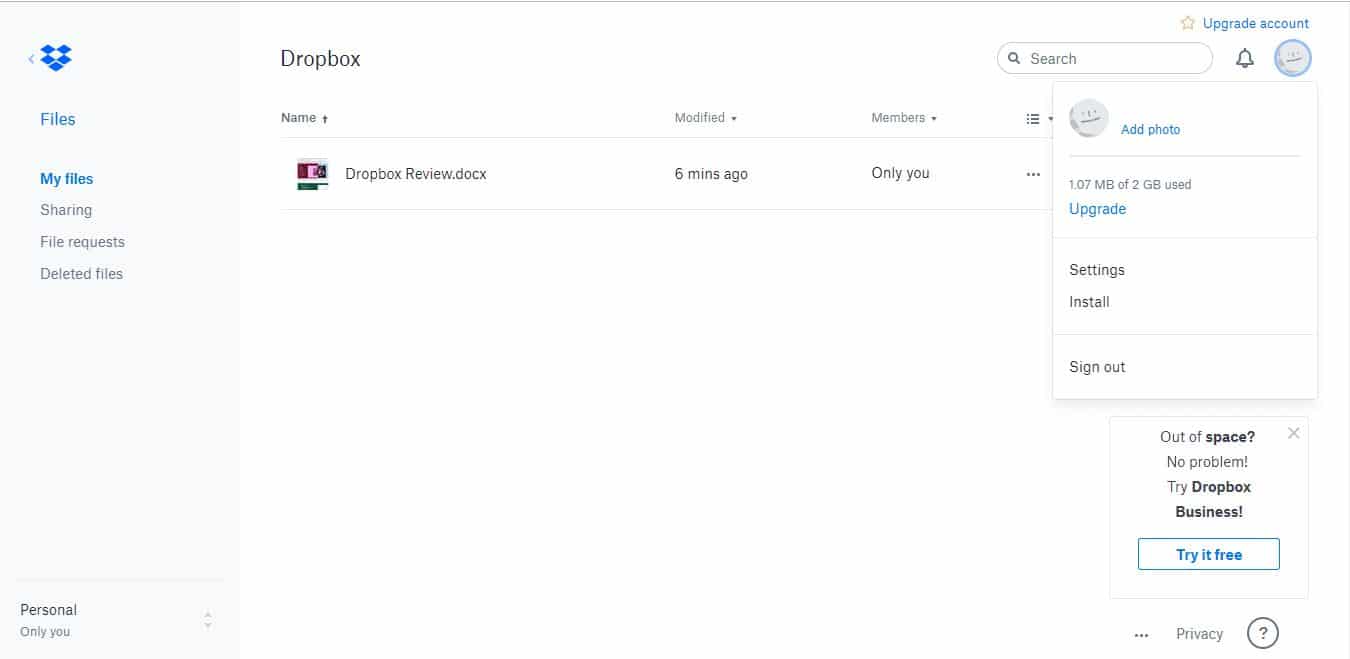
The home page displays the basic information related to your files and account. On the left, you can access the Files, Paper, and Showcase tabs. On the right, you can create a new file, shared folder, or upload a file or folder. Having clicked on the profile picture, you will be able to access the Dropbox settings or download the apps.
The Files tab is the place with all the information about your files and folders. In addition, you can check the shared files and folders, file requests or deleted files, as well as create or upload files or folders and create new shared folders.
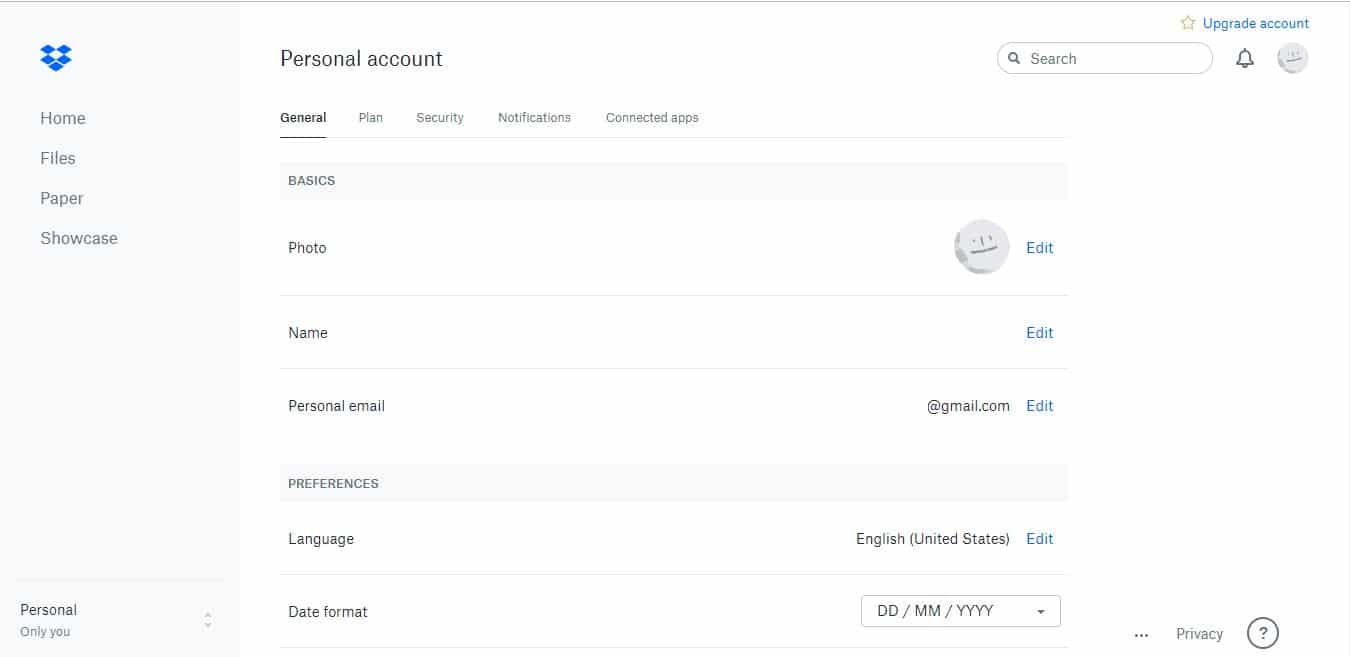
In the Settings tab, you will be able to configure your account and apply detailed settings. In turn, this tab is divided into General, Plan, Security, Notifications, and Connected apps.
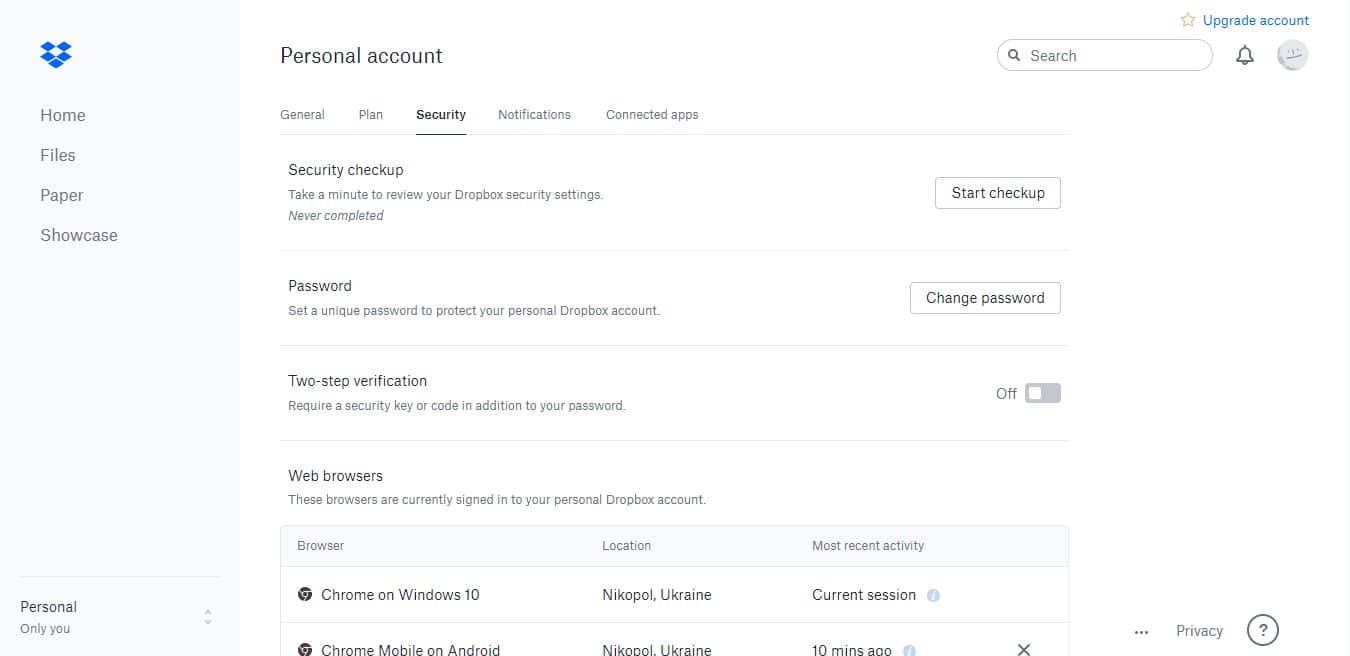
For example, in the security settings, you can run the security checkup, change the password, activate or deactivate the two-factor authentication, as well as manage the connected browsers and devices.
5.2 Desktop apps
The desktop applications are available for Windows, macOS, and even Linux. Dropbox is one of few cloud storage providers who offer a full-fledged Linux application. We tested their application for Windows 10.
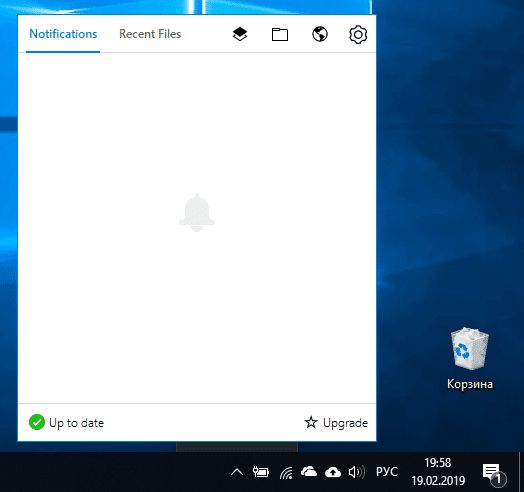
First, you need to download the installation file from the official website. When you run the web installer, the wizard will download all the required files and install the app. It took us several minutes to complete this process. The application will create a sync folder. If you do not like the location set automatically, you can change it manually. The application is accessible through the Windows taskbar. In its main window, you can check the synchronization status, notifications, and recent files, as well as open the Dropbox folder on your PC, Dropbox Paper and the web version.
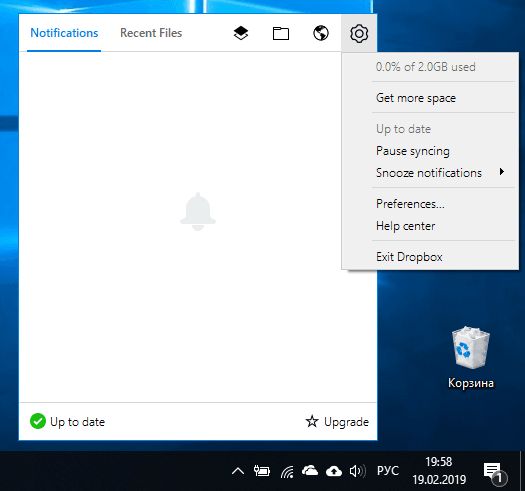
Some additional options are available by clicking the gearwheel icon.
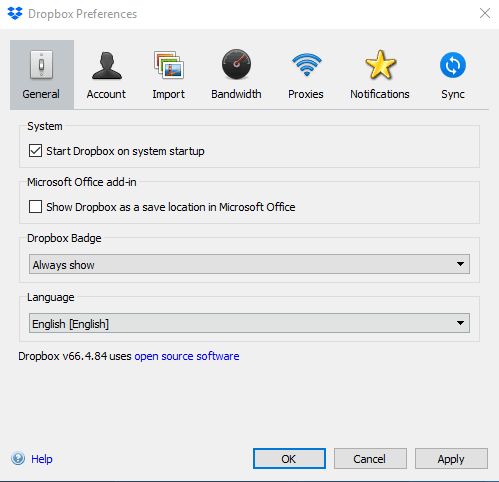
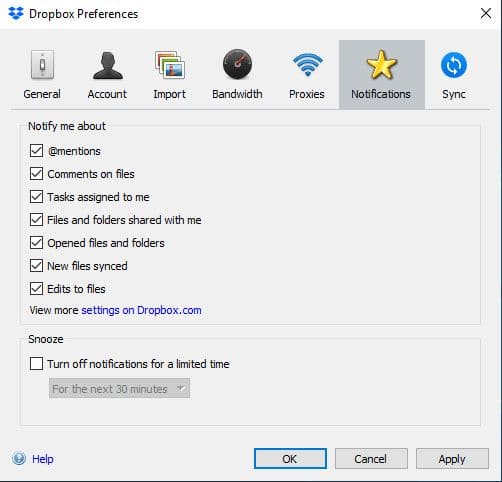
The Preferences window is divided into General, Account, Import, Bandwidths, Proxies, Notifications, and Sync. You can apply all the basic settings related to your account and the application itself.
5.3 Mobile apps
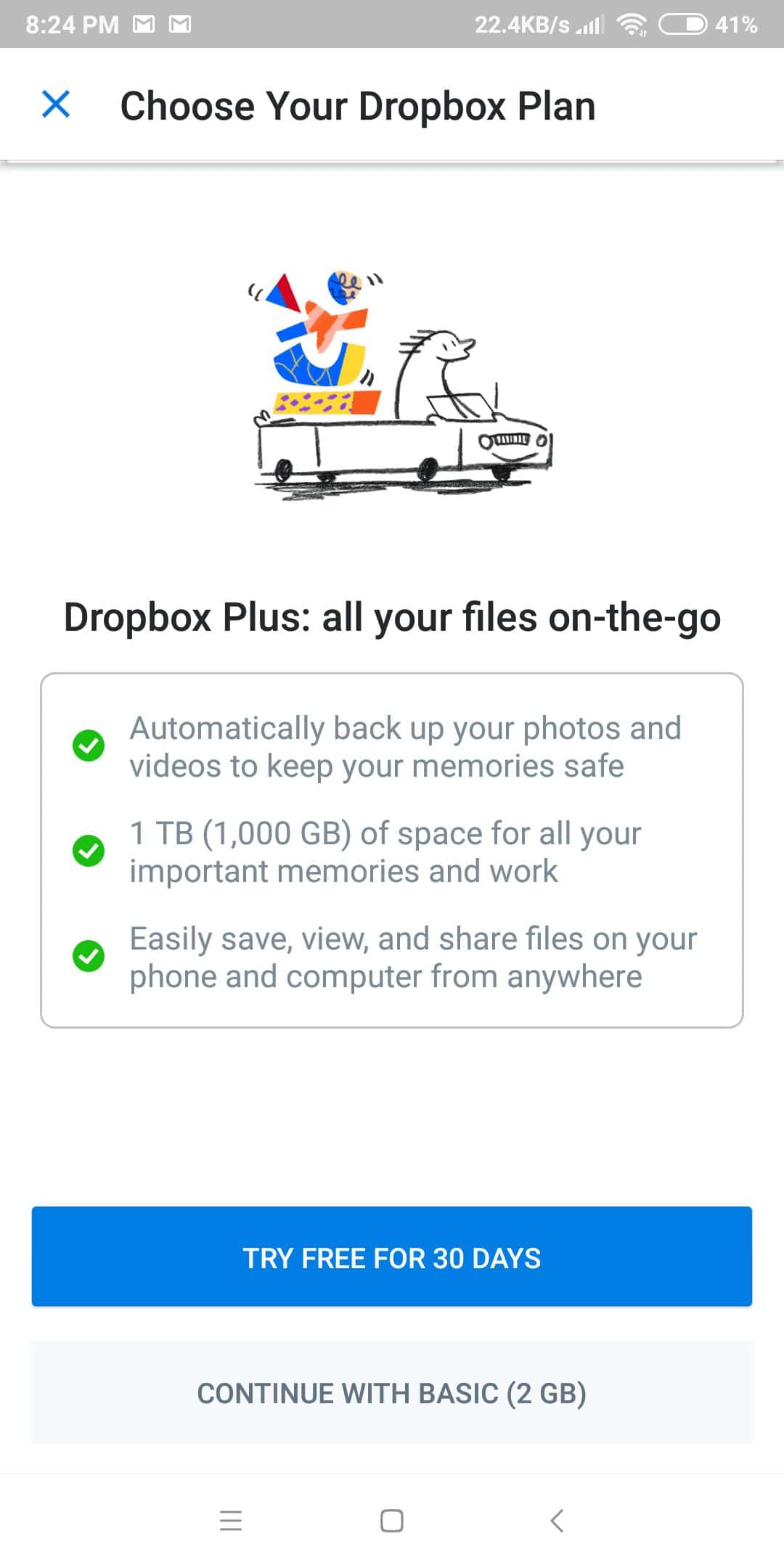
The mobile applications allow you to access your files everywhere on the go. The mobile apps are available for Android and iOS and you can get them in the respective app store. We tested the app on an Android-based Xiaomi Redmi 5 Plus. In the beginning, the application requests to start the free trial or remain on the free plan.
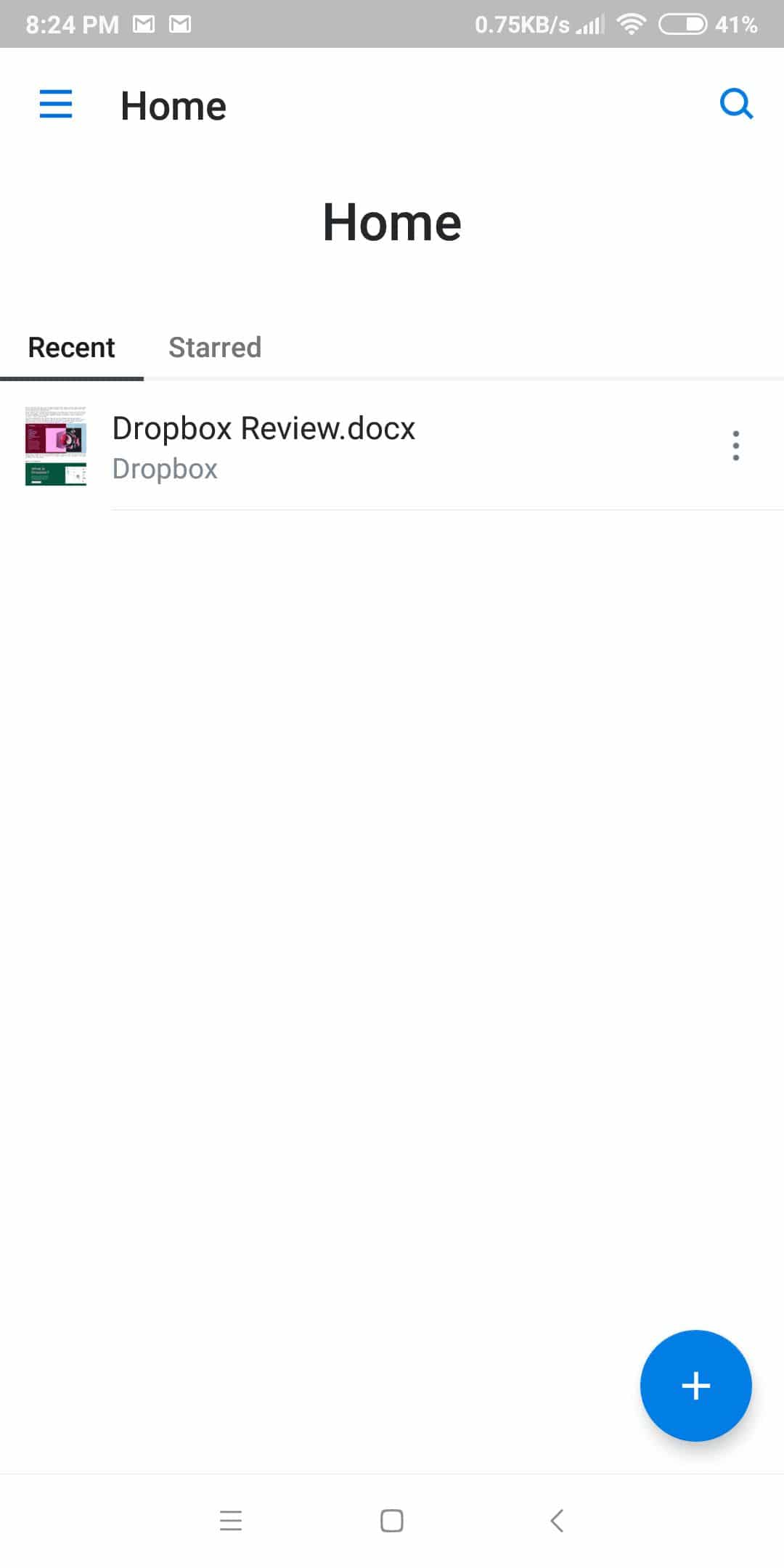
The home screen displays your recent files and allows you to upload new files or create folders. For that, tap on the + button.
In the Files tab, you can access all your files and folders. Moreover, this is also where you will be able to sort them out.
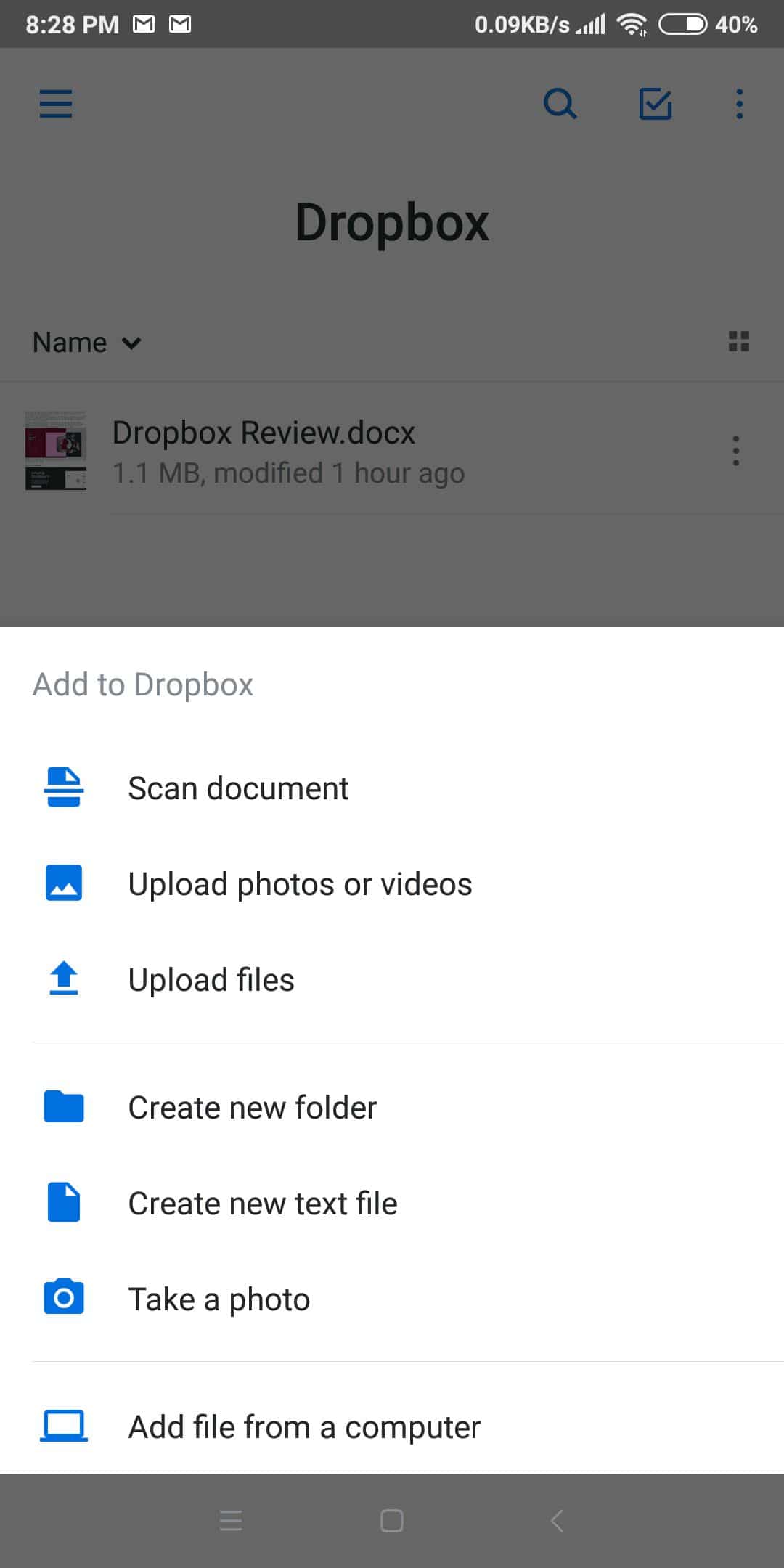
In here, you can also access the upload menu. Thus, you can upload files, photos, and videos, create a new text file or folder, take a photo or scan a document, and even transfer files that are located on your computer. We will provide more details about the latter feature.
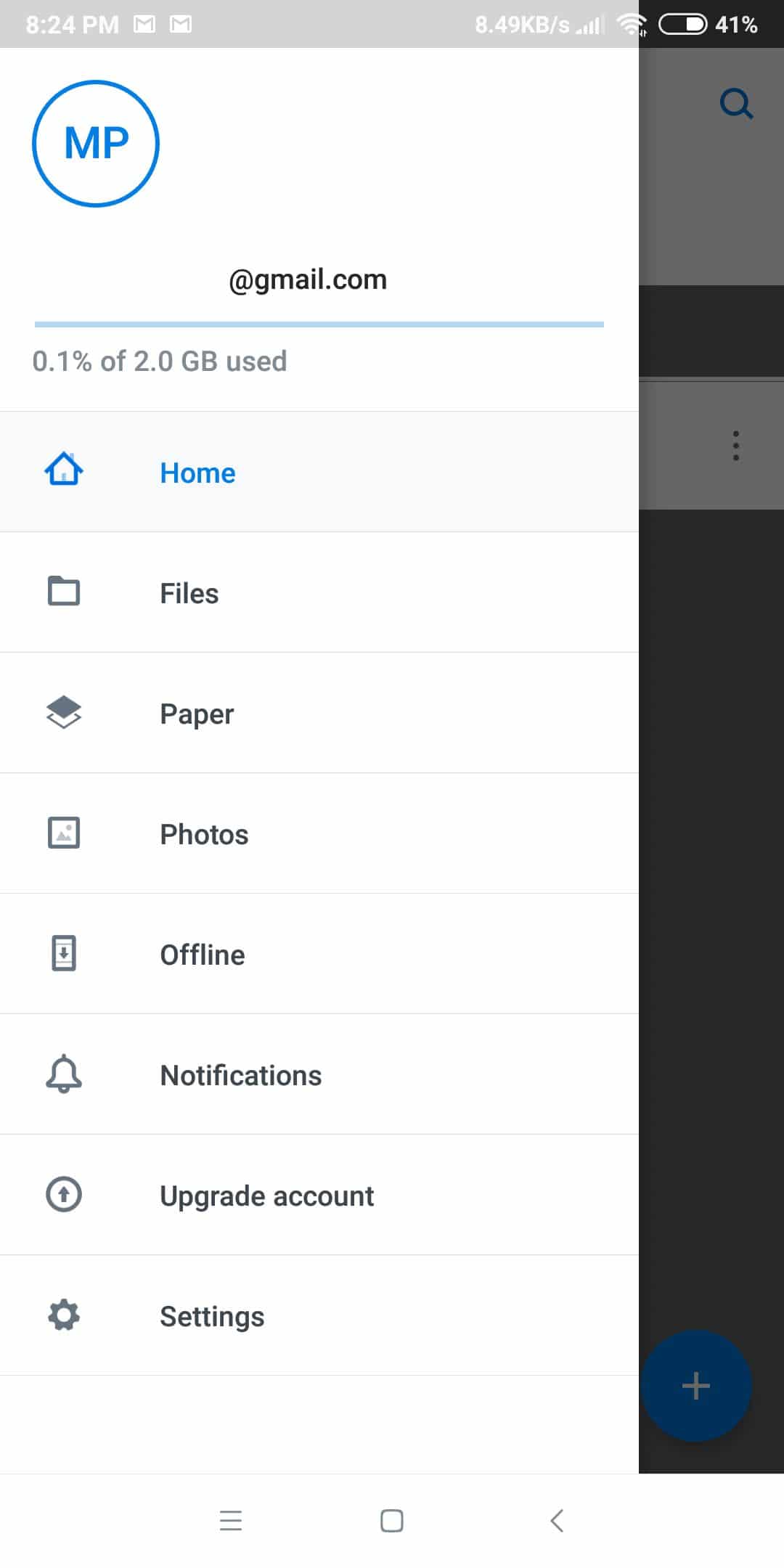
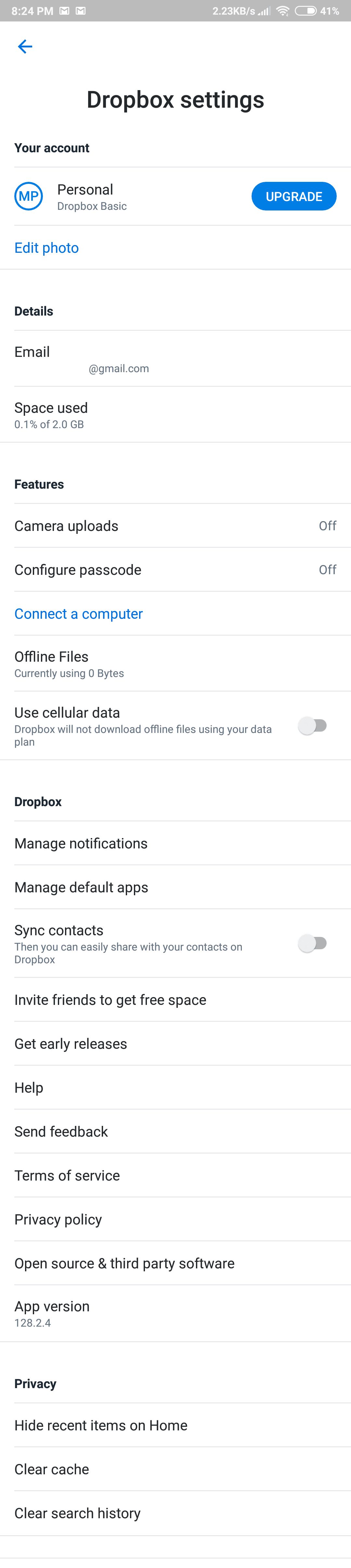
In the sidebar, you will be able to see the available volume, as well as access basic features including photos, files, offline mode, Paper, notifications, account upgrade, and settings.
The settings menu is quite detailed so you are able to configure a lot of things.
6. Synchronization and sharing
Besides storing the files and accessing them from any device and operating system, Dropbox provides a wide range of synchronization options:
Share files and folders regardless of their size and type. Just create the link and send it to a particular person or make the file or folder public. The files will always stay up to date — do not worry about non-applied changes.
Send files no matter the size. Emails and messengers have strict limitations on the maximum file size. There is a solution — upload your files to Dropbox and just share a link via email, chat or text message. You can do it on any device — Mac, Windows, Linux, iPhone, iPad, and Android. Moreover, you are not limited to files — you can easily share a folder. To limit unauthorized access, protect the file with a password.
Smart Sync. Select the files and folders you will keep in the cloud without taking the space on your hard drive. The option is available in the Pro
Set the file permissions to control the activities of those with whom you shared the files. For example, you can forbid editing the files by setting up the view-only permission.
7. Using Dropbox for media files
Many users use cloud storage mainly for backing up personal media files like family pictures or home videos. Moreover, a lot of professionals store their projects in a cloud in order to not to lose them by accident. Are you one of them? If so, use Dropbox to back up photos and videos from Android, iPhone, Windows, Mac devices, and external cameras. Forget about manual copying — your digital vacation memories or professional projects will be in a reliable place.
Dropbox offers the following options to work with media files:
Automatic backup on any device, both mobile and desktop.
Camera Upload. Having activated this option, your smartphone or tablet will automatically upload the pictures from the camera folder to Dropbox. If you use this option on a desktop computer, all the files will be copied from memory cards, external cameras, as well as mobile devices connected via USB or Lightning.
Screenshots upload. If you often take screenshots on your devices, include them in a folder to be uploaded and saved automatically.
Document scanning. The mobile app allows using the device camera to make digital copies of all your paper documents, whiteboards, and Just take a picture — and the algorithm will convert it to PDF format.
Sort and organize the pictures on your desktop. Find them in your File Explorer or Finder like any file in any particular folder. Sort them out by folders or edit them with any software installed on your system.
Browse photos in the web version or in the mobile application.
Preview images with more than 35 file extensions including JPEG, PNG, TIFF, GIF, Photoshop, Illustrator, CR2, DCR, DNG, as well as HEIC images. And all that can be done without using any special software!
Share separate pictures or videos or the whole folder with an album like any other file: send the link in any messaging app or via email, protect it with a password, or set an expiration
Shared folders. Create an album and invite others to add files.
8. Speed test
Our Internet service provider gives us a speed of 50 Mbps. Let’s check how fast the Dropbox speed is. We tried to upload and then download one file of 427 megabytes and a folder of 132 MB containing 39 Microsoft Word files. Here are the results:
Upload
Download
One file
1 min 30 sec
1 min 15 sec
Folder
2 min 2 sec
22 sec
They are really good — you will not have to waste your time waiting for uploads or downloads to complete.
9. Security
The Dropbox cloud service cares about the security and privacy of all your data. These are the measures that have been taken for security and information protection:
All information is transferred under the protection of a secure SSL connection.
Information is stored on the server in an encrypted form (AES-256), and Dropbox staff do not have access to other people’s files. At least that’s what the company claims.
Access to public folders is available only to users who have received an invitation.
Only users who have a link to a file have access to the files in the shared folder. Viewing the entire folder or other files in that directory is not possible.
All Dropbox applications are protected to the maximum extent.
That is, when using the cloud service, you have comfortable, fast and completely secure access to the information on any computer or mobile device that is connected to your account. A great advantage of Dropbox is that even an unprepared person can easily use it, and the whole procedure of communication with this application is as simple as possible. There are no difficult and long settings. In addition to the traditional encryption, Dropbox protects files in the storage and while they are being transferred between your applications and servers. Each file is split into discrete blocks that are encrypted with strong encryption. Only changed blocks are synchronized.
Some other security options include:
File Recovery and Version Log. For all accounts, Dropbox saves deleted files and old versions of modified files for 30 days. During this period, the files can be restored. An enhanced version history is available as a paid add-on in Dropbox Plus accounts. Users of Dropbox Business accounts can recover deleted files and old versions within 120 days.
Strict security check. Dropbox regularly tests its infrastructure and applications for vulnerabilities and immediately fixes them. To ensure the safety of their users and their files, Dropbox employees work with third-party specialists, as well as with security departments and network security developers. Users can report potential vulnerabilities and security failures to Dropbox via a third-party service HackerOne.
Third-party access. Dropbox has special conditions and instructions for third-party developers so that they can create applications to work with cloud storage, ensuring the confidentiality of user data and the protection of an account on a cloud disk. In Dropbox, the standard OAuth protocol is also used for authorization, so that users can provide applications with access to their accounts at different levels and not endanger their password and log in.
10. Technical Support
The technical support is not the strongest point of this service. Dropbox provides it depending on your tariff plan:
For all users, there is support by email or Twitter, whichever you prefer. It is available from Monday to Friday during business hours. They promise to give a reply within a 72-hour We got ours on the third day. Plus and Professional subscribers get priority support within 24 hours.
Online chat is available for Professional account owners. However, this option is also available only from Monday to Friday.
24/7 support is available only for enterprise customers.
In our opinion, the customer service situation must improve. In addition, you can find an answer to your question in a rich knowledge base or in the great Dropbox community where, most likely, you will not be left without help.
11. Usage Scenarios
How to share a file or folder
Web:
Hover over the mouse pointer to the folder or file and select Share.
Enter the email addresses of those with whom you would like to share the file or folder.
Click the Create a link The person will get a notification.
Desktop:
In the Dropbox folder, select the file or folder you would like to share, click the right mouse button, and select Share.
Type in the email addresses of those with whom you would like to share it.
Click the Create a link The person will get a notification
Mobile:
Select the file or folder you would like to share and tap the folder or file menu.
Enter the email address of those with whom you would like to share the folder.
Click the Create a link The person will get a notification.
How to create a file request
In the web version, go to the File requests tab and click on the Create a file request button.
Give the request a name and select the folder where you want to save the uploaded files.
Copy the requested link and share it with your friends or colleagues.
To add the files into this folder, they will just have to select the files on their computer and enter the name and email address. That’s all.
How to upload a file from a PC in a mobile app
This feature allows you to get the desktop app with just a few clicks.
In the mobile app, type on the upload menu button and select Add file from a computer.
On your computer, open the dropbox.com/connect website.
In your Dropbox mobile app, scan the QR-code displayed on the computer screen.
Download and install the desktop application.
How to manage the connected devices
In the web version, click on the profile picture, then go to Settings — Security — Devices. Click on the cross sign if you want to unlink a device.
How to create a document in Dropbox Paper
It’s not difficult at all — just click on the Paper tab and select Create new doc and you are ready to work.
12. Dropbox vs Google Drive
Google Drive is another industry giant that also provides great features and superb options and collaborative tools. Let’s make a short comparison between these two services.
Speed
We had the following results with Dropbox:
Upload
Download
One file
1 min 30 sec
1 min 15 sec
Folder
2 min 2 sec
22 sec
What about Google Drive? We found out it was much slower, especially the folder download:
Upload
Download
One file
2 min 55 sec
1 min 5 sec
Folder
2 min 34 sec
3 min 25 sec
So, Dropbox is significantly faster in all areas.
Security
All the files are reliably protected by protection and security algorithm protocols. Despite that, the Google privacy policy is not that definitive. Google reverses the right to use your files for their purposes. Is that ok with you? It’s not so good for everyone.
Price
Google Drive provides 15 GB of storage for free. This storage is shared between Google Photos, Gmail, and Google Drive. If you run out, you can buy a paid subscription:
100GB — $1.99/month
1TB — $9.99/month
2TB — $19.99/month
10TB — $ 99.99/month
20TB — $199.99/month
30TB — $299.99/month
Features
Google Drive provides all the necessary features to store all your files. It can support multiple devices. However, a mobile app is not as good as the one of Dropbox. The biggest fail is that the mobile app does not support automatic camera upload — you will have to back up all your pictures and videos manually.
Among others, we would like to highlight the following options:
Google Docs. It’s an almost full-fledged office tool. With Google Docs, you will be able to create text documents, spreadsheets, and presentations, as well as forms, simple websites, and many other bells and whistles. Moreover, you can seamlessly collaborate with your colleagues and simultaneously work on the same
Integration with Google Photo. Google Drive can display the pictures you store on Google Photo — the free photo hosting with unlimited storage. It is most important to note that it does not take from the available megabytes.
The device backup. This is another interesting option that allows the user to set up the folder on a desktop PC and backup it on the Google Drive servers.
So, despite Dropbox being more expensive, it provides more great features and works significantly faster. At least you know what you pay for.
Marcus is a cybersecurity analyst with a focus on VPN and proxy services. As the founder and driving force behind a prominent VPN and proxy website, Private Proxy Guide, Marcus has emerged as a trusted authority in the digital realm. With a passion for staying ahead of evolving cyber threats, he has played a pivotal role in educating and empowering individuals and businesses to safeguard their online presence.