Quick answer: The best parental control app for iPhone, iOS & Android in 2025 is mSpy!
With the prevalence of smartphones and constant internet connectivity, parental control apps have become essential tools for families. Here, we explore the best parental control apps available for iPhone, iOS, and Android devices, helping you make an informed decision to protect your loved ones.
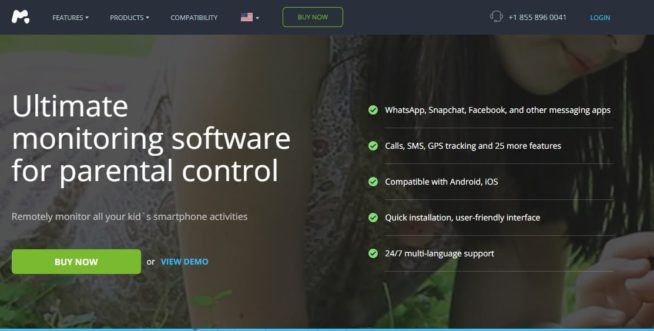
Having tested mSpy, I can say it offers a robust suite of features designed to provide comprehensive control for concerned parents. The app stands out for its ability to track text messages, calls, and GPS locations, presenting a full picture of a child’s digital activity. This functionality is crucial for identifying patterns or detecting potential issues early, allowing parents to act proactively rather than reactively.
The keylogging feature is a highlight of mSpy, capturing every keystroke on the device. This proved invaluable during testing, offering insights into search queries and private messages across various platforms. It’s not just about control but understanding the nuances of a child’s online behavior, particularly if there are signs of bullying, risky communication, or other red flags. Additionally, mSpy’s social media control supports popular platforms like WhatsApp, Snapchat, and Instagram. This feature ensures parents are fully aware of their child’s interactions, an area often overlooked by less comprehensive control apps.
Setting up mSpy on iOS devices requires jailbreaking to access its full range of features, while Android users need to root their devices for advanced functions like social media tracking and keylogging. While these steps might sound daunting, the app provides an extensive installation guide that simplifies the process significantly. Even with moderate technical skills, I found the setup intuitive, thanks to the clear step-by-step instructions.
A particularly impressive feature is the customizable keyword alerts, where parents can set specific terms to trigger notifications. For instance, words related to drugs, bullying, or inappropriate topics can alert parents instantly, ensuring timely intervention. This proactive functionality turns mSpy from a passive tracker into an active guardian.
The app’s ability to run discreetly in the background is another strength, ensuring children are unaware of its presence. During my tests, there was no noticeable impact on the device’s performance or battery life, which is often a concern with such apps. This stealth mode allows parents to monitor effectively without disrupting the child’s device experience.
Priced at $48.99 per month, mSpy is on the higher end of the spectrum. However, the depth and reliability of its features make it worth the investment for parents seeking an all-encompassing solution. Regular updates ensure compatibility with the latest operating systems, and the customer support team was prompt and knowledgeable, making the overall experience seamless.
While testing eyeZy, I appreciated its user-friendly setup process and intuitive dashboard. It’s the kind of app that even less tech-savvy parents could handle without much hassle. The Magic Alerts feature, which sends notifications when a child enters or exits a geofenced area, was particularly impressive during my tests. It offered real-time updates that were accurate to the meter, providing immediate peace of mind when tracking movements.
One of the highlights during testing was the app’s seamless performance on both iOS and Android devices, including older models. Whether using the latest iPhone or a mid-range Android device, eyeZy’s reliability stood out. The app’s compatibility with various operating systems, including older versions, ensures that it caters to families with diverse technological setups. The social media control feature provided detailed insights into conversations on platforms like WhatsApp and Instagram, offering a comprehensive look at online interactions without being invasive.
GPS tracking proved to be precise and consistent, making it a dependable tool for keeping tabs on a child’s location. Additionally, the app’s scheduling feature allowed me to block certain apps during specific times, such as school hours, ensuring a distraction-free environment.
Priced at $47.99 per month, eyeZy is accessible for most families. However, unlocking advanced capabilities like keylogging and remote access required jailbreaking or rooting, depending on the device. Despite this, the app provides clear guides for these processes, minimizing the technical barrier for parents who want to maximize the app’s functionality. Overall, eyeZy strikes an excellent balance between ease of use and powerful features, making it a versatile option for a wide range of parental needs.
Using FlexiSPY felt like having a surveillance powerhouse at my fingertips. Features like live call interception and ambient recording were unrivaled in their utility, especially for parents who need extensive insights into their child’s activities. During testing, the app’s camera access feature was a standout, offering the ability to view live feeds from the device in real-time. This capability provided unparalleled transparency into the child’s environment and interactions—a feature unmatched by any other app on this list.
FlexiSPY also excelled in capturing VoIP call data, including platforms like WhatsApp, Skype, and Viber, allowing parents to monitor conversations in detail. The ambient recording functionality was equally impressive, enabling me to listen to the surroundings of the device without the child being aware. These features made it an invaluable tool for ensuring safety in scenarios where other apps might fall short.
While the price of $68 per month is steep, the advanced capabilities justify the cost for parents who require high-level control. Setting it up on a jailbroken iPhone required technical expertise, but the installation guide was thorough, and the customer support team was readily available to assist. On Android, the app functioned just as effectively, with rooting enabling access to the app’s full suite of features.
FlexiSPY’s compatibility extends to older devices, ensuring that parents using legacy hardware can still leverage its robust tools. The app’s regular updates ensure compatibility with the latest OS versions, and its discreet operation keeps it hidden from the child. For parents who prioritize comprehensive surveillance and are comfortable with a more hands-on setup process, FlexiSPY is an unparalleled choice.
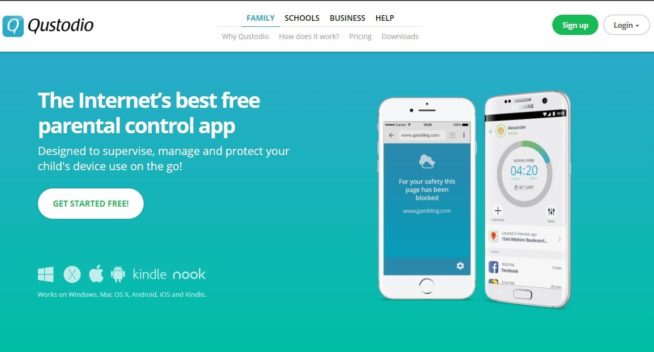
Qustodio impressed me with its well-rounded feature set during testing. The web filtering tools were precise, effectively blocking inappropriate content while allowing access to educational and family-friendly resources. I found the real-time location tracking to be highly accurate, providing updates on the child’s movements without noticeable delays. This feature worked flawlessly across both iOS and Android devices, ensuring parents can stay informed no matter the platform.
One of the standout features was the screen time management tool, which enabled me to set tailored limits for each child. This level of customization proved especially useful for families with different schedules and needs. Additionally, the ability to monitor activity on popular social media platforms like Facebook and Instagram was a welcome addition, offering insights into potential concerns.
Priced at $54.95 per year, Qustodio is a cost-effective option for families, especially those with multiple children. Its performance on older devices was consistent, proving its adaptability and reliability. The app also handled updates seamlessly, ensuring compatibility with the latest operating systems without requiring reinstallation.
Qustodio’s intuitive interface made it a pleasure to use. Complex tasks, such as setting geofencing boundaries or reviewing detailed activity reports, were simplified through its well-designed dashboard. Parents new to control tools will find the learning curve minimal, while more tech-savvy users will appreciate the depth of customization available. For families seeking an all-encompassing solution to digital safety, Qustodio delivers robust tools with excellent value for money.
5. Bark
Best for Social Media Control
Bark distinguishes itself by focusing on social media and messaging app control, making it an essential tool for parents concerned about their child’s online interactions. The app analyzes activity across over 30 platforms, including Snapchat, TikTok, and Discord, flagging potential issues like cyberbullying, sexting, and depression-related behavior.
Designed to work seamlessly on both iOS and Android, Bark’s compatibility extends to older versions of operating systems, ensuring no family is left out. The app’s alerts are detailed and actionable, providing parents with the information they need to initiate meaningful conversations with their children. Bark’s screen time and web filtering tools complement its social media capabilities, offering a well-rounded solution for online safety.
Setup is straightforward, with minimal technical requirements, making it accessible for less tech-savvy parents. During testing, I appreciated how efficiently Bark managed to process large volumes of data without significant delays, ensuring timely alerts. Additionally, the app provided useful resources for parents to guide conversations about flagged content, which I found particularly helpful.
Priced at just $14 per month or $99 annually, Bark stands out as an affordable yet powerful tool for families. It works unobtrusively on the devices it monitors, minimizing disruptions while maintaining its robust functionality. For families prioritizing social media oversight with minimal hassle, Bark delivers exceptional value and utility.
6. Net Nanny
Best for Content Filtering
Net Nanny has long been a trusted name in content filtering, providing parents with tools to block harmful websites and apps while allowing educational and age-appropriate content. The app’s advanced algorithms ensure precise filtering, making it one of the most reliable solutions for families. It effectively handles inappropriate material, including adult content, violent media, and other categories flagged by parents as unsuitable, ensuring a safer online experience.
Supporting iOS, Android, Windows, and macOS, Net Nanny’s compatibility is extensive, covering both the latest devices and older models. This cross-platform support ensures families can monitor all devices in their home without limitation. The family feed feature provides real-time updates on device usage, allowing parents to observe activity patterns and intervene when necessary. Whether it’s tracking browsing behavior or control app usage, the insights provided are invaluable for promoting healthy digital habits.
Screen time scheduling tools allow parents to create daily routines, such as blocking device access during meals or study times, fostering a balanced approach to technology use. During my tests, this feature proved especially effective in managing screen time for younger children who needed stricter boundaries.
Net Nanny’s location tracking feature was another highlight, offering a clear view of a child’s movements and current location. While updates occasionally lagged by a few minutes, the overall performance was consistent and reliable. Combined with geofencing options, parents can set safe zones and receive notifications if their child ventures outside of designated areas.
At $54.99 per year for a single device and with affordable family plans available, Net Nanny’s pricing reflects its premium features. Although it may not be the cheapest option, its robust filtering capabilities, combined with an intuitive interface and exceptional cross-platform compatibility, make it a worthwhile investment for families prioritizing online safety. Parents who want comprehensive control over their children’s digital environments will find Net Nanny an excellent and reliable choice.
7. OurPact
Best for Screen Time Management
OurPact offers an intuitive way to manage screen time, making it a favorite among parents seeking to establish healthier device usage habits. During testing, I found its ability to block apps and set customized schedules particularly useful. Parents can easily tailor routines to fit their family’s needs, such as limiting social media during study hours or encouraging tech-free family dinners.
One standout feature was the app’s instant app blocking and granting tool, which gives parents the flexibility to react quickly to unexpected situations. For example, if a child is overly distracted by a gaming app, access can be revoked immediately without affecting other app functionality.
The geofencing tool proved to be another excellent feature, sending notifications whenever a child entered or exited pre-defined locations. This capability provided peace of mind during school hours or while children commuted, ensuring they were safe and where they were supposed to be. Additionally, the “Screen Time Allowance” feature offers a unique approach to teaching responsible device use. By setting a fixed amount of screen time that children can allocate themselves, OurPact encourages self-regulation and promotes healthier digital habits.
In terms of compatibility, OurPact supports both iOS and Android devices, including older operating systems. Its straightforward interface makes it accessible for all users, regardless of technical skill. While the app lacks advanced tools such as social media control or detailed tracking, it compensates with its focus on managing screen time and maintaining balance in digital habits.
At $6.99 per month for premium plans, OurPact is one of the most affordable yet functional parental control apps on the market. For families focused on cultivating healthy digital routines and maintaining flexibility, it offers an effective and user-friendly solution.
8. FamilyTime
Best for Customization
FamilyTime offers an array of customizable features that cater to diverse parental needs. From setting app usage limits to control location history, the app provides tools for keeping children safe while respecting their independence. Its SOS alert feature ensures immediate assistance during emergencies, making it a reliable choice for proactive parents.
FamilyTime supports iOS and Android platforms and is frequently updated to ensure compatibility with the latest devices. Its intuitive dashboard and detailed reports help parents stay informed about their child’s activities. While the app lacks advanced social media control, its focus on customization and family-specific needs makes it stand out.
Mobicip excels in supporting families with multiple devices, offering plans that cover up to 20 devices under a single subscription. This flexibility is ideal for households with diverse device needs, as the app is compatible with iOS, Android, Windows, macOS, and even Chromebooks. Such comprehensive compatibility ensures that no device is left unprotected, making it particularly useful for larger families.
The app’s content filtering tools are robust, effectively blocking inappropriate material while allowing access to educational resources and other approved content. During testing, the filters performed consistently across platforms, offering a seamless experience regardless of the operating system. Mobicip’s screen time management feature adds another layer of control, enabling parents to set daily usage limits or schedule device-free periods to encourage healthy habits.
One of the standout features is the YouTube control tool, which allows parents to view their child’s video activity, ensuring safe browsing on the platform. Combined with the family locator function, which tracks real-time locations, Mobicip provides a well-rounded approach to digital safety and physical security. These features worked reliably during testing, offering accurate updates and clear reporting.
The app’s user-friendly interface simplifies navigation, making it a practical choice for parents managing multiple devices. Whether setting restrictions or reviewing activity reports, Mobicip’s dashboard ensures that all tools are easily accessible. Frequent updates keep the app compatible with newer devices and operating systems, ensuring its long-term reliability.
Priced competitively, Mobicip offers excellent value for families looking to protect multiple devices under a single plan. Its combination of robust filtering, detailed control, and cross-platform compatibility makes it a standout choice for parents seeking comprehensive coverage.
10. MMGuardian
Best for Teens
MMGuardian is tailored to parents of teenagers, offering tools designed to address the unique challenges of control older children. Its text message and call control capabilities allow parents to review conversations for signs of bullying, inappropriate communication, or risky behavior. During testing, the advanced keyword alert system stood out as a key feature. By flagging specific words or phrases, such as those associated with self-harm, drugs, or cyberbullying, the app enables parents to intervene before issues escalate.
Another strength of MMGuardian is its detailed app usage reports, which provide insights into how teens spend their time online. This feature was particularly useful for identifying potential distractions or overuse of specific apps, helping parents guide their children toward healthier digital habits.
The app supports both iOS and Android devices, though advanced features like message control require additional permissions on certain platforms. Despite this, its intuitive interface makes navigation straightforward, even for less tech-savvy users. I found its affordability to be a major selling point, offering a strong balance of functionality and cost for families on a budget.
While MMGuardian doesn’t include some of the more advanced social media tracking features found in other apps, it excels at providing focused oversight tailored to teenage users. For parents seeking a practical solution that respects their teen’s privacy while offering essential safeguards, MMGuardian is an excellent choice.
How to Choose the Right Parental Control App
In an era where digital interactions dominate our daily lives, ensuring the safety of our children online has become a top priority for many parents. Parental control apps can be valuable tools for promoting a safe digital environment, but selecting the right one can feel overwhelming. To make an informed choice, it’s essential to consider three critical factors: device compatibility, the level of control required, and the technical expertise necessary for setup.
Device Compatibility: A Crucial First Step
Not all parental control apps work seamlessly across different devices and operating systems. Before committing to a subscription, verify whether the app is compatible with your child’s smartphone, tablet, or computer. Popular options like mSpy and FlexiSPY offer extensive compatibility but may require additional steps, such as jailbreaking an iPhone or rooting an Android device. For parents looking for a straightforward setup, options like eyeZy or Qustodio are often more accessible, providing broad support without the need for complex configurations.
Tailoring Control Features to Your Family’s Needs
Every family’s digital safety needs are unique, ranging from basic content filtering to more advanced features like location tracking, social media control, and even keystroke logging. For example, mSpy is renowned for its detailed control capabilities, including access to messages and app usage. However, these advanced features might feel intrusive or unnecessary for families seeking a lighter touch. In contrast, apps like Bark and Net Nanny strike a balance, focusing on content filtering and alerting parents to potentially harmful activities without excessive invasiveness.
Ease of Use: The Learning Curve Matters
Parental control apps differ significantly in terms of user-friendliness. Apps with more advanced functionality, such as FlexiSPY, often require technical expertise to set up and manage effectively. These apps may involve complex installations that intimidate less tech-savvy users. On the other hand, platforms like eyeZy and OurPact cater to beginners with intuitive interfaces and simple onboarding processes, ensuring parents can get started quickly and efficiently.
Finding the Perfect Balance
Ultimately, the best parental control app for your family depends on a clear understanding of your priorities. Are you looking for robust, all-encompassing control tools, or do you need an app that balances protection with simplicity? Reflecting on your goals, your child’s age, and your comfort level with technology will help guide your decision.
Parental Control App FAQ
1. What is a parental control app?
A parental control app is a software tool that helps parents monitor and manage their child’s online activities. These apps can track location, block inappropriate content, monitor social media, and set screen time limits to ensure a safe and balanced digital experience for children.
2. Are parental control apps legal to use?
Yes, parental control apps are legal when used responsibly by parents or guardians to protect their children under 18. However, it’s important to comply with local privacy laws and ensure that the monitored individual is aware of and consents to the control, where required.
3. What features do parental control apps typically offer?
Common features include:
Web content filtering: Blocking inappropriate websites.
App usage control: Tracking which apps are being used and for how long.
Location tracking: Control your child’s real-time location.
Call and text control: Viewing call logs and messages (in some apps).
Social media control: Tracking activity on platforms like Instagram, Snapchat, and TikTok.
Screen time management: Setting daily limits on device usage.
4. Do these apps require jailbreaking or rooting?
Some advanced apps, like mSpy and FlexiSPY, may require jailbreaking (iOS) or rooting (Android) to access advanced features, such as social media control or keystroke logging. However, there are many user-friendly apps like Qustodio or Bark that do not require such modifications.
5. Can I use one app for multiple children?
Yes, most parental control apps allow you to monitor multiple devices under a single account, though the number of devices may depend on your subscription plan. Be sure to check the app’s terms and pricing before committing.
6. Are these apps compatible with all devices?
Not all apps work across all devices. Compatibility depends on the operating system (iOS, Android, Windows, macOS) and whether the app supports specific device models. Check the app’s specifications to ensure compatibility with your child’s device.
7. How do I install a parental control app?
Installation typically involves these steps:
Download the app from the app store or developer’s website.
Follow the on-screen instructions to create an account and configure settings.
Link the app to your child’s device via a unique code, email verification, or direct installation.
Adjust control preferences to suit your needs.
8. Do parental control apps work in stealth mode?
Some apps, like FlexiSPY and mSpy, offer stealth mode functionality, allowing them to operate discreetly without visible app icons. However, always consider ethical implications and ensure your usage aligns with legal guidelines.
9. Can I monitor social media activity?
Yes, many parental control apps provide social media control for platforms like Facebook, Instagram, TikTok, and Snapchat. The level of control (e.g., reading messages or viewing posts) varies depending on the app.
10. What is the cost of a parental control app?
Prices vary widely based on features and subscription plans:
Basic plans can start as low as $5–$10/month.
Advanced plans with extensive control capabilities may cost $30–$70/month.
Some apps also offer annual subscriptions for discounted rates.
11. Are free parental control apps effective?
While free apps like Google Family Link and Microsoft Family Safety provide basic features (e.g., screen time limits, content filtering), they may lack advanced options like social media control or detailed activity reports found in premium apps.
12. How can I talk to my child about using a control app?
Honesty is key. Explain the purpose of the app: to ensure their safety, not to invade their privacy. Highlight specific risks like cyberbullying or inappropriate content and involve them in setting reasonable rules and boundaries.
13. Do parental control apps drain battery life?
control apps may slightly impact battery life due to GPS tracking and data syncing. Choose apps optimized for efficiency to minimize this effect.
14. Can I monitor my child’s online activity without an app?
Alternatives to apps include:
Built-in parental controls: Available on devices like iPhones, Android phones, and gaming consoles.
Router-based controls: Use your Wi-Fi router to filter content or limit access.
However, these options often lack the flexibility and comprehensive features of dedicated apps.
15. What’s the best parental control app?
The best app depends on your needs:
Best for advanced users: mSpy, FlexiSPY
Best for beginners: eyeZy, Qustodio
Best for social media control: Bark
Evaluate based on features, compatibility, and ease of use to find the right fit for your family.
Marcus is a cybersecurity analyst with a focus on VPN and proxy services. As the founder and driving force behind a prominent VPN and proxy website, Private Proxy Guide, Marcus has emerged as a trusted authority in the digital realm. With a passion for staying ahead of evolving cyber threats, he has played a pivotal role in educating and empowering individuals and businesses to safeguard their online presence.
2 thoughts on “10 Best Parental Control Apps for iPhone, iOS & Android 2025”
Dave Marlin
Without any doubt, for me, the family time app is the best parental app out there because it delivers the quality parenting experience it promises at an affordable cost. I would urge all the parents who want to protect their children from the bad influence of the internet to install the family time app today!
But we should protect our children not only in online world, but in the offline, too. Recently I discovered findmykids app (it’s a GPS tracker from Appstore) to montor my sons’ locations. I used to call them and they wouldn’t answer as teachers say to mute their phones during lessons, and of course they forget to unmute it when they’re done at school. This got me worrying a lot in the past. But with this GPS tracker I can always be sure about their locations and even listen to their surrounding! Everyone facing the same problem should check out findmykids app and device





















Without any doubt, for me, the family time app is the best parental app out there because it delivers the quality parenting experience it promises at an affordable cost. I would urge all the parents who want to protect their children from the bad influence of the internet to install the family time app today!
But we should protect our children not only in online world, but in the offline, too. Recently I discovered findmykids app (it’s a GPS tracker from Appstore) to montor my sons’ locations. I used to call them and they wouldn’t answer as teachers say to mute their phones during lessons, and of course they forget to unmute it when they’re done at school. This got me worrying a lot in the past. But with this GPS tracker I can always be sure about their locations and even listen to their surrounding! Everyone facing the same problem should check out findmykids app and device