Quick answer: The Best Private Search Engine in 2025 is StartPage!
Google, Yahoo! and Bing are, without a doubt, the world’s three most popular search engines.
And it’s for a good reason too; they’re versatile, convenient and powerful tools. Most importantly, they’re free for all to use. Except that there is a cost, but it’s a subtle one. The truth is, whenever you click on that “Search” button, you’re giving away your right to privacy.
Nowadays, it’s hardly a secret that those three (most of all Google, which has the largest user base) collect information about us.
This information can range from our search queries (what we searched for), our computer’s (or phone’s) IP addresses and what web browsers we use to far more sensitive details, like our home addresses and phone numbers.
What do Google, Yahoo! and Bing need this sort of information for? In most cases, it’s so that they can sell it to advertisers.
Knowing what people search for allows companies to better target ads at those people. However, the three have also been known to sell the data they collect to polling groups and think tanks. If all of that sounds a bit intrusive, that’s because it is.
However, we can choose to stop trading away our privacy. There are a number of search engines outside of the “Big Three” that don’t keep a record of what we search for, who we are or anything of that sort.
If you value your privacy, this article on the world’s best private search engines is for you.
NOTE: Increase security by encrypting your traffic with a VPN. See our list of recommended VPN-services.
StartPage is considered a good private search engine for several reasons, and its privacy-focused features set it apart from many mainstream search engines. Here’s why StartPage is a valuable choice for users concerned about their online privacy:
Privacy-Oriented Search: StartPage was created with privacy in mind. It prioritizes user privacy by not recording search queries or IP addresses. This means that your search activity remains confidential, and there is no tracking of your search history or personal information.
Use of Google’s Search Results: StartPage utilizes Google’s search results, providing users with access to one of the most extensive indexes of search results available. This means you can benefit from Google’s search capabilities while still maintaining your privacy.
Proxy Browsing: StartPage offers a proxy feature that allows users to visit websites from search results without revealing their actual locations or sensitive information. This added layer of privacy protection prevents websites from tracking your IP address.
Cookie Control: StartPage allows users to opt out of cookies. Cookies are commonly used by websites and search engines to track user behavior and preferences. By opting out of cookies, you can reduce the amount of data collected about your online activities.
European Privacy Regulations: StartPage is owned by a Dutch company, which means it falls under Europe’s stringent privacy laws. European privacy regulations are known for their strict standards, ensuring that user data is handled with care and that Internet service providers and authorities cannot access user records without proper legal procedures.
In summary, StartPage distinguishes itself as a private search engine by combining the power of Google’s search results with a strong commitment to user privacy. It offers features such as no recording of search queries, proxy browsing, cookie control, and adherence to European privacy laws. These features make StartPage a valuable choice for individuals who prioritize online privacy and want to search the web without compromising their personal information.
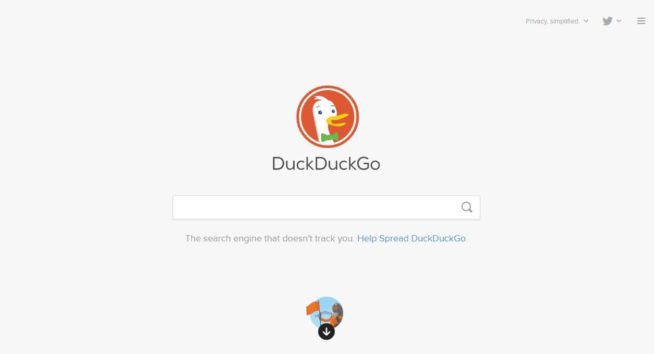
DuckDuckGo is widely regarded as a good private search engine for several compelling reasons that prioritize user privacy:
No User Tracking: DuckDuckGo is committed to user privacy and does not track or record any personally identifiable information about its users. Unlike mainstream search engines like Google, Yahoo!, or Bing, DuckDuckGo ensures that your search history, IP address, and personal data are not stored or monitored.
Results from Multiple Sources: Despite its privacy focus, DuckDuckGo provides comprehensive search results by aggregating data from various sources, including Wikipedia, Bing, Yahoo!, and Yandex. Users can still access a wide range of information and content without sacrificing privacy.
Non-Intrusive Ads: DuckDuckGo sustains itself through advertising revenue, but it does so without compromising user experience or privacy. The ads displayed at the top of search result pages are not intrusive and are labeled as “promoted results.” These ads do not hinder the functionality or aesthetics of DuckDuckGo’s search engine.
Anonymous Search Queries: While DuckDuckGo retains search queries, it does so anonymously. This means that the search queries are not tied to specific users or their personal information. DuckDuckGo maintains this data for the purpose of improving search results, using non-personal search data to enhance the overall user experience.
Commitment to Privacy: DuckDuckGo’s core philosophy is centered around privacy. The search engine’s commitment to not collecting or sharing user data, combined with its transparent approach to advertising, appeals to users who value online privacy and want to reduce their digital footprint.
User-Friendly Interface: DuckDuckGo provides a user-friendly and familiar search experience, making it easy for users to transition from mainstream search engines without sacrificing convenience.
In summary, DuckDuckGo stands out as a leading private search engine due to its strong commitment to user privacy, non-intrusive advertising model, diverse search results from multiple sources, and its anonymous handling of search queries. While it does retain search data for improvement purposes, it does so without compromising user privacy or tying the data back to specific individuals. DuckDuckGo’s focus on privacy and user-centric design makes it a valuable choice for those seeking a more private and secure online search experience.
Qwant is considered a good private search engine due to its strong emphasis on user privacy and its commitment to providing a private and secure online search experience. Here are several reasons why Qwant is a valuable choice for individuals who prioritize their online privacy:
Privacy-Centered Approach: Qwant’s primary focus is on user privacy. It prioritizes protecting user data and online anonymity. Unlike many other search engines and websites, Qwant avoids using cookies for tracking purposes.
Unique User ID: Qwant assigns each user a unique and anonymous user ID. This ID is used to store very basic user preferences, such as language and filter settings, while ensuring that individual search queries and personal information remain private.
No Search Query Recording: Qwant does not record or save users’ search queries. This means that your search history and queries are not stored or tracked, providing a higher level of privacy.
No Selling of User Data: Qwant does not sell any user information, whether it be search data or personal details, to advertisers or third parties. Its revenue model relies on ads and affiliate links, similar to well-known search engines like Google and DuckDuckGo.
Compliance with European Privacy Laws: As a European company, Qwant operates under the strict privacy laws of Europe. European privacy regulations are known for their stringent standards, ensuring that user data is handled with care and that data privacy rights are respected.
Partnerships for Comprehensive Results: While Qwant aims to provide its own search results, it has partnered with Bing to expand its search capabilities. This partnership allows Qwant to offer users access to a more extensive index of search results, ensuring that users can find the information they need while maintaining their privacy.
In summary, Qwant stands out as a private search engine due to its privacy-centered approach, unique user ID system, avoidance of search query recording, refusal to sell user data, compliance with strict European privacy laws, and partnerships for comprehensive search results. These features make Qwant a valuable choice for individuals who want to search the web privately, without compromising their personal information or online privacy.
Searx is considered a valuable private search engine for several reasons, primarily stemming from its open-source nature and privacy-focused approach:
Open-Source Nature: Searx is an open-source search engine, which means its source code is freely available for anyone to inspect, modify, and contribute to. This open nature allows for transparency and community-driven development, ensuring that users can trust the software’s behavior.
Community-Driven Improvements: Because of its dedicated community of developers and contributors, Searx can be continuously improved and updated more rapidly than closed-source search engines like Google. This open development model ensures that any issues or vulnerabilities can be addressed promptly.
Metasearch Engine: Searx is unique among search engines as it operates as a “metasearch” engine. Instead of relying solely on its own indexed results, Searx sends users’ search queries to multiple search engines, including Google, Yahoo!, Bing, DuckDuckGo, Qwant, and others. This approach provides users with a diverse range of search results.
Privacy-Focused: Searx prioritizes user privacy. It does not record or store users’ search queries or any personal information. Additionally, it does not share user data with advertisers or other third parties, ensuring that user searches remain confidential.
Anonymous Searches: Searx offers a unique mechanism that allows users to conduct searches without the search results pages appearing in their browsing history. This feature enhances anonymity and ensures that users can search without leaving traces of their online activity.
Tor Compatibility: Searx is accessible through the Tor network, a privacy-focused browsing network that conceals users’ identities and locations. This integration enhances user privacy and security, making Searx a suitable choice for those seeking heightened anonymity.
In summary, Searx’s open-source nature, community-driven development, metasearch capabilities, privacy-focused approach, anonymous searches, and compatibility with Tor make it a valuable private search engine. Users can trust that their search queries and personal information are not recorded, and they can benefit from a wide range of search results sourced from multiple search engines while maintaining their privacy.
Oscobo is considered a good private search engine for several reasons, primarily focusing on user privacy and secure communication. Here are the key features that make Oscobo a valuable choice for those seeking a private search experience:
User Privacy: Oscobo is committed to user privacy and does not record users’ search queries or other personal data. This commitment ensures that your search history and activities remain confidential and are not stored for tracking or analysis.
Encrypted Communication: Oscobo takes an extra step to enhance user privacy by encrypting its communication with all users. This means that all data exchanged between the user and Oscobo’s servers is encrypted, making it extremely difficult for anyone, including Internet service providers, to intercept or monitor your search history.
Cookie Usage: While Oscobo uses cookies, it does so in a privacy-conscious manner. These cookies are not tied to users’ personal information, and they do not track search queries. Instead, Oscobo uses cookies for basic user preferences and as part of its encryption feature, ensuring that they are used to enhance user experience without compromising privacy.
Funding through Sponsored Links: Similar to popular search engines like Google, DuckDuckGo, and Qwant, Oscobo funds itself through sponsored links displayed on its search results pages. These sponsored links allow Oscobo to sustain its services while maintaining a commitment to user privacy.
Expansion Plans: While Oscobo initially focused on serving its UK user base, it has plans to expand its services to cater to users in the rest of Europe. This expansion is expected to result in more language options and a broader range of search results, making Oscobo more versatile and accessible.
In summary, Oscobo stands out as a private search engine due to its strong dedication to user privacy, encrypted communication, responsible cookie usage, and plans for expanding its services. Users can trust that their search queries and personal information are kept private, and the use of encryption adds an extra layer of security to their online activities. Oscobo’s commitment to privacy makes it a valuable choice for those who prioritize confidentiality while searching the web.
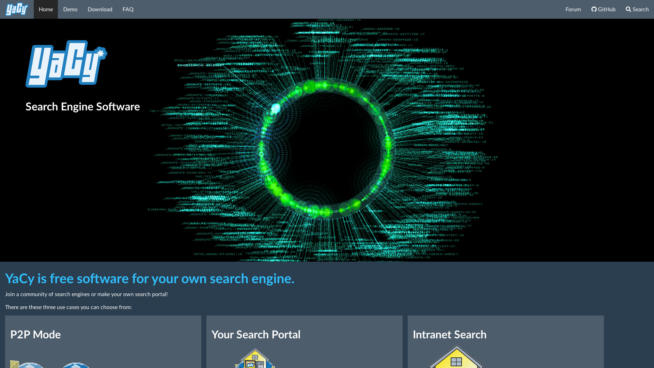
YaCy is considered a valuable private search engine due to its unique distributed and decentralized nature, strong focus on privacy, and open-source framework. Here are the key features that make YaCy a good choice for those seeking a private and decentralized search experience:
Distributed and Decentralized: YaCy operates as a distributed search engine based on a peer-to-peer (P2P) network. Unlike traditional search engines that rely on central servers, YaCy’s architecture involves hundreds of independent YaCy peers. Each peer crawls the web, analyzes, and indexes web pages independently. This decentralized approach means that there is no central service or single point of control, making YaCy highly resilient and censorship-resistant.
Open Source: YaCy is open-source software, meaning its source code is freely available for inspection, modification, and contribution by the community. This open nature fosters transparency, security, and collaborative development, ensuring that users can trust the system’s behavior.
Privacy Protection: YaCy places a strong emphasis on user privacy. It does not record users’ search queries or personal data. Additionally, YaCy’s architecture excludes protected pages (such as those with cookies and passwords) from its index. Pages loaded with POST or GET parameters are also not indexed. Only publicly accessible and non-password-protected content is included in the search results.
No Ads: YaCy does not include advertisements in its search results. This absence of ads contributes to a clean and ad-free search experience, prioritizing search results without distractions.
Local Web Server: Users access YaCy’s search function through a locally run web server. This provides a user-friendly interface with a search box to enter queries and receive search results. Since it operates locally, it offers a level of control and privacy over the search process.
Intranet Search Portal: YaCy can also be used to build a search portal for the intranet, facilitating internal searches within an organization while maintaining privacy and control over the search infrastructure.
In summary, YaCy’s distributed and decentralized architecture, open-source nature, strong privacy protection measures, absence of ads, local web server interface, and potential for intranet search portals make it a valuable private search engine. Its unique approach to search ensures that users can conduct searches while maintaining control over their data and privacy, and it offers a decentralized alternative to traditional search engines.
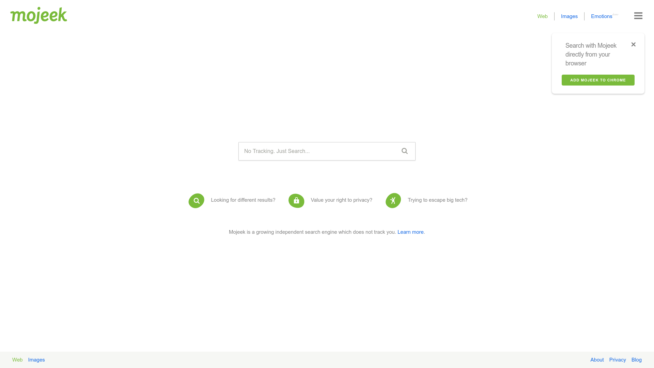
Mojeek is considered a good private search engine due to its commitment to user privacy, unbiased search results, and dedication to providing a tracking-free search experience. Here are the key features and reasons that make Mojeek a valuable choice for privacy-conscious users:
User-Centric Approach: Mojeek prioritizes its users and aims to provide a search experience that respects their privacy and preferences. It does not track users’ search history or behavior, ensuring that your online activities remain private.
Ad-Free and Non-Intrusive: Unlike some search engines that track user data to deliver targeted ads, Mojeek does not use your search history to bombard you with ads. This results in an ad-free and non-intrusive search experience, allowing you to focus on search results without distractions.
No Data Sharing: Mojeek does not share your personal information or search queries with third parties. This means that you won’t receive unsolicited cold calls or emails based on your search activity, enhancing your online privacy.
Independent Indexing: Mojeek distinguishes itself by creating its own index of web pages through web crawling technology. This independent indexing approach helps provide unique and unbiased search results, giving users access to a wide range of information on the web.
Green Data Center: Mojeek is hosted from a green data center in the United Kingdom. This choice reflects the company’s commitment to environmental sustainability and efficient resource usage.
Transparency and Privacy Policy: Mojeek has maintained a strict no-tracking privacy policy since its inception. This commitment to transparency and privacy protection ensures that users can trust the search engine with their online activities.
Minimization of Advertisements: Mojeek’s focus on delivering ad-free and tracking-free search results aligns with the preferences of users seeking to escape intrusive advertisements commonly found on other search engines.
While there have been debates and claims about Mojeek’s treatment of sponsored and paid results, it remains a popular choice for those looking for a private search engine that prioritizes user privacy and provides a clean and unbiased search experience. Mojeek’s commitment to user-centric principles and transparency sets it apart in the world of private search engines.
Swisscows is considered a good private search engine due to its strong commitment to user privacy, semantic data recognition technology, family-friendly content filtering, and secure infrastructure. Here are the key features and reasons that make Swisscows a valuable choice for privacy-conscious users:
Privacy-Centric: Swisscows prioritizes user privacy and anonymity. It does not store or track user data, ensuring that your online activities remain completely anonymous as you search. This commitment to privacy is reflected in the search engine’s infrastructure and data handling practices.
Semantic Data Recognition: Swisscows uses semantic data recognition technology to provide quicker and more accurate answers to user queries. This approach enhances the search experience by understanding the context of questions and delivering relevant results.
Independent Infrastructure: Swisscows operates its own servers and does not rely on third-party hosting or cloud services. Its data center is located in the Swiss Alps, known for its security, making it an ideal location for preserving user privacy. The geographical positioning of Swisscows outside the US and EU jurisdictions contributes to data protection.
Family-Friendly Content: Swisscows promotes family-friendly content and filters out explicit and violent material. This approach is aimed at providing a safe and suitable search environment, particularly for children and families. It aligns with the search engine’s commitment to moral values and digital media education.
No Ads or Sponsored Results: Swisscows does not display advertisements or sponsored results in its search listings. Users can trust that the information they receive is based solely on providing accurate and relevant answers to their queries, without commercial influences.
High Search Volume: Swisscows has gained popularity, with over 20 million searches conducted per month since 2018. Its user base values the search engine’s privacy-focused approach and family-friendly content filtering.
Secure Instant Messenger: The company behind Swisscows has also launched a secure instant messenger, demonstrating its commitment to providing secure and private communication solutions.
While some individuals may have concerns about limitations on anonymous searches, Swisscows’ dedication to preserving user privacy, secure infrastructure, semantic search technology, and family-friendly content filtering make it an attractive choice for those seeking a private and trustworthy search engine.
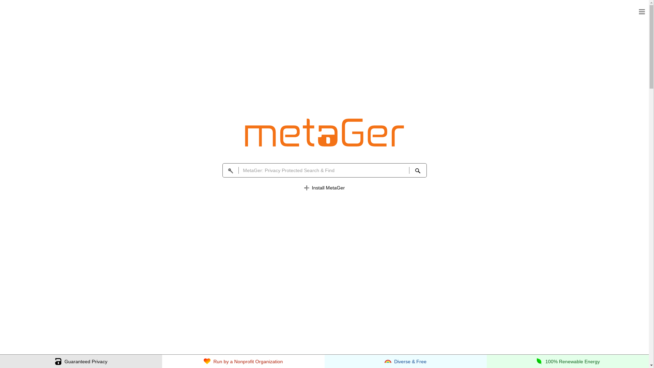
MetaGer is considered a good private search engine due to its strong commitment to user privacy, encryption, anonymity, and its metasearch capabilities. Here are the key features and reasons that make MetaGer a valuable choice for privacy-conscious users:
Independence and Privacy: MetaGer emphasizes providing access to knowledge without state or government interference. It prioritizes user privacy and does not store any private data, ensuring the highest level of privacy. This protection is reinforced through encrypted connections and Tor Hidden Services.
Tor Hidden Service: MetaGer offers a Tor Hidden Service, which enhances user anonymity and protection from surveillance. Users can access the search engine’s results pages anonymously through this technology and an anonymous proxy.
Geographical and Route Planning Searches: Despite its privacy-focused approach, MetaGer allows users to perform geographical and route-planning searches. This feature enhances the search engine’s usability for location-specific queries.
Non-Profit and Ad-Free: MetaGer operates as a non-profit search engine and does not display sponsored ads. It does not seek profit from user data or clicks. Instead, it relies on charitable donations to support its operations and mission to protect user privacy.
Metasearch Engine: MetaGer stands out as a metasearch engine, querying the top 50 search engines to provide users with a diverse range of search results. Unlike search engines that prioritize the most clicked-on results, MetaGer’s technology aims to deliver unique and varied answers, allowing users to access alternative and unbiased information.
German-Based and Secure Hosting: MetaGer is based in Germany and hosted as a cooperative effort between the University of Hannover and the NGO Suma-Ev. This collaborative setup ensures secure hosting and data management. The search engine features 24 small web crawlers under its control, reducing the risk of data leaks or unauthorized access.
MetaGer’s dedication to privacy, encryption, anonymity, and its commitment to providing a non-profit, ad-free, and metasearch engine alternative make it a compelling choice for users seeking a search engine that values their privacy and delivers diverse search results.
Peekier is considered a good private search engine for users who prioritize complete anonymity and data protection during their web searches. Here are the key features and reasons that make Peekier a valuable choice for privacy-conscious users:
Complete Anonymity: Peekier’s primary focus is on ensuring user anonymity. It does not place any cookies on the user’s device and does not save IP addresses or other identifying information. This commitment to anonymity helps users browse the web without the risk of being tracked.
Search Results from Bing: Peekier sources its search results primarily from Bing, offering users an alternative to Google. By using Bing’s results, Peekier provides relevant and diverse search outcomes while maintaining user privacy.
No Search Term or History Logging: Peekier does not save users’ search terms or browsing history. While search results are stored for service purposes to assist other users, this information is not associated with specific individuals. Users can search without the fear of their search history being tracked.
Preview of Websites: Peekier offers a website preview feature, allowing users to assess the content and relevance of a site before clicking on it. This feature helps prevent users from inadvertently sharing private information with websites that may not align with their search intent.
Protection Against Search Query Leakage: When users choose to visit a website from Peekier’s search results, the visited website only knows that a link was clicked on. It remains unaware of the specific search query that led the user to its page, enhancing user privacy.
Ad-Free Experience: Peekier does not display ads alongside search results. This ad-free experience ensures that search results remain unbiased and unaffected by advertising influences.
Peekier’s unwavering commitment to user anonymity, data protection, and privacy, combined with features like website previews and an ad-free experience, make it a strong choice for users seeking a private search engine that prioritizes their privacy while delivering relevant search results.
Ecosia is considered a good search engine for users who want to contribute to reforestation efforts and support environmental sustainability while maintaining their privacy. Here are the key features and reasons that make Ecosia a valuable choice:
Environmental Impact: Ecosia is a socially responsible search engine based in Berlin that allocates approximately 80 percent of its profits to reforestation projects around the world. By using Ecosia for web searches, users indirectly contribute to the planting of trees, which helps combat deforestation and mitigate climate change. As of January 2022, Ecosia claims to have planted over 140 million trees.
Financial Transparency: Ecosia is transparent about its financial model, demonstrating a commitment to accountability. Users can see where the search engine’s profits are directed, promoting trust and transparency.
Privacy Focus: Ecosia has made efforts to prioritize user privacy. It encrypts searches and does not store users’ search queries permanently on its servers. Additionally, Ecosia states in its privacy policy that it does not create user profiles based on search history and does not employ external tracking methods.
No Sale of User Data: Ecosia does not sell user data to third parties, ensuring that users’ search information is not exploited for advertising or profiling purposes.
Search Results: While Ecosia originally provided results from Bing, Wikipedia, and Yahoo!, it later transitioned to primarily offering Bing search results. This change has allowed Ecosia to focus on refining its algorithms and enhancing search quality.
Sponsored Ads: Ecosia displays ads alongside search results, and when users click on sponsored links, its partners pay a fee. These fees are used to fund reforestation efforts. Users can contribute to reforestation with each search, as a portion of the revenue generated from sponsored links goes toward planting trees.
Support for Environmental Causes: Ecosia’s mission to plant trees aligns with users’ desire to support environmental causes and contribute to a greener planet. This unique approach encourages users to make an impact simply by using a search engine.
Infrastructure Partnership: Ecosia partners with Microsoft’s Bing for search results, paying a small fee for its services. This partnership allows Ecosia to maintain its infrastructure while leveraging Bing’s search capabilities.
Ecosia’s combination of social and environmental responsibility, financial transparency, privacy focus, and user-friendly search experience makes it an appealing choice for individuals who want to make a positive impact on the environment while conducting private and secure online searches.
Gibiru is considered a good private search engine for individuals who prioritize privacy and want to avoid tracking, targeted ads, and censorship. Here are the key features and reasons that make Gibiru a valuable choice:
Privacy-Focused: Gibiru prioritizes user privacy by not logging search queries, refraining from placing cookies on users’ devices, and not retaining IP addresses. This ensures that user data is not collected, tracked, or sold for retargeting or profiling purposes.
No Data Selling: Gibiru’s for-profit model generates revenue through commissions when users make purchases after using the search engine. However, Gibiru does not sell users’ political interests, hobbies, or search logs, ensuring that personal information remains private.
VPN Service: In addition to its search engine, Gibiru offers a VPN (virtual private network) service. A VPN enhances privacy by masking users’ IP addresses, encrypting internet traffic, and preventing websites from tracking their online activities. While Gibiru provides some level of encryption, a VPN offers even stronger privacy protection.
Wormhole Mobile App: Gibiru’s Wormhole mobile app allows users to surf the internet anonymously without leaving records of the sites they visit or the searches they perform. The app offers an additional layer of privacy for mobile users who want to maintain anonymity.
Anti-Censorship: Gibiru positions itself as an anti-censorship search engine. It aims to provide unrestricted access to search results, including those that may be censored or hidden by other search engines like Google. Users can access a wide range of information without limitations.
Sponsored Ads: Like most search engines, Gibiru displays sponsored ads at the top of its search results page. While these ads are present, they do not compromise user privacy, as Gibiru does not track or profile users for ad targeting.
Independence from Major Contributors: Gibiru does not engage in favoritism toward specific websites based on political or financial affiliations. This approach ensures that search results remain unbiased and unaffected by external influences.
Gibiru’s commitment to user privacy, anti-censorship stance, provision of a VPN service, and mobile app for anonymous browsing make it a compelling choice for individuals seeking a private and secure search experience, free from the tracking and data collection often associated with major search engines.
Yippy is considered a good private search engine, particularly for enterprise and niche industries, due to its unique features and focus on data indexing and security. Here are the key aspects that make Yippy a valuable choice:
Metasearch Engine: Yippy operates as a metasearch engine, which means it compiles search results from multiple search engines and presents them in clustered groups for easier digestion. This clustering feature helps users quickly identify relevant content within search results.
Data Indexing: Yippy claims to have powerful crawlers and API systems that enable the indexing of various data sources and documents. This indexing capability provides users with access to a wide range of information, making it suitable for research and data-intensive tasks.
Enterprise-Level Security: Yippy places a strong emphasis on security, particularly for enterprise users. While specific security features are not detailed in the information provided, Yippy mentions the use of Access Control Lists (ACLs), Single Sign-On (SSO), and integration with Active Directory. These security measures are important for protecting sensitive corporate data.
IBM Connection: Yippy’s association with IBM lends it credibility and access to IBM’s technology and resources. This connection may be appealing to organizations seeking enterprise-level solutions with the backing of a reputable tech company.
Insight Technologies: Yippy focuses on providing insight technologies related to data. This suggests that the search engine is designed for users looking to extract valuable insights and information from various data sources.
Paid Service: Yippy operates as a paid service, which may indicate that it does not rely on advertising within search results. This can be advantageous for users who prefer an ad-free search experience and are willing to pay for advanced search capabilities.
Niche Industry Focus: Yippy aims to fill a niche in the search industry, particularly as an alternative to the Google Search Appliance. This suggests that it may cater to specific industries or organizations with specialized search and data retrieval needs.
While Yippy’s features and capabilities are tailored to enterprise and data-centric users, its specific pricing, security features, and advertisements within search results may vary depending on the subscription or license agreements. For organizations and individuals seeking advanced data indexing and search solutions, Yippy may offer a suitable option with its unique approach to search clustering and data insights.
Disconnect Search is considered a good private search engine primarily for its focus on user privacy and protection from third-party trackers. Here are the key reasons why Disconnect Search is valued by privacy-conscious users:
Protection from Trackers: Disconnect Search offers a browser extension (partly open-source) designed to enhance online privacy by blocking third-party trackers. This protection helps users prevent websites and advertising networks from collecting their browsing data, improving their overall online privacy.
Browser Extension: Disconnect Search is available as a browser extension for popular web browsers. This means users can easily integrate its privacy features into their existing web browsing experience, making it accessible to a wide range of users.
Mobile Support: In addition to desktop browsers, Disconnect Search extends its privacy protection to mobile devices, including both iPhones and Android smartphones. This ensures that users can maintain their privacy while browsing the web on mobile platforms.
No Personal Information Collection: Disconnect Search does not collect personal information, including IP addresses, from its users. This commitment to data privacy ensures that users’ search activities are not linked to their identities or locations.
Geo-location Optimization: While Disconnect Search does detect geo-location information, it claims that this data is used solely to optimize its services. Importantly, it does not use this information to identify individual users or their specific locations.
No Sale of Personal Information: Disconnect Search’s privacy policy emphasizes that it does not sell any personal information. This commitment aligns with the goal of protecting user data and preventing it from being exploited for advertising or other purposes.
Transparent Data Collection: Disconnect Search may collect certain information, such as data on operating systems and links clicked, but it aims to be transparent about these practices. Users should be aware of the data collected and how it is used to optimize the search experience.
Sponsored Ads: Disconnect Search acknowledges the use of sponsored ads. While it strives to provide users with private search results, it may display sponsored advertisements. These ads may be a source of revenue for the service.
Overall, Disconnect Search is valued for its efforts to provide users with enhanced privacy protection while conducting online searches. Its browser extension, mobile support, and commitment to not collecting or selling personal information make it an attractive option for individuals seeking more private web browsing experiences.
While switching to a private search engine is the best (and, in a lot of ways, the toughest) first step in taking back the reins of our privacy, there are other tips we feel should be mentioned here.
After all, we don’t spend all of our time on Google, Yahoo! or Bing. And let’s not be fooled — these three aren’t the only ones that keep records of our activities and sell them to advertisers later on.
Alongside them are Facebook, Twitter, YouTube, and Amazon, just to name a few.
Here are a few ways we can strengthen our privacy:
Avoid popular services like Google, Facebook, Twitter, Amazon, and Dropbox. It’s no coincidence that whenever we hear about a privacy scandal in the news, chances are it involves either Google or Facebook. The two have a notoriously bad track record of keeping their users’ data safe. However, they’re not alone – Twitter, Amazon, and Dropbox also openly admit to selling the data they collect to advertisers and other bidders.
Use a Virtual Private Network (VPN) or proxy. While it’s hard to find a decent VPN for free, many will agree that it pays for itself. Not only are today’s VPNs faster than they ever were before, but they offer a lot of nifty features. A VPN isn’t just useful for our privacy. For example, it can also let us access location-restricted content (such as on Netflix, for example).
Use anti-tracking software and add-ons. Most web browsers (including Chrome, Firefox and Internet Explorer) have a “do not track” feature, which tells websites not to track us. However, as an extra layer of protection, browser add-ons like Ghostery allow us to see and block trackers before they can run. Ghostery is cross-platform and is available for most web browsers on PC, Android, and iPhone.
Marcus is a cybersecurity analyst with a focus on VPN and proxy services. As the founder and driving force behind a prominent VPN and proxy website, Private Proxy Guide, Marcus has emerged as a trusted authority in the digital realm. With a passion for staying ahead of evolving cyber threats, he has played a pivotal role in educating and empowering individuals and businesses to safeguard their online presence.