Quick answer: The Best Snapchat Spy App in 2025 is mSpy!
When Snapchat was first introduced it quickly took the attention of teens and adults alike who enjoyed trying the then-popular dog filter along with a creative way to visualize stories and different filters. As the years passed, Snapchat introduced other features like Bitmoji, disappearing messages, Snap code, and others. But, is Snapchat the safest app for kids out there? One thing is certain, it’s popular and it continues to grab the attention of teens around the world.
Just like there are Spy apps for other social media apps, Snapchat Spy apps give a sort of relief to parents who want to know their child is not sharing inappropriate images or talking to strangers who could mean harm.
Being so popular on the social media market, Snapchat often attracts exploiters who could take advantage of certain users, which is why it seems appropriate to use spy apps for Snapchat on some occasions.
However, with so many spy apps being available to download and buy, it becomes quite difficult to make the right choice. Continue reading this article to learn more about the Snapchat spy apps and how you can use them to track the activity on Snapchat.
We made sure to include the overview, price, as well as benefits and drawbacks which will help you make your final choice. Some apps are free, while others, although paid, offer a free trial and a 100% money-back guarantee.
1. Features to Look into When Picking a Snapchat Spy App
Spy apps are applications that give other users access to your device, whether it’s a computer, tablet, or smartphone. Parents often use these apps to control who their child is talking to and prevent them from being bullied or disturbed.
Sometimes, people use these apps to spy on their spouses or employees to ensure they don’t give away confidential data to competition, or that they are simply not wasting time while being at work.
If you’re looking for a reliable spy app for Snapchat, here is a list of features that you should consider:
Encrypted Conversation – It’s no secret that Snapchat conversations disappear after a while and are encrypted. Despite that, if you want to have an insight into the conversations, you should consider options that let you download the conversations to your device and read them. That should also include media like photos and videos.
Keyword Search – If you suspect that there’s some inappropriate conversation going on in your child’s Snapchat, you can search for potentially insulting and offensive words in the keyword search bar. This is usually available on a desktop or MacOS app that runs on the web. Alternatively, some apps allow you to set a list of potentially offensive keywords and get alerted when they are being used.
GPS Tracking – Another feature worth mentioning is GPS tracking. Snapchat indeed has a built-in feature that allows learning the location of your contacts, but it’s not always reliable. On the other hand, you can always confirm the location of the target device using a spy app.
Keylogger – Some apps that come with a desktop or a web platform have keyloggers that allow you to track the keyboard input from the target device. That way you can learn if they are doing something inappropriate or bullying someone online.
Price – There are no free reliable spy apps. Some apps have demo options or free trials, but they are often limited in features compared to the full version. On the other hand, you can subscribe to a monthly plan, but it’s more affordable if you pay for multiple months or a full year.
Customer Support – Another important deciding factor for Snapchat spy apps is whether the app has reliable customer support. In case you encounter some problem, you can contact the customer support team and have the problem solved. Many apps offer 24/7 customer support via chat.
2. Best Snapchat Spy Apps 2025
Below is a list of the best Snapchat spy apps which you can use to track the activity of your children and whether they are safe on this social media. Although we don’t recommend spying on your significant other, this is the perfect chance to catch them red-handed.
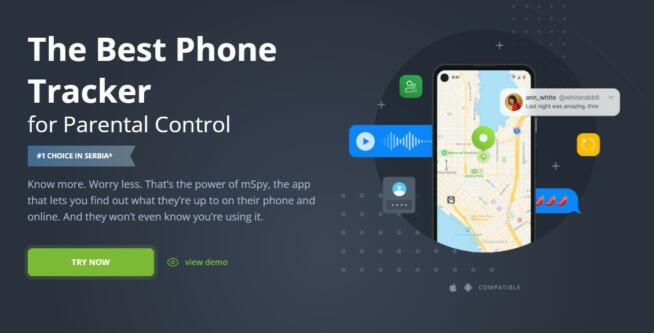
mSpy is a comprehensive monitoring tool that stands out as a Snapchat spy app due to its extensive features and compatibility. It’s an ideal choice for those who need to monitor Snapchat activity, especially for concerned parents keeping an eye on their children’s online interactions. Here’s a detailed explanation of its features and benefits:
Wide Compatibility: mSpy works across various platforms, including both Android and iOS devices. This broad compatibility ensures that it can be used on most smartphones and tablets without compatibility issues.
Comprehensive Monitoring: Beyond just Snapchat, mSpy offers monitoring capabilities for a range of other apps and online activities. This makes it a versatile tool for overall digital monitoring.
Web-Based Interface: The platform can be accessed from a PC as a web-based interface, which is intuitive and user-friendly. This makes it convenient for monitoring Snapchat and other activities remotely.
Data Encryption: mSpy encrypts conversations and other data transferred through Snapchat, ensuring privacy and security of the monitored information.
24/7 Customer Support: The app provides responsive customer support around the clock, which is crucial for troubleshooting and guidance.
Trigger Keywords and Notifications: The app allows setting trigger keywords in conversations and sends notifications when these are used. This feature is particularly useful for parents monitoring for potential harmful interactions or content.
Access to Expired Messages and Photos: mSpy can retrieve messages and photos from Snapchat that have expired, offering a more comprehensive view of the Snapchat activity.
Price: mSpy is priced at $48.99/month, with a free trial available.
Pros:
Wide compatibility with various devices and platforms.
Comprehensive monitoring features for Snapchat and other apps.
User-friendly web interface.
Strong customer support services.
Advanced features like data encryption and trigger keyword notifications.
Cons:
The pricing can be relatively high, especially for long-term monitoring needs.
The app does not offer call recording features.
In summary, mSpy is an effective tool for Snapchat monitoring, offering a wide range of features that go beyond basic monitoring. Its compatibility with different devices, strong customer support, and advanced monitoring capabilities make it a top choice for those who need a reliable Snapchat spy app. However, its higher price point and lack of call recording feature are aspects to consider.
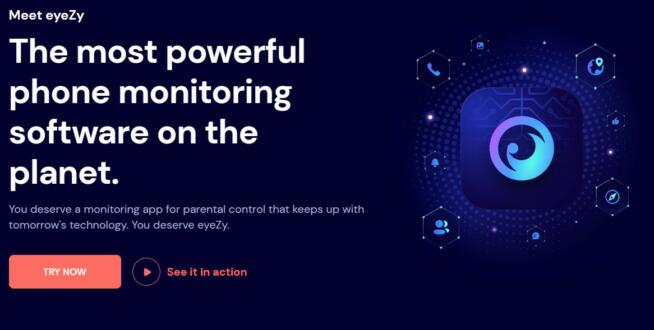
Eyezy stands out as a feature-rich Snapchat spy app, suitable for those who need comprehensive monitoring capabilities, especially for parents concerned about their children’s online safety. Here’s a detailed breakdown of its features and benefits:
Robust Security Measures: Eyezy ensures that all conversations within the app are encrypted, safeguarding the privacy and security of the monitored data.
Wide Device Compatibility: The app is compatible with both Android and iOS devices, including tablets that support these operating systems. This broad compatibility ensures usability across most modern mobile devices.
GPS Location Tracking: One of the standout features of Eyezy is its calibrated GPS navigation, which allows for real-time location tracking. This is particularly useful for parents wanting to know their children’s whereabouts.
Multi-Platform Monitoring: Beyond Snapchat, Eyezy can monitor activities across various social media platforms, offering a more comprehensive oversight of digital interactions.
Wi-Fi Network Analysis: This feature enhances security by analyzing the quality and safety of Wi-Fi networks, an essential aspect in protecting against hackers and online threats.
Artificial Intelligence Alerts: Eyezy uses AI to alert users of potentially harmful or inappropriate activities, adding an extra layer of proactive monitoring.
Price: Eyezy is priced at $46.86/month, and a free trial is available.
Pros:
Multiple payment plans, offering flexibility for users.
Broad compatibility across different devices and platforms.
Strong customer support services.
Advanced features like network analysis and AI alerts for enhanced security.
Cons:
The cost can be high, particularly for monitoring multiple devices.
The app updates are not as frequent, which could impact performance and compatibility with newer device versions.
In conclusion, Eyezy is a powerful and versatile tool for those needing detailed monitoring of Snapchat and other social media activities. Its combination of security features, location tracking, and AI alerts make it a top choice in the market. However, the higher pricing and less frequent updates are factors to consider when choosing the right spy app for your needs.
uMobix is a comprehensive monitoring tool designed for Android and iOS devices, with specific capabilities that make it an effective option for monitoring Snapchat activities. Its suite of features is particularly useful for parents or guardians concerned about their child’s online interactions on platforms like Snapchat. Here’s a breakdown of why uMobix is a good Snapchat spy app:
Monitoring Disappearing Messages: uMobix is adept at tracking messages on Snapchat, including those that disappear after being viewed. This feature is crucial for parents wanting to monitor their child’s conversations on Snapchat, which is known for its ephemeral messaging.
Image and Video Tracking: The app can track images and videos shared on Snapchat, giving a complete view of the media being exchanged. This capability is important for ensuring that children are not exposed to inappropriate content.
Call Logs Monitoring: uMobix saves call logs, which can be crucial in understanding who the child is communicating with, and potentially identifying if they are in contact with any undesirable individuals.
Keylogger Feature: The inclusion of a keylogger means that uMobix records keystrokes, which can provide insights into what the child is typing, searching for, or communicating in messages.
GPS Location Tracking: The GPS tracking feature is invaluable for ensuring the child’s safety, allowing parents to know their child’s location in real-time.
Pros:
Offers multiple payment plans, catering to different budgetary needs.
Excellent customer support for assistance and queries.
GPS location tracking enhances child safety.
Call tracking provides insights into the child’s communication patterns.
Cons:
The cost can be high for short-term use, such as purchasing for just one month.
The basic plan may have limited features compared to more comprehensive plans.
Pricing: uMobix costs $49.99 per month, with a free trial and demo available. This pricing reflects its extensive feature set and capabilities.
In conclusion, uMobix is a well-equipped monitoring tool for parents and guardians looking to oversee their child’s activities on Snapchat and other digital platforms. Its capabilities in tracking disappearing messages, media content, calls, keystrokes, and location make it a valuable tool for ensuring online safety. While the cost may be a consideration, especially for short-term use, its range of features and strong customer support justify the investment for those concerned about their child’s digital interactions.
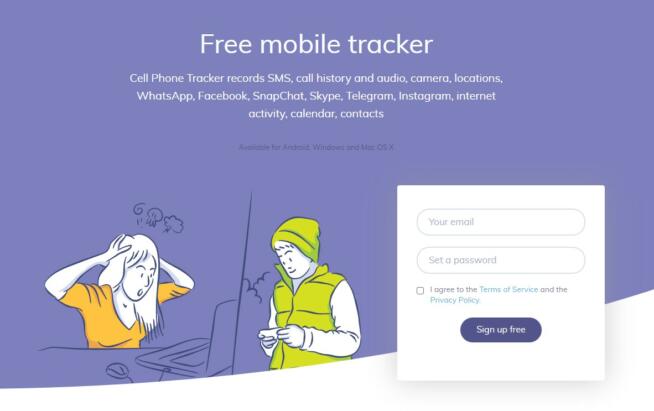
Hoverwatch is considered a good Snapchat spy app for several reasons, making it a viable option for individuals looking to monitor smartphone activity, including Snapchat usage. Here are the key features and reasons why Hoverwatch is a suitable choice:
Affordability: Hoverwatch offers both a free basic version and reasonably priced premium plans. The availability of a free option allows users to explore its features before committing to a paid plan, making it budget-friendly.
User-Friendly Interface: The app’s simple and intuitive interface makes it accessible, even for parents who may not be tech-savvy. It avoids cluttered options and settings, ensuring ease of use.
Snapchat Monitoring: Hoverwatch allows users to access encrypted data on Snapchat, enabling monitoring of Snapchat activity. This feature is essential for parents or individuals concerned about how Snapchat is being used.
Social Media Monitoring: In addition to Snapchat, Hoverwatch provides the capability to monitor other social media platforms, such as Facebook. This comprehensive social media monitoring ensures a holistic view of online activities.
Call and Message Tracking: Users can track phone calls and messages on the target device, providing insights into communication patterns and contacts.
Keylogger: Hoverwatch offers a keylogger feature for Windows and macOS computers. This feature is valuable for monitoring keyboard input and activities on these platforms, ideal for those who spend significant time on computers.
GPS Location Tracking: The app allows users to access the GPS location of the target device. This feature is especially useful for tracking the physical whereabouts of a child or spouse.
Stealth Mode: Hoverwatch operates invisibly on the target device, ensuring that the user being monitored is unaware of its presence. This stealth mode helps maintain the element of surprise and prevents tampering.
Multi-Device Support: Hoverwatch is available on multiple devices, offering flexibility and compatibility across various platforms.
Remote Tracking: Users can remotely track the activity on the target device, providing convenience and real-time monitoring capabilities.
Price: Hoverwatch offers a free basic version with additional payment plans available for more advanced features.
Pros:
Free with multiple payment plans.
Great customer support.
GPS location tracking.
Keylogger for macOS and Windows.
Cons:
Limited features in the basic version.
Lack of support for iOS devices.
The free trial for the full version lasts only 3 days.
In summary, Hoverwatch is a cost-effective Snapchat spy app with a user-friendly interface, social media monitoring capabilities, and features like call tracking, keylogging, and GPS location tracking. While it has some limitations, such as the lack of support for iOS, it offers valuable tools for monitoring and ensuring the safety of loved ones or maintaining security in specific situations.
Cocospy is considered a good Snapchat spy app due to its comprehensive features and compatibility with both Android and iOS devices. Here are the key features and reasons why Cocospy is a suitable choice for monitoring Snapchat and other activities:
Discreet and Secure: Cocospy allows users to discreetly monitor a target device’s Snapchat activity without the knowledge of the person being monitored. It ensures privacy and security throughout the monitoring process.
Snapchat Monitoring: Users can access messages, pictures, videos, and other content exchanged on Snapchat. Additionally, Cocospy provides insights into the use of inappropriate language and actions on the platform, which is crucial for parental control.
Live Call Listening: Cocospy offers the unique feature of live call listening, enabling users to listen in on live calls made through Snapchat and other apps. While this feature raises ethical considerations, it can be a valuable tool for ensuring the safety of loved ones in critical situations.
Message Recovery: Encrypted and deleted messages on Snapchat can be easily retrieved and viewed from any device, whether it’s an Android or iOS device. This feature ensures that no communication goes unnoticed.
Contact List Export: Users can export the contact list from the target device, allowing them to view all the contacts stored on the phone. This feature provides insights into the individual’s social circle.
Group Chat Monitoring: Cocospy supports the monitoring of group chat messages, which is essential for identifying instances of bullying or inappropriate behavior within group conversations.
GPS Location Tracking: The app includes GPS location tracking, enabling users to know the real-time whereabouts of the target device. This feature is beneficial for ensuring the safety and security of individuals.
Price: Cocospy offers a monthly subscription plan priced at $39.99, with a demo version and free features available for users to explore.
Pros:
Affordable compared to other monitoring apps.
Decent customer support.
Comprehensive Snapchat monitoring capabilities.
Live call listening for added safety.
GPS location tracking for real-time location updates.
Cons:
Some users may find it a bit challenging to use.
Unlocking/jailbreaking the target device may be required for certain features.
In summary, Cocospy is a versatile Snapchat spy app that prioritizes privacy and security. It offers a wide range of monitoring features, including Snapchat message retrieval, live call listening, contact list export, group chat monitoring, and GPS location tracking. While it may require unlocking or jailbreaking the target device, Cocospy provides valuable tools for parents and individuals concerned about online safety and communication monitoring.
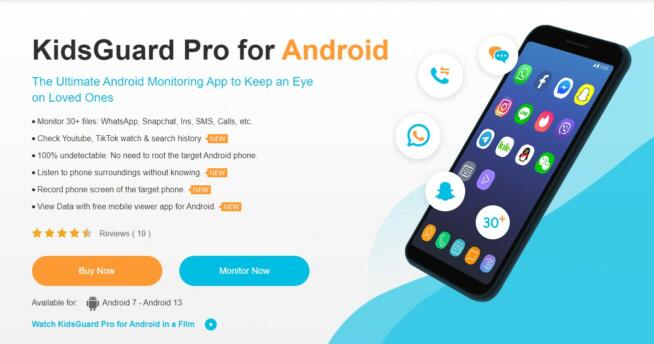
KidsGuard is considered a good Snapchat spy app, particularly for Android devices, due to its extensive features and compatibility. Here’s why KidsGuard stands out as a suitable choice for parents concerned about their child’s online safety and privacy:
Android Compatibility: KidsGuard is compatible with a wide range of Android devices, from Android 7 to 13. It offers robust monitoring capabilities on the Android platform, making it an ideal choice for parents who use Android smartphones.
Comprehensive Application Support: The app supports various messaging and social media applications, including Snapchat, WeChat, Facebook, WhatsApp, and others. Parents can monitor conversations and media shared on these platforms, gaining insights into their child’s online interactions.
Message and Media Monitoring: KidsGuard allows parents to read messages exchanged between their child and others, including deleted messages and media files. This feature ensures that no communication goes unnoticed, even if messages are deleted.
Phone Call Tracking: Parents can track incoming and outgoing phone calls made to their child’s number. This feature provides insights into their child’s communication patterns and allows them to identify any potentially problematic calls.
Live Control Panel: The app features a live control panel that offers real-time monitoring of various apps and activities on the target device. This panel provides a convenient way for parents to stay informed about their child’s digital behavior.
Call Filter: KidsGuard includes a call filter feature that allows parents to prevent calls from unwanted or unknown contacts. This feature adds an additional layer of protection against unwanted communication.
Location Tracking: Parents can track their child’s location in real time, providing added safety and security. This feature ensures that parents are aware of their child’s whereabouts, especially if they are going to unfamiliar places.
Price: KidsGuard offers a monthly subscription plan priced at $29.99, with a demo version and free features available for users to explore.
Pros:
Affordable pricing compared to other monitoring apps.
Dedicated customer support for assistance.
User-friendly interface, making it easy for parents to use.
Extensive tracking capabilities for calls and messages.
Support for tracking deleted messages and media.
Cons:
Separate Android and iOS apps, requiring separate purchases.
Limited to monitoring one device at a time.
In summary, KidsGuard is a comprehensive Snapchat spy app designed to help parents protect their children from cyberbullying and online threats. It offers robust monitoring features, including message and media tracking, call monitoring, a live control panel, call filtering, and real-time location tracking. While separate Android and iOS apps may be required for monitoring different devices, KidsGuard provides an affordable and user-friendly solution for parents seeking to ensure their child’s online safety.
FlexiSpy is considered a versatile and comprehensive smartphone spy app, including support for tracking activities on social media platforms like Snapchat. Here’s why FlexiSpy stands out as a suitable choice for those looking to monitor Snapchat and other activities on both Android and iOS devices:
Wide Compatibility: FlexiSpy is compatible with a wide range of devices, making it suitable for both Android and iOS smartphones and tablets. It offers a broad range of device compatibility, ensuring that users can monitor their target’s Snapchat activity.
Advanced Snapchat Monitoring: FlexiSpy allows users to track conversations, messages, images, videos, and other media exchanged on the target’s Snapchat account. Users have the option to either filter conversations for inappropriate content or download entire conversations to their device.
Remote Monitoring: FlexiSpy enables users to monitor a child’s or target’s Snapchat account from a PC or Mac computer. This remote monitoring feature provides convenience and allows discreet surveillance without the need for physical access to the target device.
Keyword Alerts: Users can set up a list of trigger keywords, and FlexiSpy will send notifications whenever these keywords are used in conversations. This feature helps users stay informed about potentially concerning or inappropriate discussions.
FlexiSpy Portal: The app includes a dedicated FlexiSpy portal, providing a centralized platform for users to access and manage the monitored data. The portal offers an organized and user-friendly interface for tracking and reviewing activity.
Price: FlexiSpy offers multiple subscription plans starting from $29.95 per month, with a demo version and free features available for users to explore.
Pros:
Multiple subscription plans to accommodate different needs.
FlexiSpy portal for convenient data access and management.
Customizable keyword alerts for monitoring specific content.
Comprehensive tracking of calls and messages.
Compatibility with a wide range of devices.
Cons:
Some advanced features may require rooting (Android) or jailbreaking (iOS) the target device, which can be a complex process.
Monthly subscription costs can vary depending on the desired feature set.
In summary, FlexiSpy is a robust smartphone spy app suitable for monitoring Snapchat and various other social media and messaging platforms. It offers advanced features, remote monitoring capabilities, keyword alerts, and a user-friendly portal for managing tracked data. While certain features may require device rooting or jailbreaking, FlexiSpy provides a comprehensive solution for those seeking to monitor and protect their loved ones or maintain digital security.
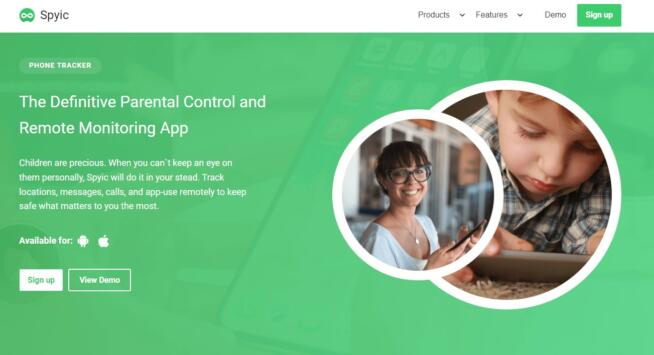
Spyic is a comprehensive and user-friendly spy app suitable for monitoring Snapchat and various other messaging apps. It offers several features that make it an excellent choice for individuals looking to ensure the safety and privacy of their loved ones. Here’s why Spyic is considered a good Snapchat spy app:
Ease of Use: Spyic is known for its user-friendly interface, making it accessible to parents and individuals who may not be tech-savvy. The app’s intuitive design simplifies the monitoring process, allowing users to track Snapchat conversations, text messages, images, and other media effortlessly.
Privacy-Focused: Spyic prioritizes user privacy by not storing data, ensuring that the user’s information remains confidential. This commitment to privacy helps maintain a high level of anonymity while monitoring Snapchat activities.
Remote Dashboard: Spyic offers a remote dashboard that enables users to monitor multiple devices simultaneously. This feature is particularly useful for parents with multiple children or individuals responsible for the safety of multiple devices.
Keyword Alerts: Users can set up keyword alerts to monitor specific content or phrases in conversations. Spyic sends notifications when these keywords are detected, allowing users to stay vigilant and address potential issues promptly.
GPS Location Tracking: The app provides accurate GPS location tracking, enabling users to monitor the real-time whereabouts of the target device. This feature is valuable for ensuring the safety and security of loved ones.
Keylogger: Spyic includes a keylogger feature that records keystrokes, providing insights into websites visited and browsing habits. This added functionality allows users to gain a more comprehensive understanding of online activity.
Price: Spyic offers various subscription plans, with pricing starting from $49.99 per month. The app provides a demo and free features for users to explore before making a purchase.
Pros:
Easy to use on multiple devices.
Intuitive dashboard for streamlined monitoring.
Customizable keyword alerts for content monitoring.
Keylogger for tracking online activity.
Privacy-focused with no data storage.
Cons:
Pricing may be considered expensive compared to some other apps.
The target phone may need to be jailbroken (iOS) or rooted (Android) for certain features to function properly.
In summary, Spyic is a versatile and privacy-focused spy app suitable for monitoring Snapchat and other messaging apps. Its user-friendly interface, keyword alerts, GPS location tracking, and keylogger features make it a valuable tool for parents and individuals concerned about online safety and security. While some advanced features may require device jailbreaking or rooting, Spyic provides a comprehensive solution for monitoring and protecting loved ones.
This FAQ section was created to answer some of the most common questions about spy apps for Snapchat. Read on if you have any unanswered questions.
3.1 Can You Spy on Someone Else’s Snapchat?
Yes, spying on other people’s Snapchat accounts and monitoring their conversations may not be the most ethical thing to do, but it’s possible. Some apps allow for parental control and monitoring conversations in search of potentially harmful content.
Some apps may be free or offer a demo or a free trial, but the best apps, and also those that are the easiest to use come with a monthly subscription which may not be affordable. Some apps are cheaper but may require you to jailbreak the target’s device in order for them not to notice that you’re spying on their phone.
3.2 Are There Free Spy Apps for Snapchat?
Apps like Hoverwatch allow you to create an account for free and download a phone tracker app. Unfortunately, the free options are quite limited and the trial period is quite short. To use a free trial, you will always need to provide credit card info, for developers to prevent the app to be downloaded by the same person using different emails. For a quality spying experience, you will have to pay or subscribe for monthly payments.
4. Conclusion
There are many spy apps on the market that support Snapchat. Unfortunately, some of them are limited in features while many others offer features you probably won’t ever have to use. One thing is for sure, the best Snapchat spy app for your use case is the one packed with features that you individually need. Have you ever used Snapchat spy apps? Which one worked the best for you?
Marcus is a cybersecurity analyst with a focus on VPN and proxy services. As the founder and driving force behind a prominent VPN and proxy website, Private Proxy Guide, Marcus has emerged as a trusted authority in the digital realm. With a passion for staying ahead of evolving cyber threats, he has played a pivotal role in educating and empowering individuals and businesses to safeguard their online presence.